Proper structure is important when building a website. Including an index page in each folder is one of the basic steps to both design and security. By default, if a visitor lands on a subdirectory without an index page, they will see an “Index Of” page that lists all files and folders under that directory. This can be at the least embarrassing and unprofessional and at most a security risk. Follow the instructions below to learn about preventing the “Index Of” listing page using the Index Manager in the cPanel.
How to prevent displaying the “Index Of” page via cPanel
- First, log into your cPanel interface.
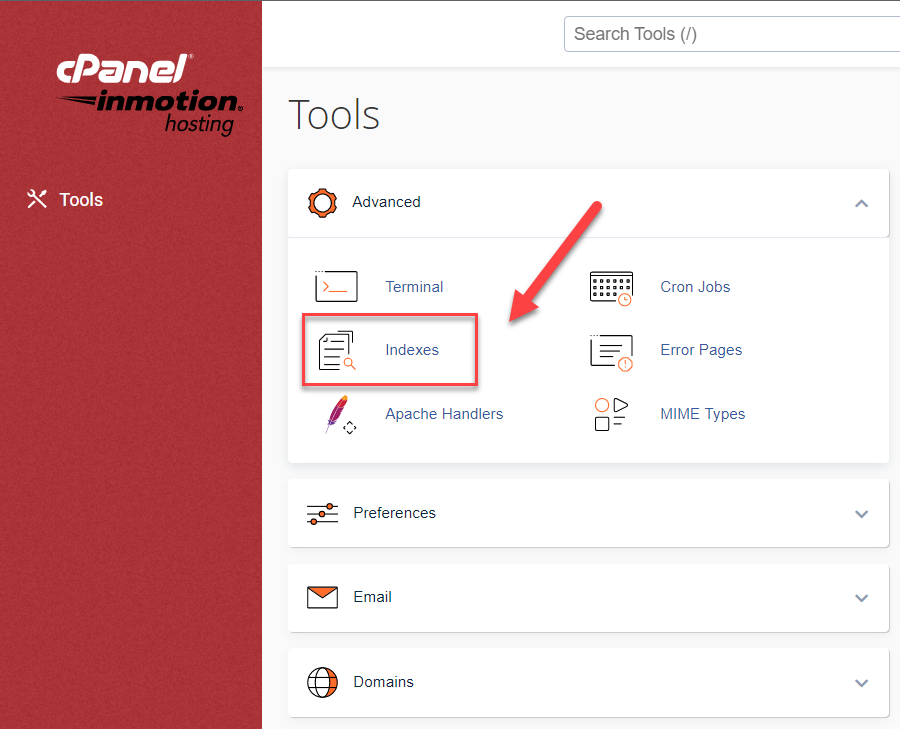
- Look through the categories listing on the right hand panel of the main cPanel page and find the Advanced category. Click on the Indexes icon to continue.
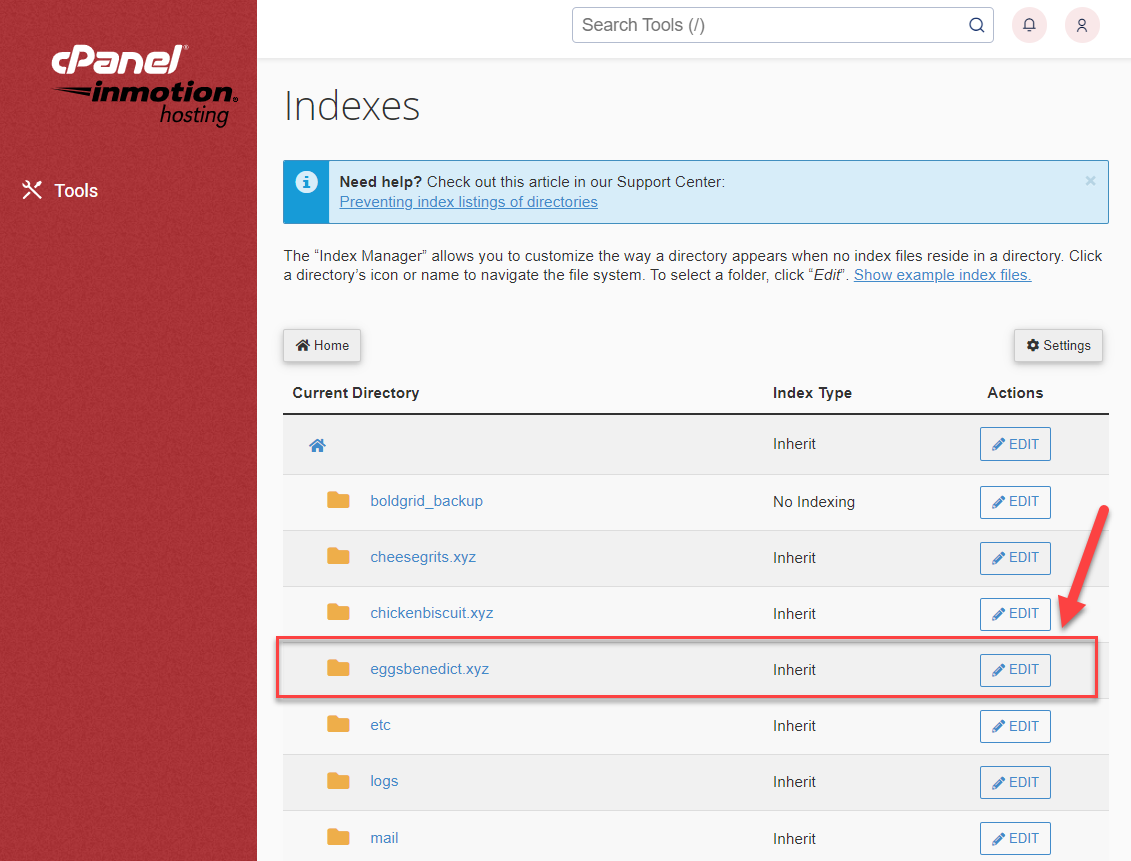
- On the next page, you can select the directory you want to edit. The directories you see are all of the directories in the top level of cPanel’s home folder, just as you’d see if you opened the cPanel File Manager. If the directory you want to edit is a few levels deep, click through the directories on the left until you find the one you want to edit, then click the Edit button for that directory.
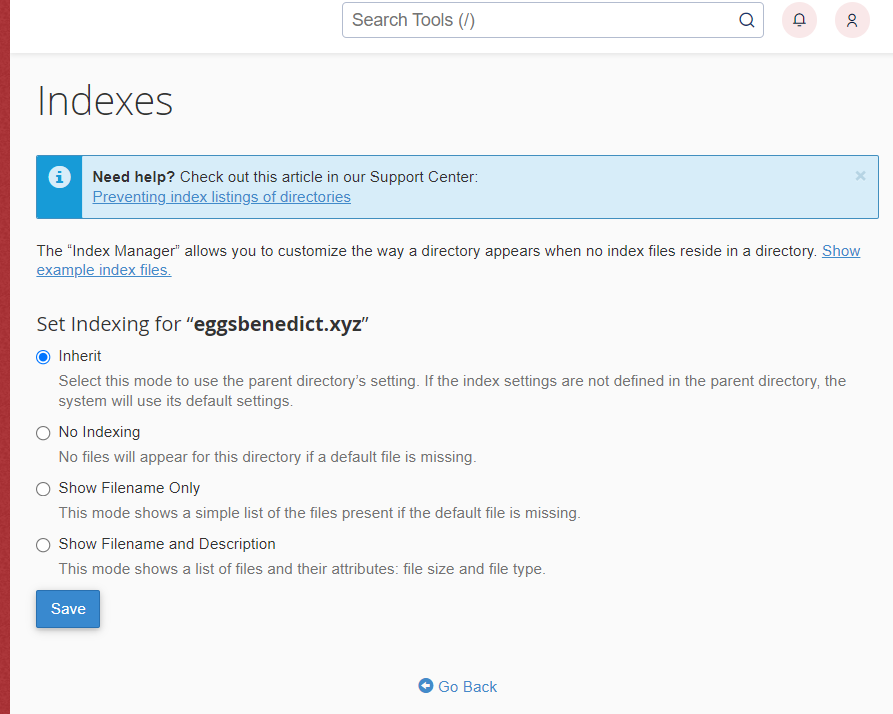
- You are now brought to a screen where you can select the Indexing style you want to present. To prevent any index listing at all, simply select the No Indexing radio button. Click Save to activate your selection.
- Now you can visit your site and view the same directory or subdirectory without an index file. You should receive a 403 Forbidden page instead of a list of files. Below is a before and after shot demonstrating how the No Index setting prevents the display of the file list.
Before: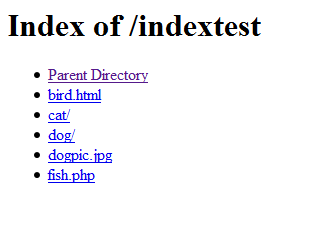
After:
Give your small business a digital presence with our fast, secure Shared Hosting solutions. Easily manage your websites with the industry-leading control panel on up to 20x faster web hosting that fits your budget.