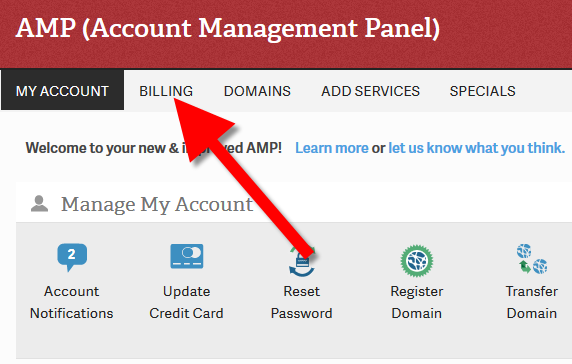
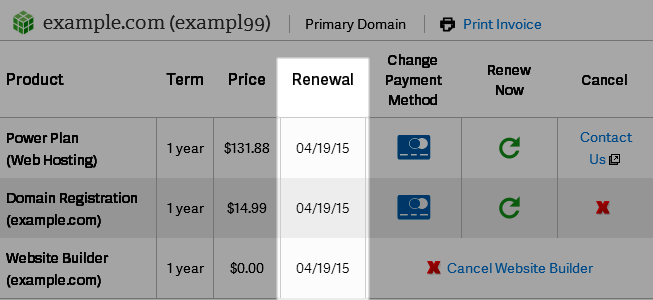
Viewing Renewal Dates in the Account Management Panel InMotion Hosting ContributorUpdated on August 16, 2021 1 Minute Read By default, bill items with us will automatically renew. In this guide we will show you how to view the renewal dates for your active bill items in the Account Management Panel (AMP). How to View Renewal Dates: Login to your Account Management Panel (AMP). Click Billing link in the main menu. You will then see all of your bill items listed, along with the renewal dates. Congratulations, now you know how to view your renewal dates in your Account Management Panel (AMP)! Share this Article IC InMotion Hosting Contributor Content Writer InMotion Hosting contributors are highly knowledgeable individuals who create relevant content on new trends and troubleshooting techniques to help you achieve your online goals! More Articles by InMotion Hosting Related Articles Submitting a Ticket Request How to Add/Cancel Domain Privacy in AMP How to Upgrade / Downgrade Your Hosting Plan in AMP How to Purchase or Cancel an SSL From AMP Manage Your Control Web Panel Server from the Account Management Panel (AMP) Advanced Product Support (APS) Explained Engrampa Archive Manager for Linux How to Change Your Domain Nameservers in AMP Adding a Dedicated IP Address to Your Server How To Get Great Support & Customer Service