
One of the services you can offer as a reseller to your client is the option to register a domain using eNomCentral.
Start your own web hosting business using InMotion’s Reseller Hosting solutions.

Step 1. Log in to your eNomCentral account, then click on Domains in the menu at the top of the screen.
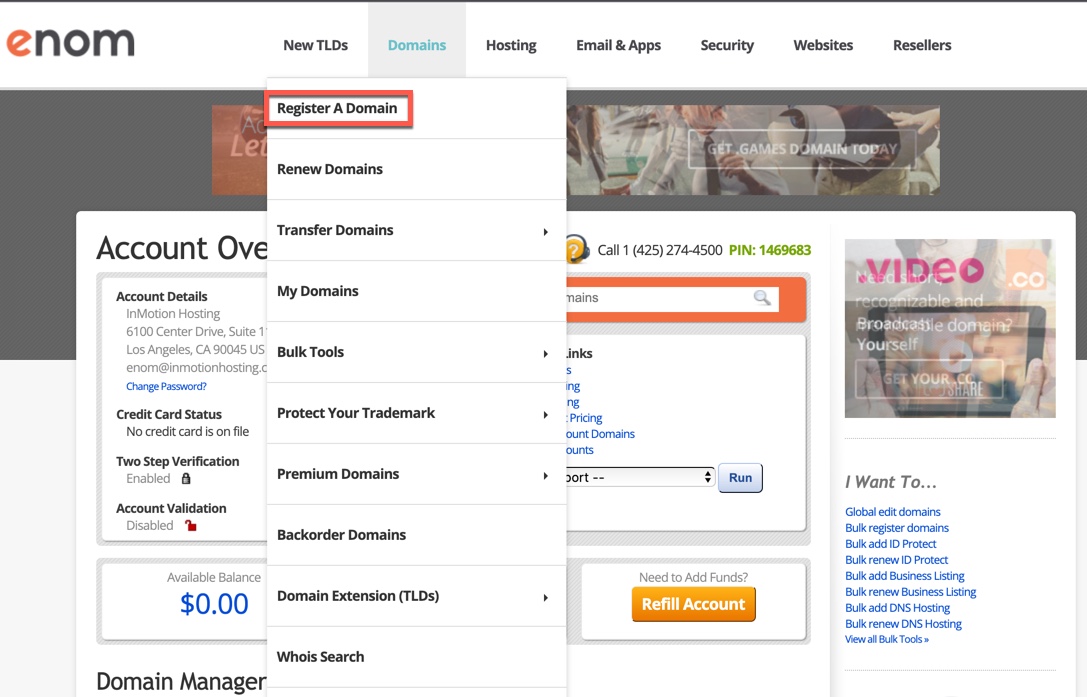
Step 2. You will see a drop-down menu appear. Click on Register a Domain.
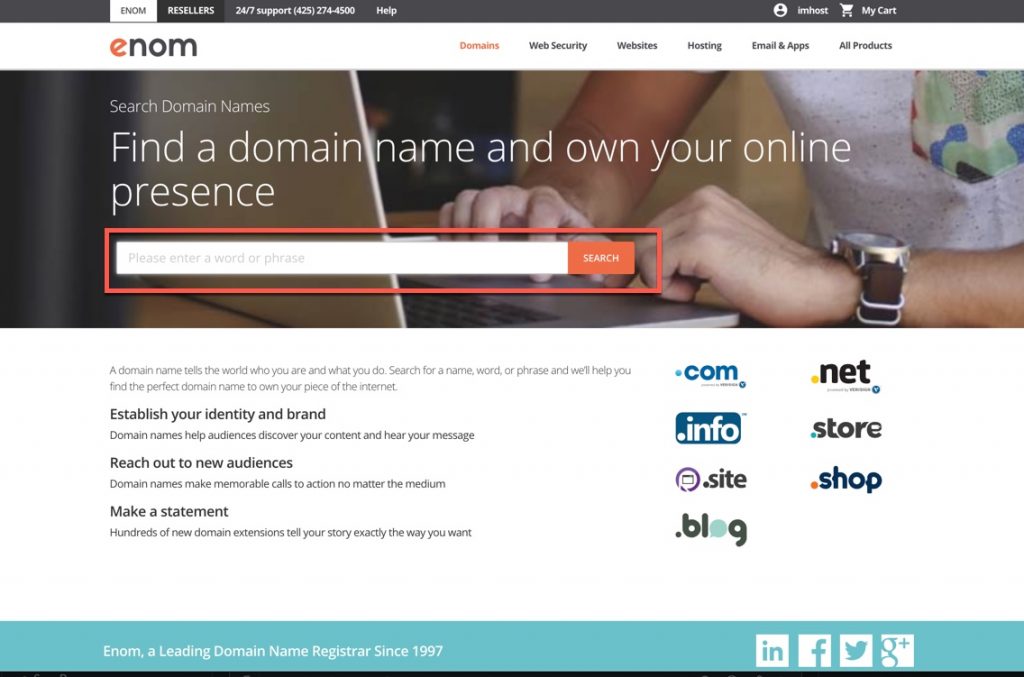
Step 3. The next screen gives you a field where you can type the domain you’re trying to register.

Step 4. If your domain is available then you will see a message telling you that it’s still available. If it’s not available then it will say, “Sorry this name’s already taken.” In either case, you will be given a list of different top-level domains you can register. Click on the Add to Cart. You will then see the option to Checkout. Click on Checkout to proceed.
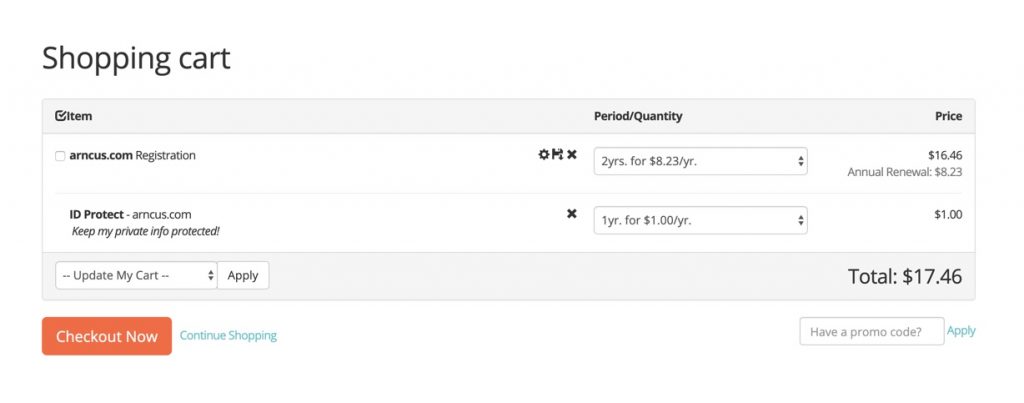
Step 5. When you go to checkout you will see the contents of your shopping cart. You can preconfigure the settings for the domain, save the domain for later, or remove the domain from the cart. You can also change the period of time that you’re registering the domain for. Click on Checkout Now to proceed to register the domain.
Once you have completed the checkout process then you have finished registering a new domain! Remember that once you completed registering the domain it may take up to 24 hours of domain propagation time before the domain is recognized on the internet.
If you wish to use a custom nameserver for your newly registered domain, you can learn how to do that in our guide, Using Custom Nameservers as a Reseller.
Congratulations! You now know how to register a domain in eNomCentral. To learn more and become a more knowledgeable reseller host, see our Reseller Hosting Product guide.