Before you create individual products in WHMCS, you must have a group to assign them to. For example, if you are going to create hosting plans, then you may want to create a group named ‘Web Hosting’. After that, you can create products and assign them to that group. Below we demonstrate how to create a product group in WHMCS.
Creating a Product Group in WHMCS
- Log into WHMCS.
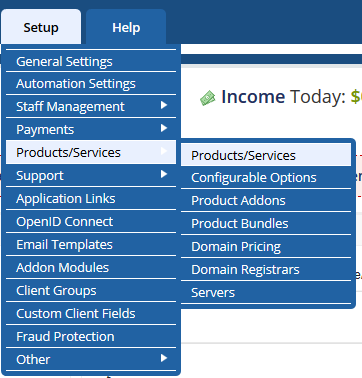
Click on Setup >> Products/Services >> Products/services
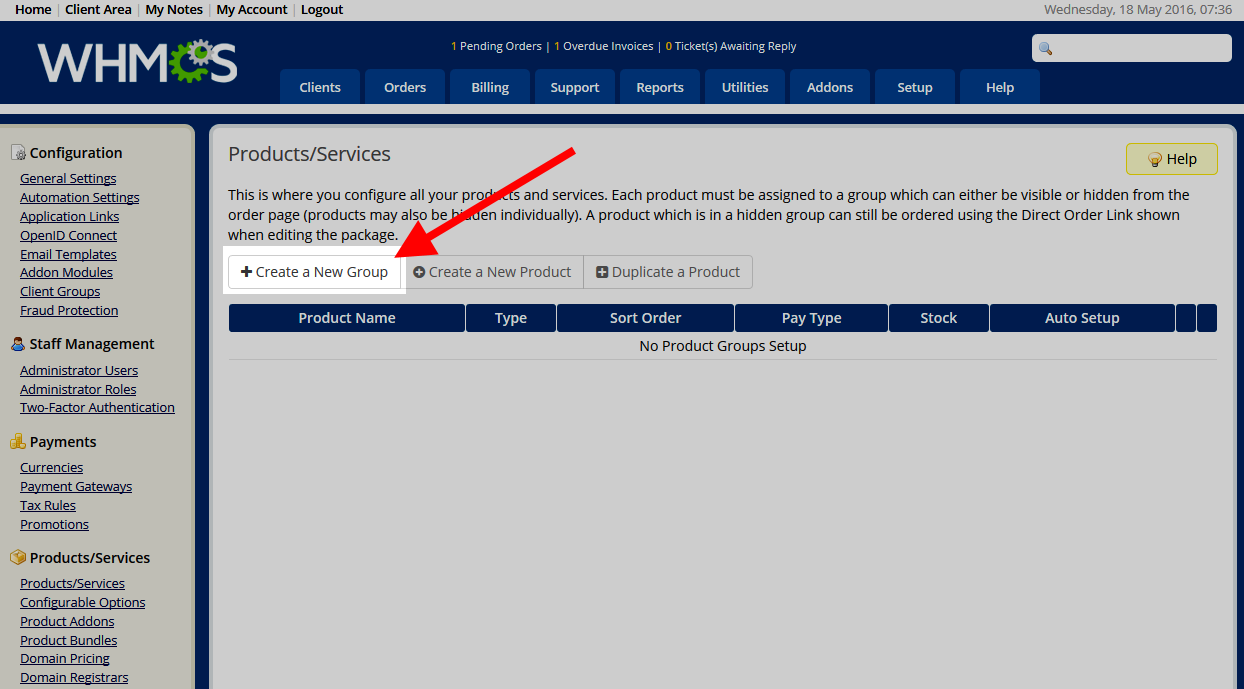
Click on the Create A New Group button.
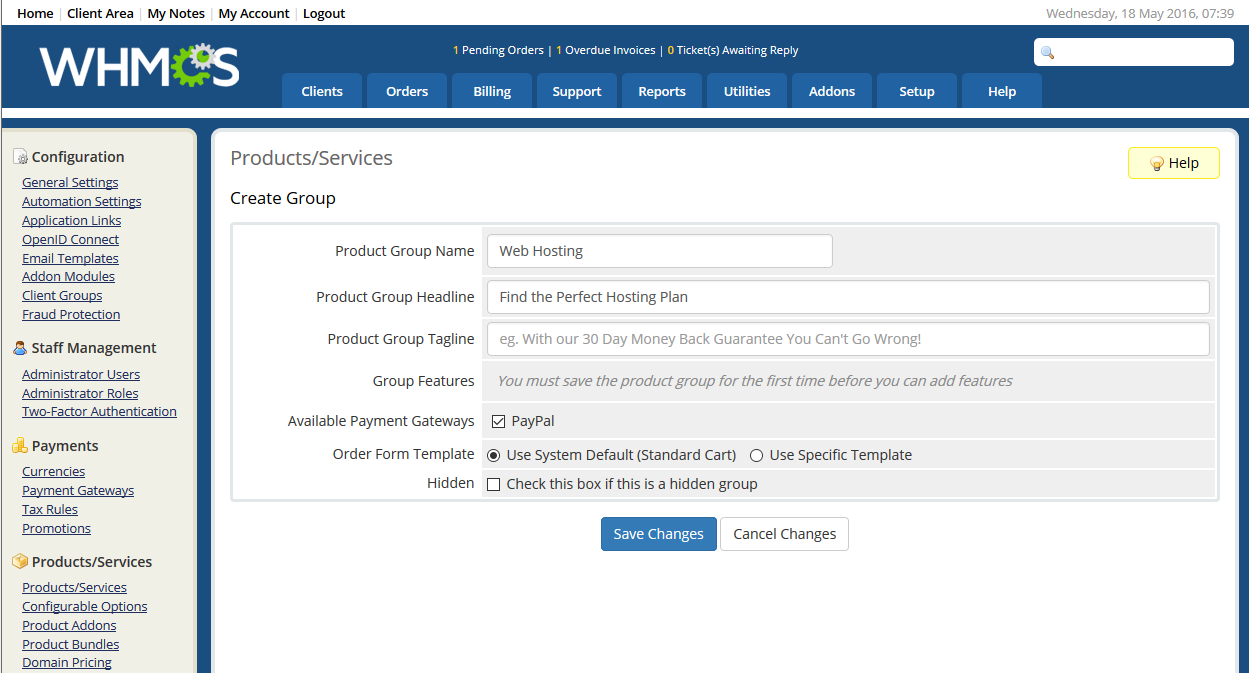
Enter the data for your new product group, select the payment gateway, and select the templage type.
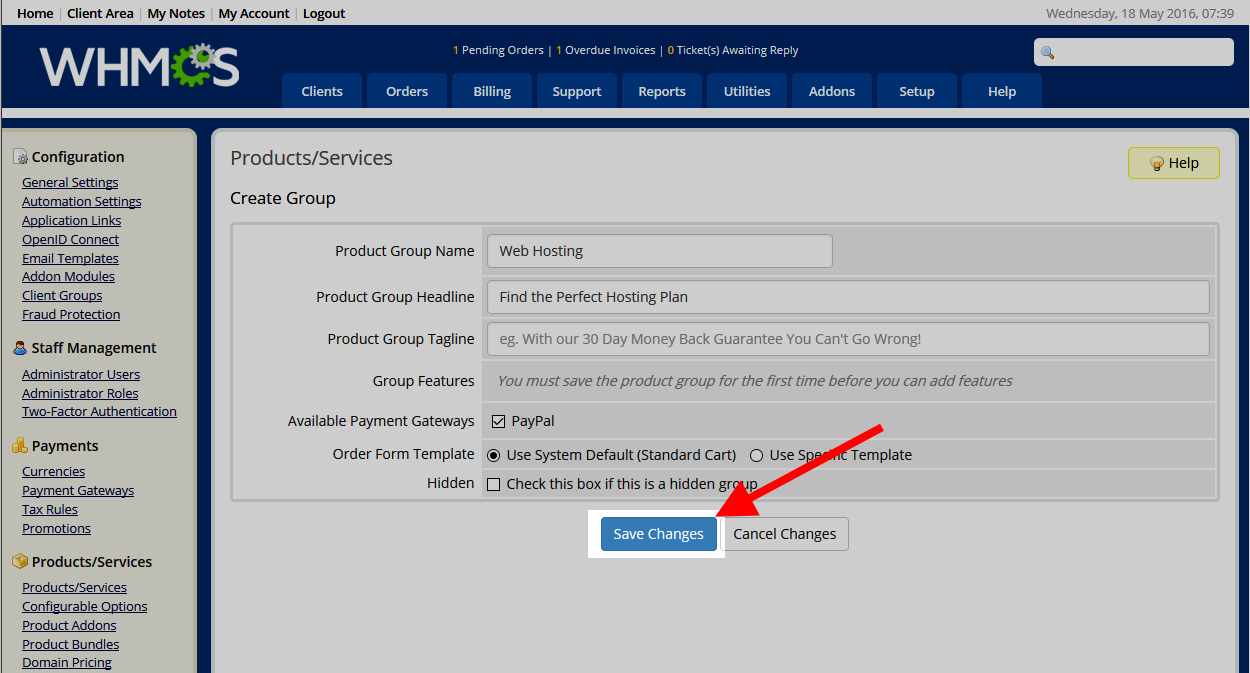
Once finished, click on the Save Changes button.
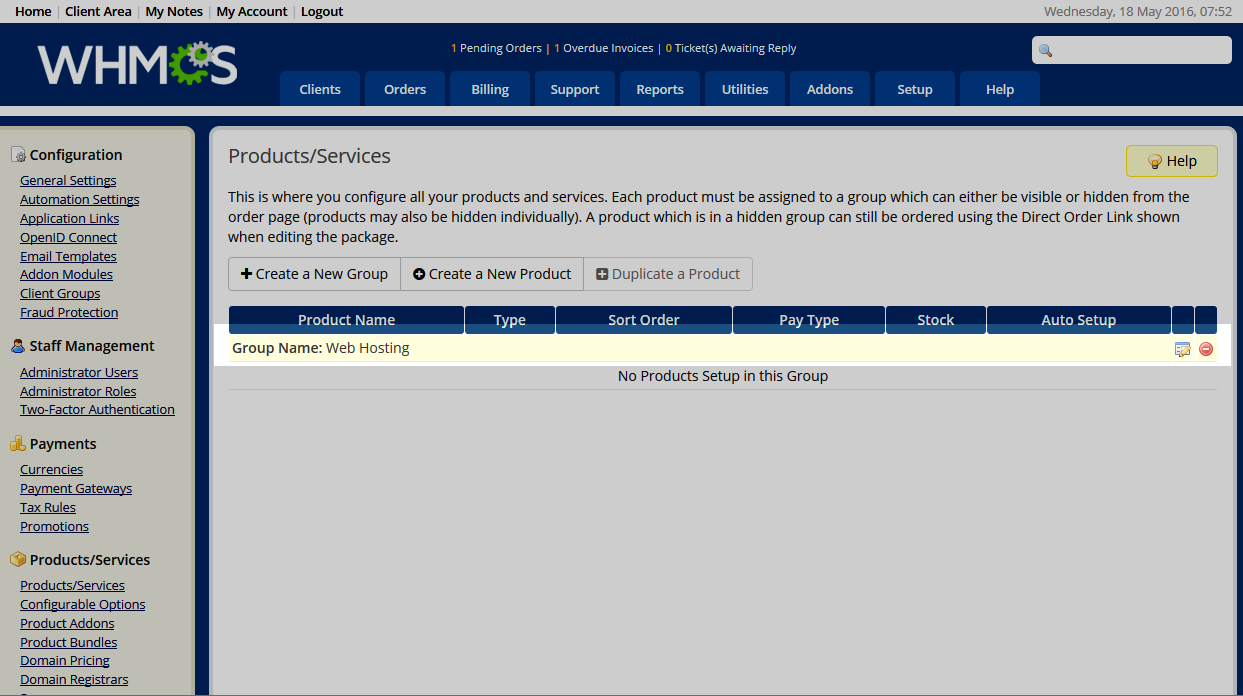
Once the product group is created, you will see it in your product and group list. From here you can create a product for that group.