MX records (short for mail exchanger records) are DNS (Domain Name System) resources that specify a server that will be handling your email for your domain. When working with the default settings, you will likely never need to adjust your MX records settings on your server. Some people have an external DNS manager that has the domain name looking here, but the MX records pointing elsewhere. This is perfect for the vast majority of instances.
However, if someone from the very same server sends an email to this domain, there can be an issue if the MX records are not set to Remote, despite the fact the mail is not even handled here. The servers always check themselves first and if it sees a domain name here, then it attempts an email delivery if the MX record is not set to look remotely. Everyone that has an external DNS and MX setup will need to perform this to prevent this occurrence. To learn how to do this in your cPanel, simply follow these instructions.
How to Set Domain MX Records to Remote Settings in cPanel.
- Log into your cPanel account.
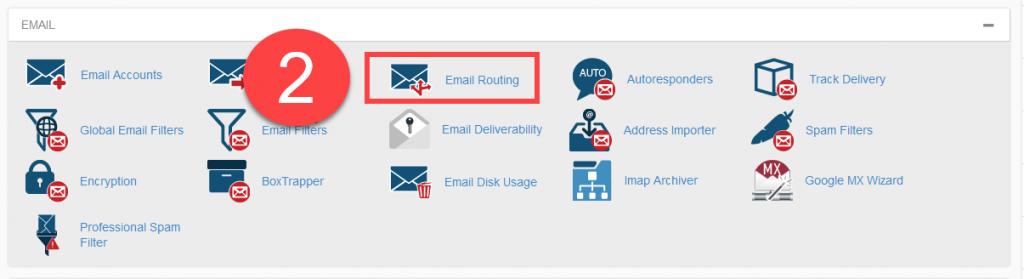
- Find the Email category and click on the Email Routing icon.
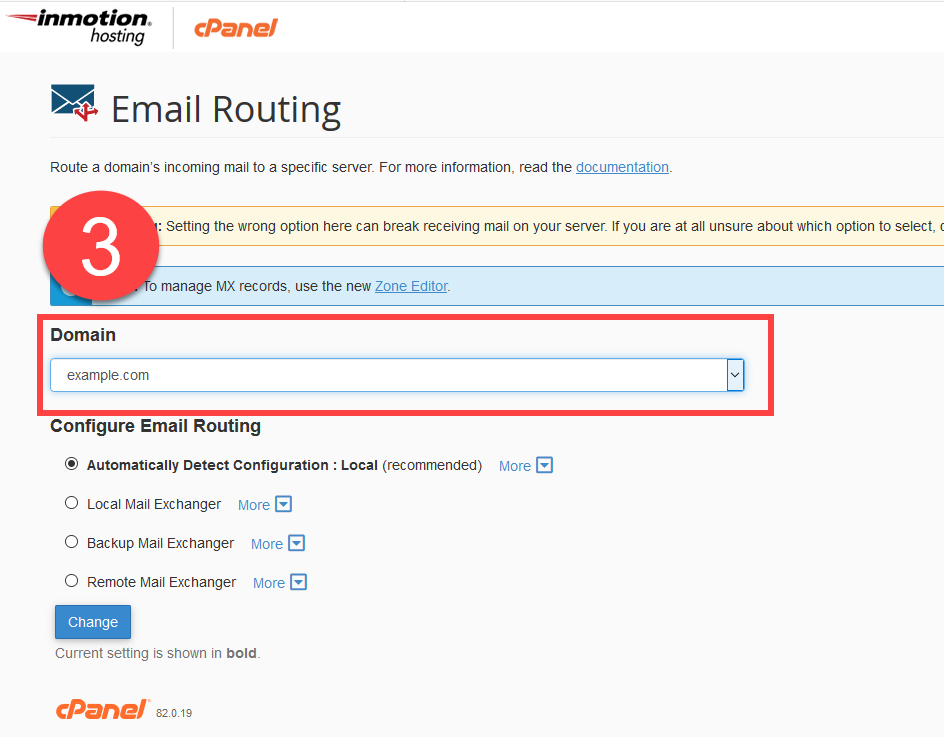
- On the next screen, use the dropdown near the top to select the domain name you want to work with if it is not already displayed.
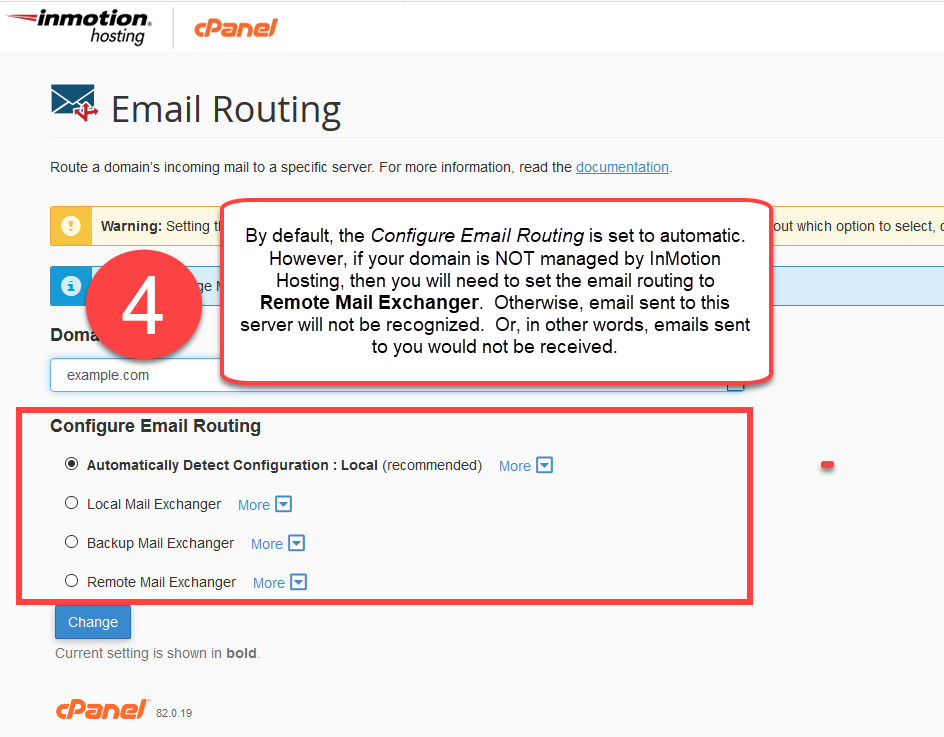
- Next, look under the Configure Email Routing section and click on the radio button labeled Remote Mail Exchanger
- Click on the Change button to save the settings.
Scroll through the screenshots below, the number correspond to the steps above.
Please check the next article on Creating user level filtering in cPanel. If you missed our previous article, please see the SpamAssassin: Fighting Spam tutorial. For more information on this course please visit Using Email.