The Subdomains function in cPanel lets you create a subdomain — a domain with an extra prefix that operates separately from the original domain. You could make a forum for your site (example.com) with an address of “forum.example.com” — or a blog, a test site, or any number of other variants. Read below for instructions on how to make a subdomain in your cPanel Hosting account.

Prerequisites
Before getting started, ensure that your IMH account is active. Next, check that your domain has been added and propagated to the hosting account, and have your cPanel login credentials ready to enter.
Then, take some time to make sure you understand your nameserver setup. If you’re using an external nameserver, have your server IP address ready to enter. Finally, backup your existing site in the event that something goes wrong.
How to Create a Subdomain in cPanel
The following directions will work for adding a new domain and subdomain to your cPanel account.
- Log into your cPanel.
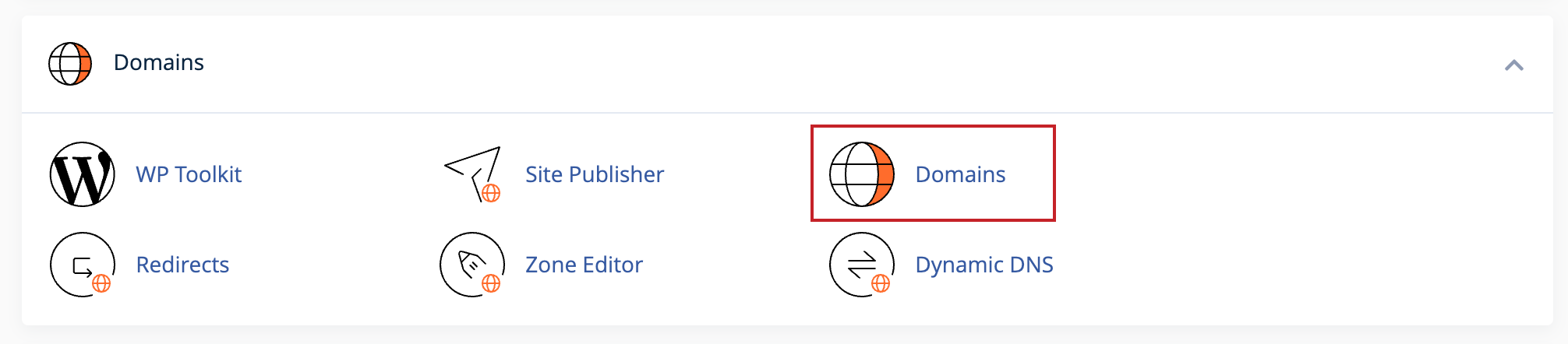
- Click Domains under the Domains section.
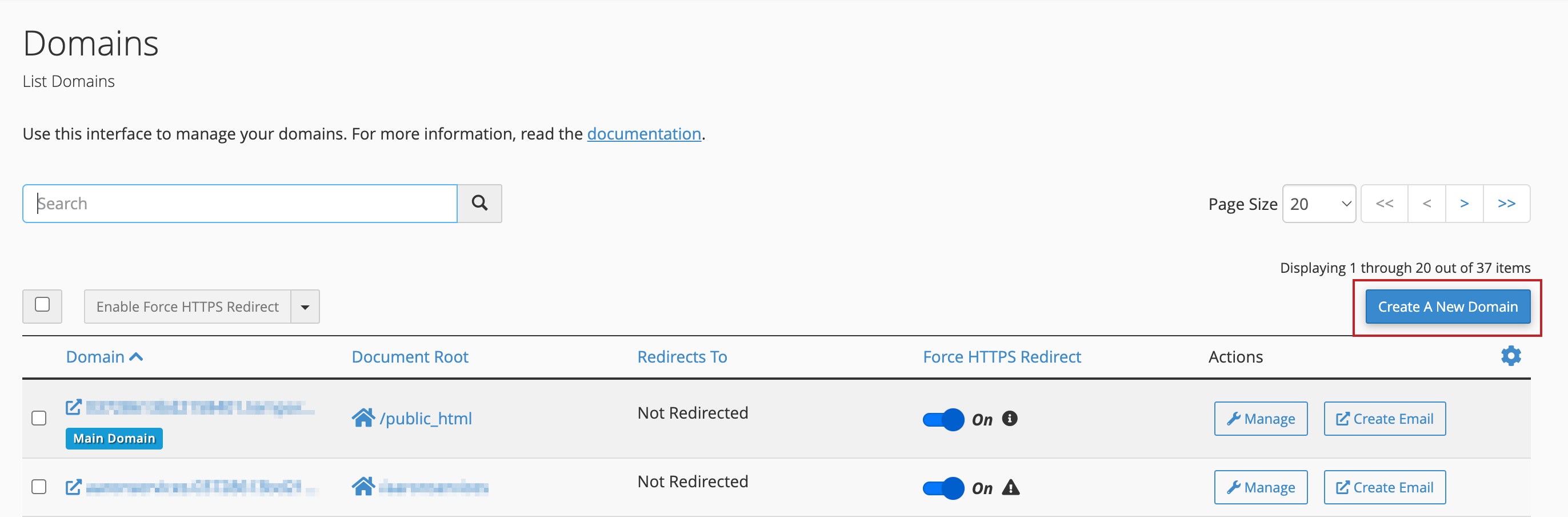
- Click on the Create A New Domain button.
- Type in the subdomain (or domain) you want to create in the “Domain” text box. Then deselect the “Share document root (/home/username/public_html) with domain.tld” option.
Click on the Home icon to locate the directory where you want the files for this subdomain to exist. In our example, we used the auto-generated directory.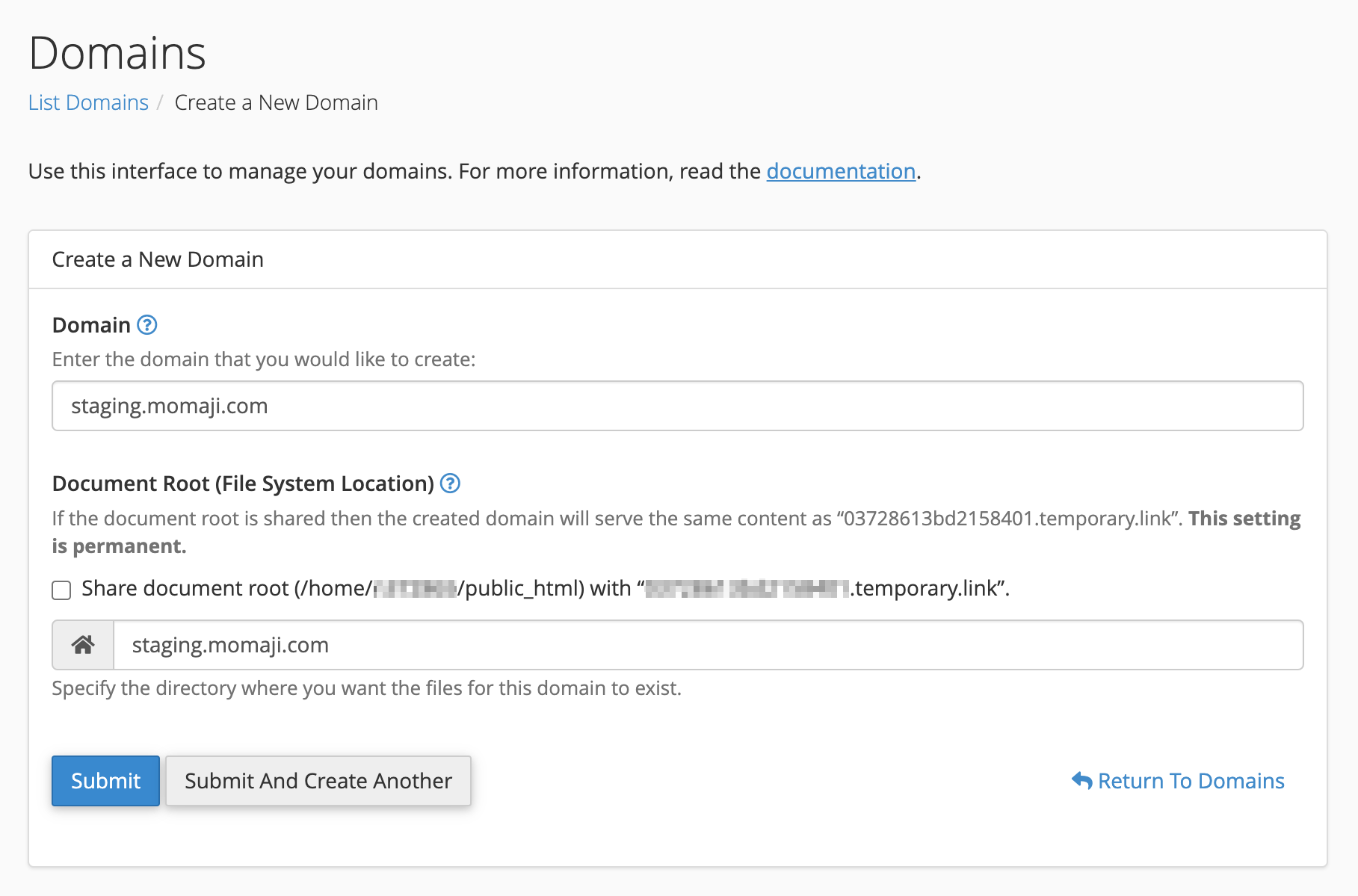
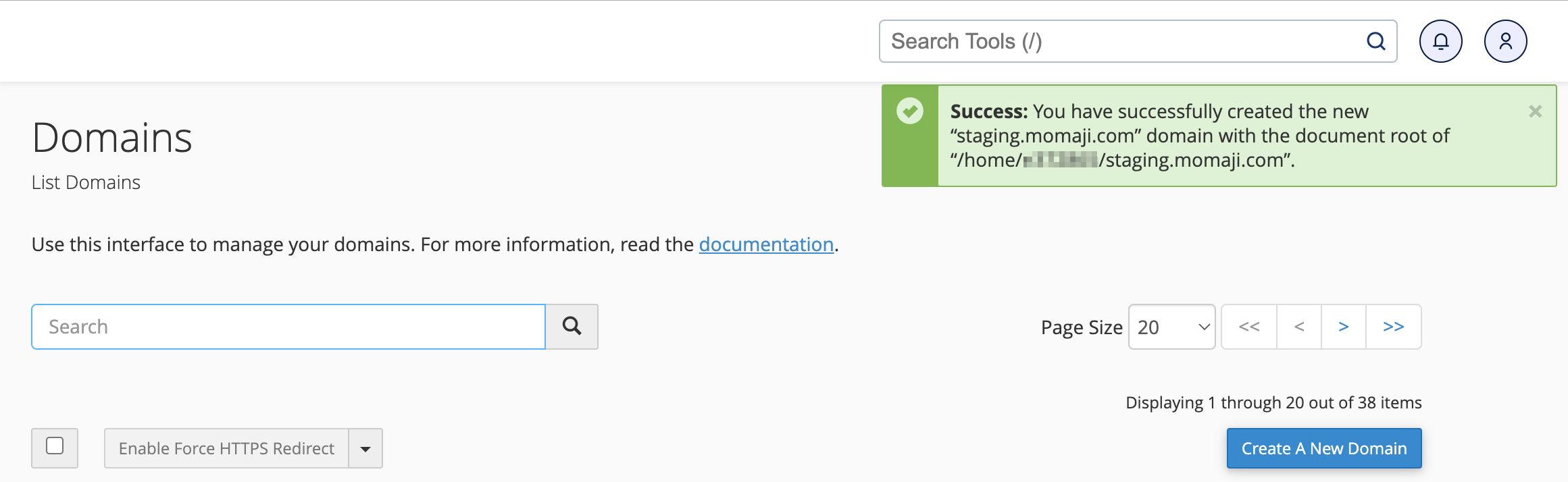
- Click the Submit button to add the subdomain to cPanel. A success message will appear confirming the creation of your new domain/subdomain.
How to Setup a Subdomain on Your Nameservers
If your domain is pointed to InMotion Hosting’s nameservers, you don’t need to manually update your DNS Records when you create a subdomain. The cPanel Zone Editor will automatically create an “a record” for the subdomain with an appropriate IP address. After propagation time, anyone else who types in your subdomain online should reach your new site.
It can take 24 hours for a new Subdomain to propagate (show up on the web).
If your domain is not pointed to InMotion Hosting’s nameservers — or the relevant nameservers in WHM if you are using a VPS or Dedicated Server — you must also create an “a record” wherever your nameservers are hosted when you create a subdomain. Be sure to point the “a record” for the subdomain to your cPanel’s Shared IP address.
Where Do Subdomain Files Go?
Older versions of cPanel required a subdomain’s files to be stored in the parent domain’s directory. This is no longer required. The latest best practices in security recommend that you do not place a domain or subdomain inside of another domain’s directory. cPanel, by default, will create a new, separate directory for your subdomains in your home folder.
Now that you have a subdomain, you can build out an entirely new site without needing to register a new domain.
Troubleshooting Common Issues
My Subdomain is created but won’t load in the browser?
You will need to wait 24-48 hrs for DNS propagation to take place. Once that time has passed, if you are still having issues, clear your browser cache and try incognito mode. If that does not resolve the issue, check DNS propagation.
How to use external nameservers
To use an external nameserver, begin by logging into your domain registrar. From there, add a record: subdomain → your server IP [link to “find your IP” guide]. Then allow 24 hours for changes to occur.