
This article shows you how to find the PHP version your website runs by creating a PHP info page. The same page lists the options PHP is using and every active PHP extension. If you manage a VPS (Virtual Private Server) or Dedicated server, the last section lists the PHP versions EasyApache 4 can install on AlmaLinux 8 and AlmaLinux 9.
Why Does PHP Version Matter?
Each new PHP version brings better security practices and new features. Most PHP software, including WordPress and other content management systems, requires a minimum or specific PHP version. It may also need certain extensions enabled or certain values set in the PHP options. Knowing your PHP version is the first step in confirming your site meets those requirements.
Creating a PHP Info Page
The steps below create a PHP info page that shows your PHP version and all the PHP options currently in use on your PHP hosting account.
- Log in to cPanel.
- Under the Files section, click File Manager. It opens in your home directory, so click public_html in the folder tree on the left.
- At the top left, click + File. In the New File Name field, enter info.php and click Create New File.
- Select info.php, click Edit in the toolbar, and click Edit again in the encoding dialog to open the file in the cPanel editor. Enter the following code:
<?php phpinfo(); ?>- Click Save Changes at the top right of the editor.
- Visit the page in your browser, for example https://example.com/info.php. The PHP version appears in the header at the top of the page, and the Loaded Configuration File row shows which php.ini file your settings come from.
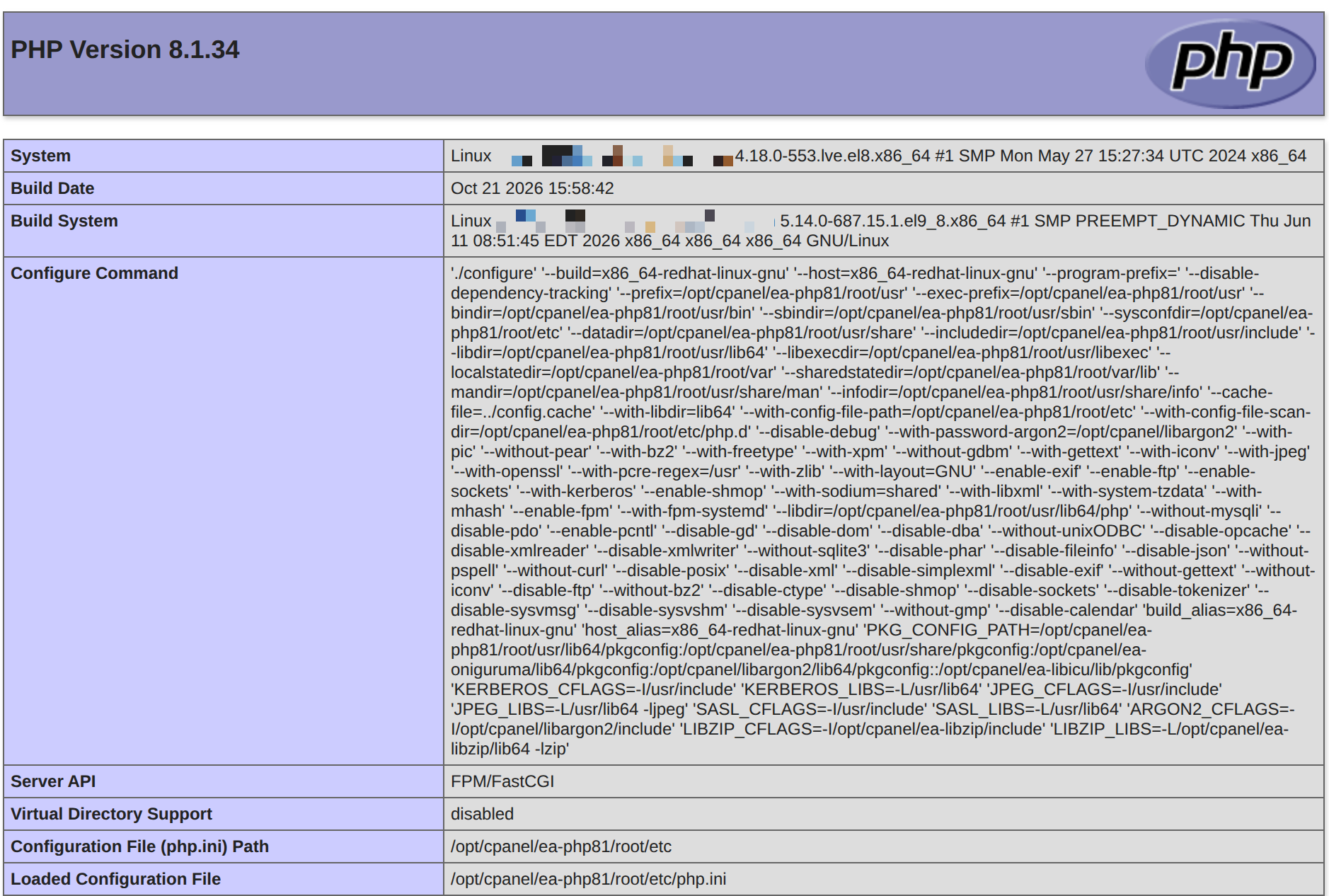
Scroll further down the PHP info page to see the individual PHP options and the extensions that are loaded. Delete the info.php file when you are done, because the page reveals details about your server configuration to anyone who visits it.
Changing PHP Version
Now that you know which PHP version your site runs, you may want to change it. Our guide on how to change the PHP version your account uses shows you how to select a version in cPanel.
You can also use multiple PHP versions on one account by adding .htaccess handler rules. If you run automated PHP scripts through a cron job, see forcing cron jobs to use a chosen PHP version.
If you are on a VPS or Dedicated server and have root access, you can also install newer PHP versions with EasyApache 4 in WHM.
Supported PHP Versions in AlmaLinux 8 and AlmaLinux 9
On a VPS or Dedicated server, the PHP versions EasyApache 4 can install depend on the operating system. The table below reflects cPanel’s current EasyApache 4 PHP list for AlmaLinux 8 and AlmaLinux 9 (the same list applies to Rocky Linux 8 and 9).
| PHP version | AlmaLinux 8 | AlmaLinux 9 |
|---|---|---|
| PHP 5.4 to 7.1 | Not available | Not available |
| PHP 7.2 | Available (end of life) | Not available |
| PHP 7.3 | Available (end of life) | Not available |
| PHP 7.4 | Available (end of life) | Not available |
| PHP 8.0 | Available (end of life) | Available (end of life) |
| PHP 8.1 | Available (end of life) | Available (end of life) |
| PHP 8.2 | Installed by default (security fixes only) | Installed by default (security fixes only) |
| PHP 8.3 | Available (security fixes only) | Available (security fixes only) |
| PHP 8.4 | Available (actively maintained) | Available (actively maintained) |
| PHP 8.5 | Available (actively maintained) | Available (actively maintained) |
“Available” means WHM’s EasyApache 4 interface can install the version even if it is not part of the default profile. End-of-life versions still install, but PHP no longer publishes fixes for them, so move sites to PHP 8.3 or newer when you can. The two operating systems differ only at the old end of the list: AlmaLinux 9 drops PHP 7.4 and older entirely.
cPanel adds new PHP releases to EasyApache 4 regularly. To list every PHP version your server can install right now, run the following command as root over SSH:
dnf repolist | grep EA4 | awk '{print $1}' | while read repoid; do repoquery --repoid=$repoid --queryformat="%{name}" | grep -Eoh "ea-php[0-9]{2}" | sort | uniq; doneThe output lists package names such as ea-php82 and ea-php85, one per available version.
Note: EasyApache 4 does not provide PHP 7.1 or older on AlmaLinux 8, or PHP 7.4 or older on AlmaLinux 9. If a site still depends on one of those versions, TuxCare Extended Lifecycle Support for PHP provides security-patched builds of legacy PHP versions on current operating systems.