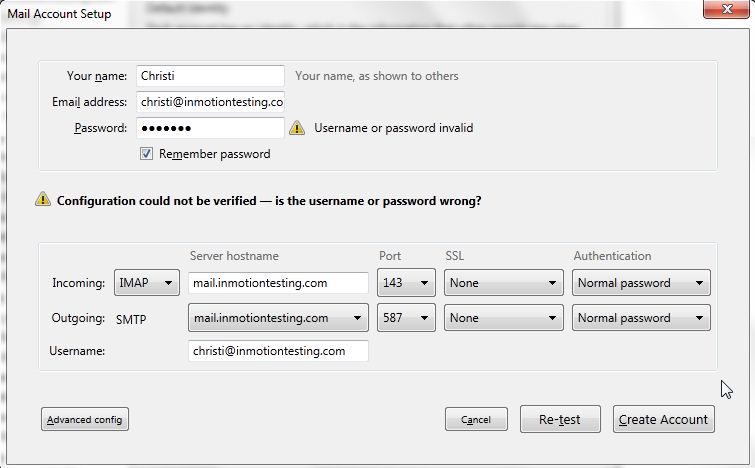
Thunderbird Solution- Configuration Could Not Be Verified InMotion Hosting ContributorUpdated on August 16, 2021 1 Minute Read Email Client Thunderbird Configuration could not be verified – is the username or password wrong? Solution: Make sure you have the correct email address and password entered. You can check the password by logging into webmail with your email address and password. Share this Article IC InMotion Hosting Contributor Content Writer InMotion Hosting contributors are highly knowledgeable individuals who create relevant content on new trends and troubleshooting techniques to help you achieve your online goals! More Articles by InMotion Hosting Related Articles Transferring Emails from Your Old Host to InMotion Hosting How to Setup Office 365 DNS Records How to fix OLMAPI32.dll and WWLIB.dll error in Outlook 2013 How to Setup Outlook 2016 for Mac Issues with Outlook 2007 Running on Windows 10 Outlook not working after installing Windows 10 IMAP Issues Affecting Outlook 2013 and Office 365 Outlook 2013/Office 365 – Subscribing to your Inbox How to create an email signature in Outlook 2003 How to create an email signature for Mac in Outlook 2011