
During the installation process we set up the admin username as “admin”. While this is easy to use, it can be guessed easily by hackers. It’s best practice to change your username for your admin account in Magento 1.6 to something that hackers and unwanted guests will less likely guess. You can change the admin username at any time in the Magento 1.6 Admin Backend.
- Log into your Magento Admin Panel
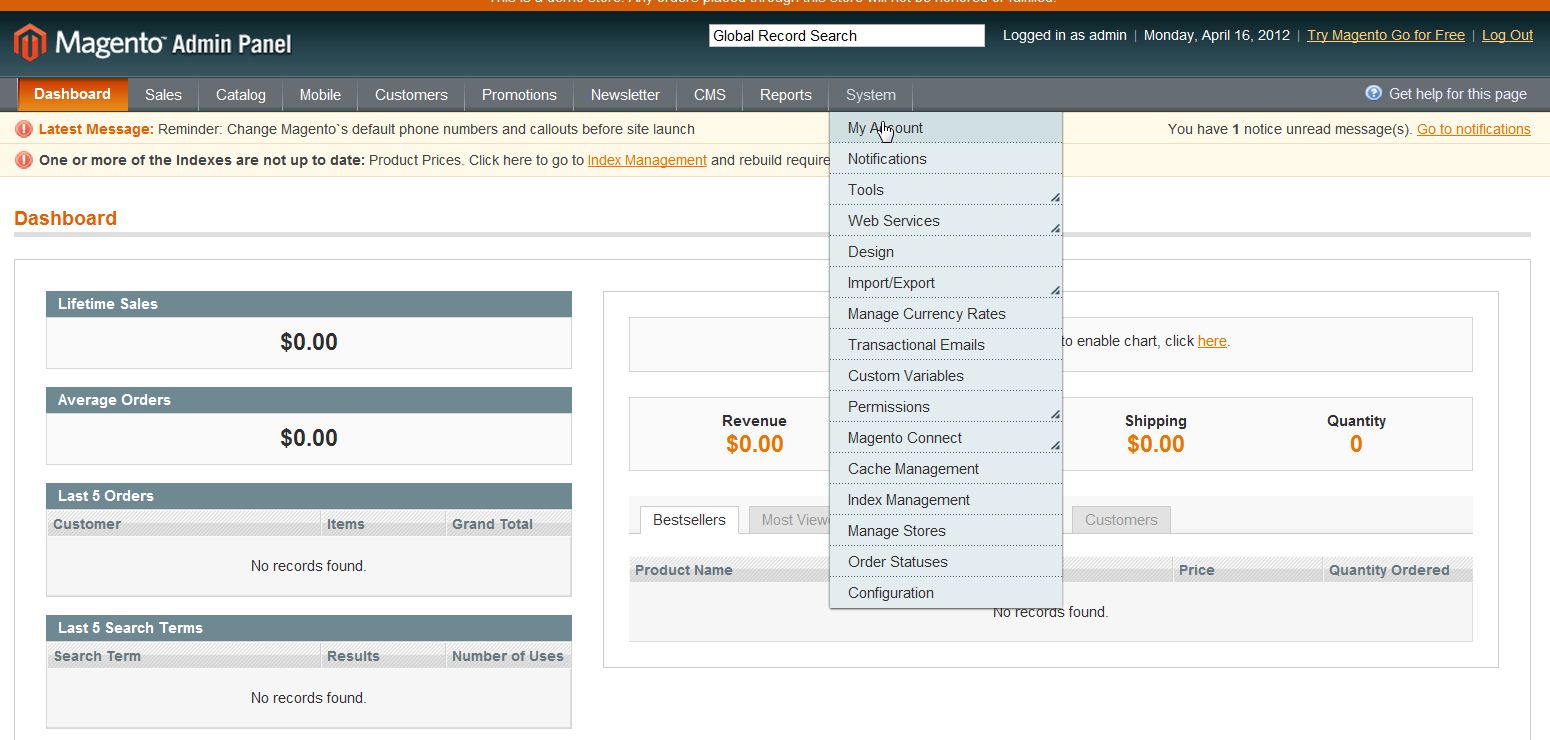
- Go to System ->> My Account
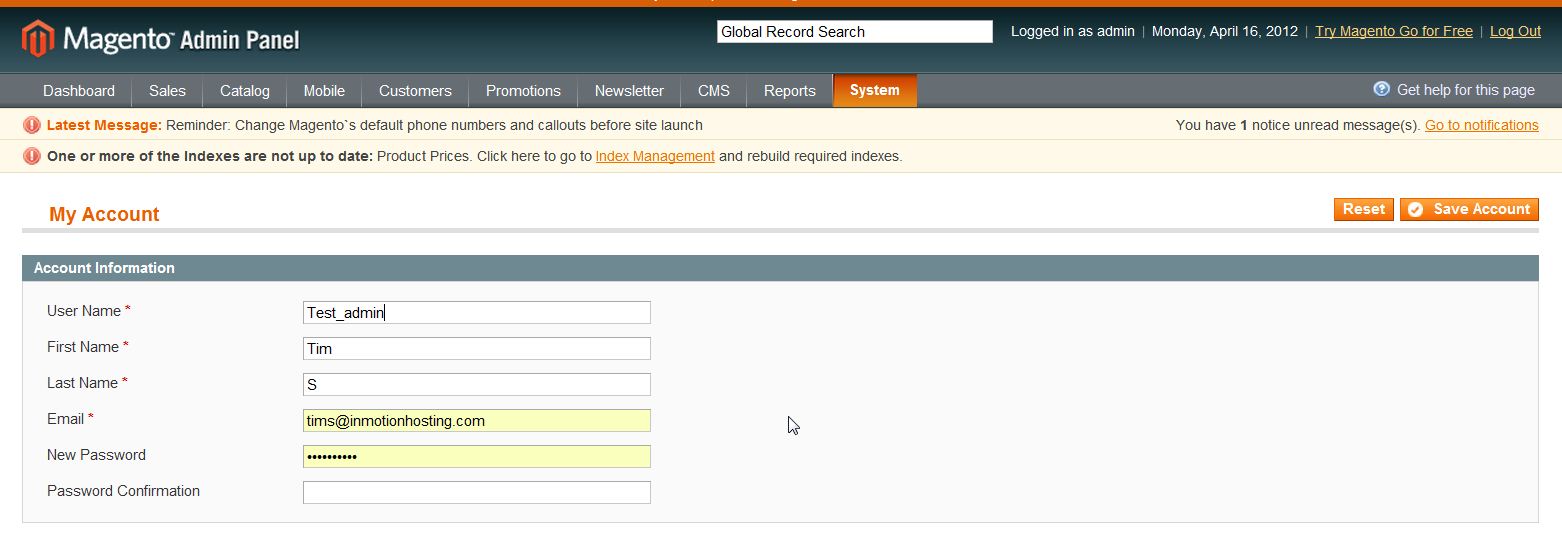
- Type in the new username in the “User Name” field
- click “Save Account”
For more step-by-step guides and practical tips, visit our Drupal Education Channel.