Building a web presence and exploring the capabilities of a hosting account is a journey. There may come a time when you’ll need the sharedIP address of your Shared Hosting server. But what is a shared IP address and how can you find it? This article will quickly explain what is an IP address, a shared IP address, and how to find yours in your cPanel.
The first step is understanding IP addresses. Internet Protocol, or IP, is the numerical address assigned to every domain created on the web. An example of an IP address is 123.345.567.789. Domain names now take the place of the long string of numbers that make up an IP address. Imagine typing in an IP address every time you wanted to visit a website!
What Is A Shared IP Address?
A shared IP address is shared between many domains on one server. Instead of your domain having one IP address, everyone shares the IP address on the server. A shared IP address is enough for most users because common configurations don’t need a dedicated IP address.
Viewing Your Shared IP Address
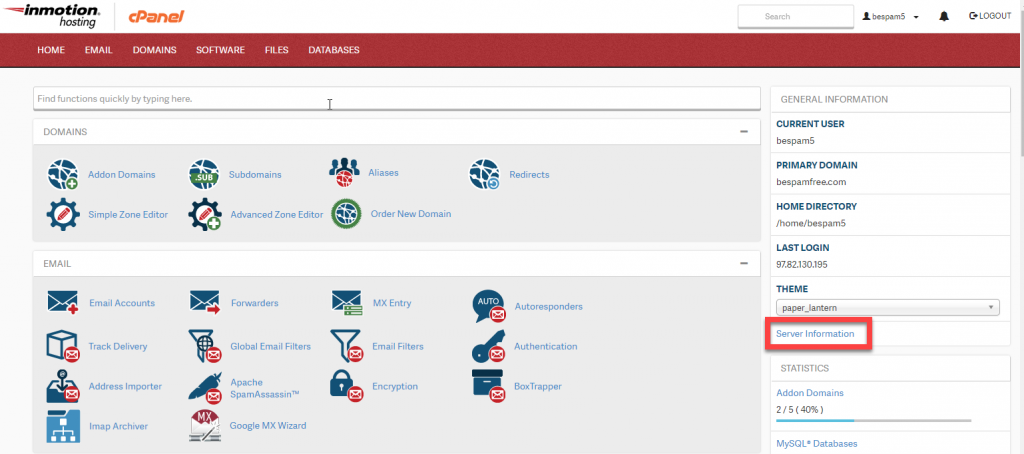
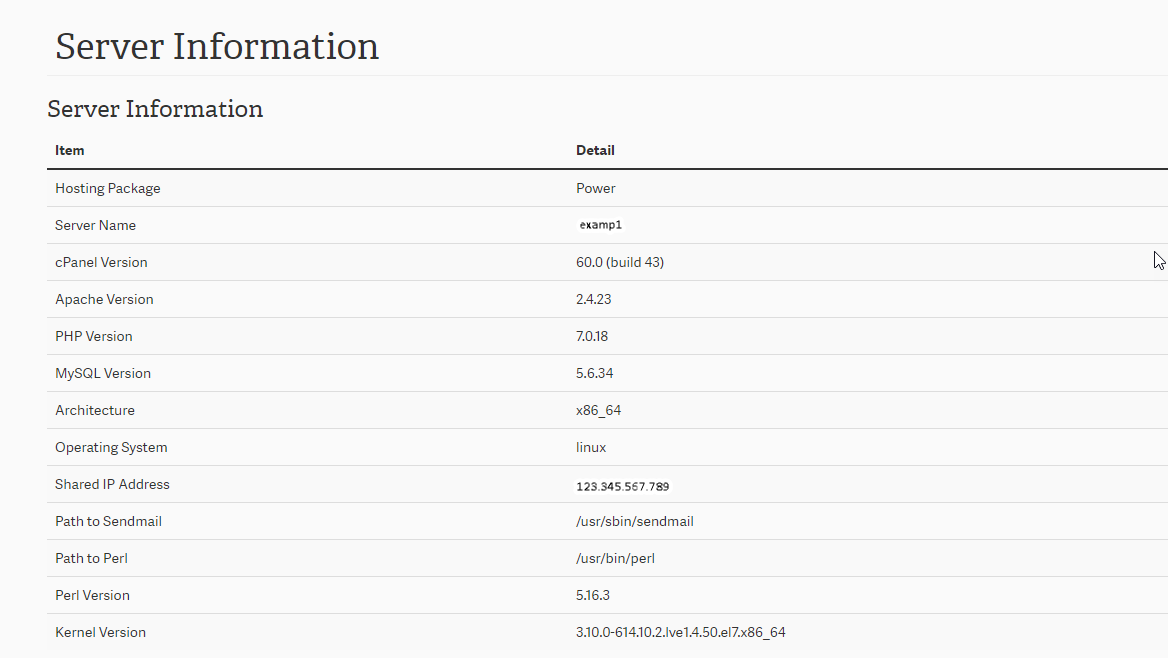
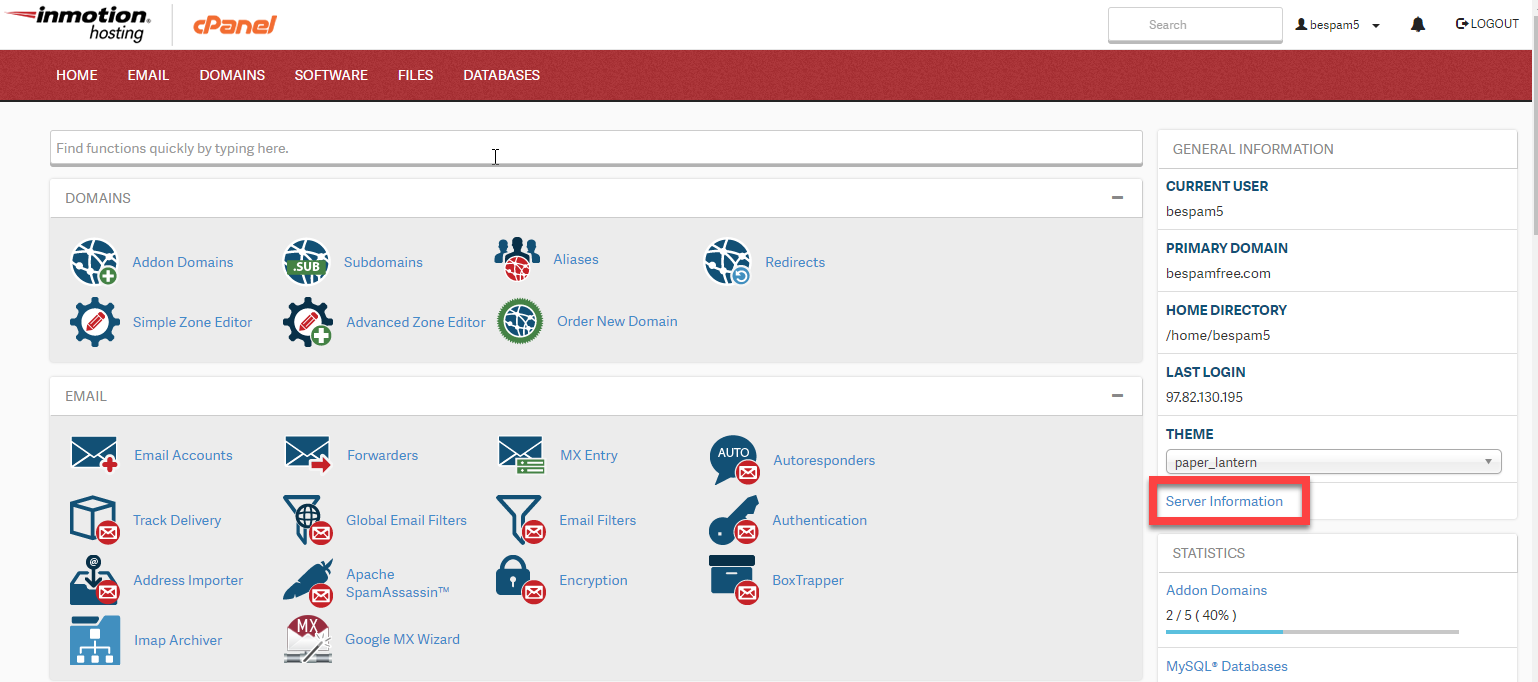
You can find the below information by logging into cPanel. Use the image below as a guide to navigate your cPanel and find your shared IP address. Of note, the IP address listed in the Server Information page is the Shared IP Address of the server you are on.
InMotion Hosting contributors are highly knowledgeable individuals who create relevant content on new trends and troubleshooting techniques to help you achieve your online goals!
Get web hosting that grows with your business. Our all-in-one hosting platform gives you everything your website needs to scale - so you can focus on the next big thing for you and your business.