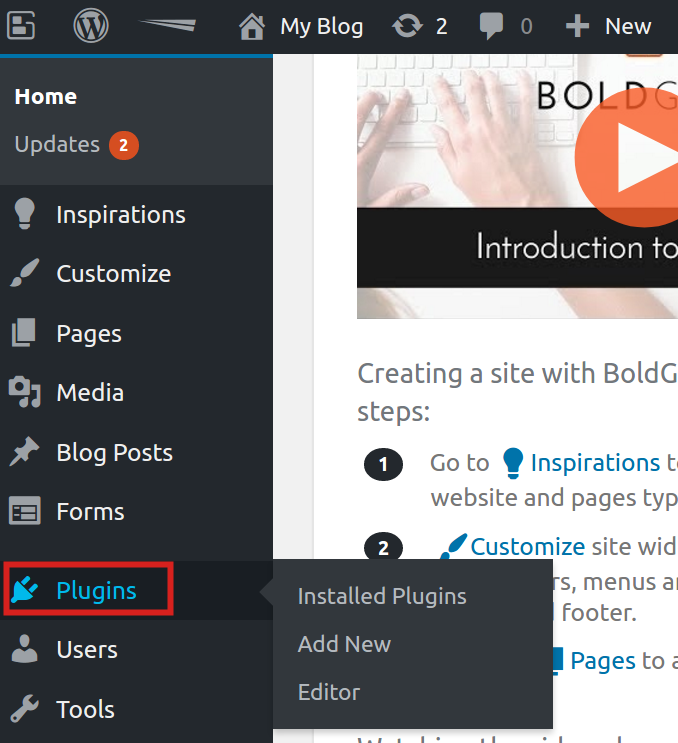
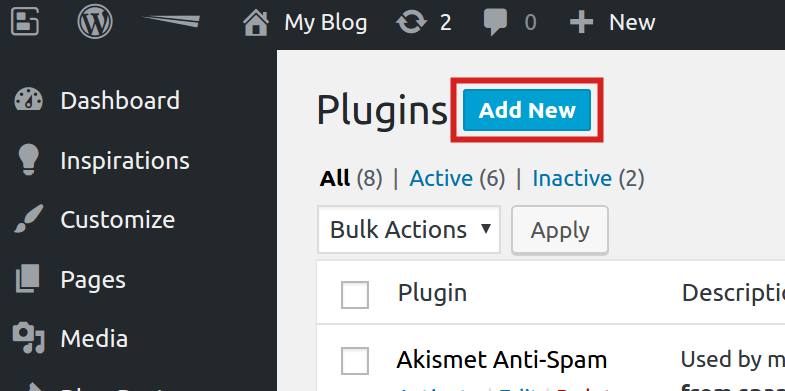
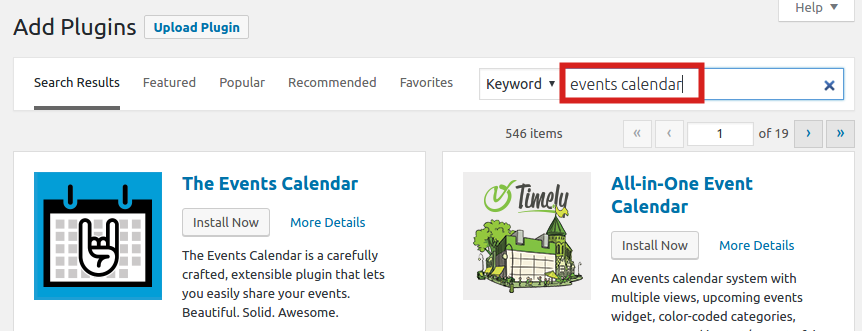
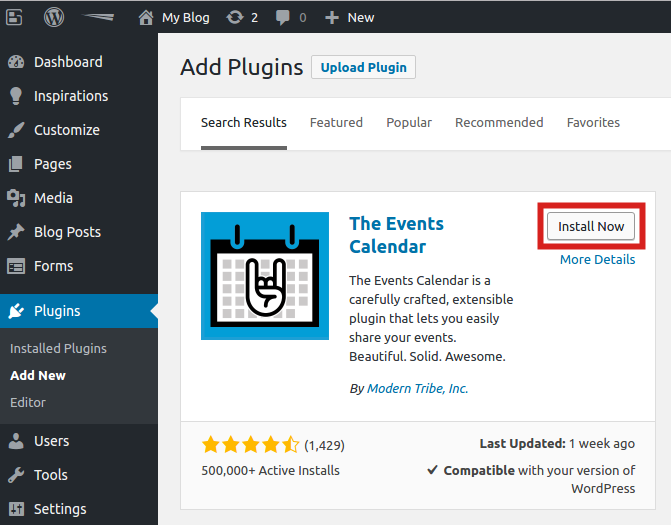
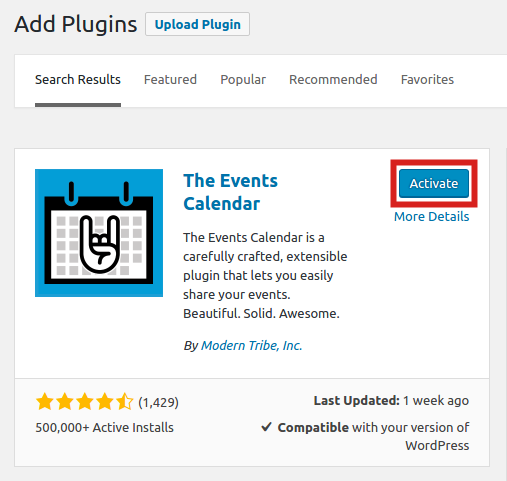
Installing The Events Calendar Plugin in BoldGrid Updated on June 1, 2021 by InMotion Hosting Contributor 0 Minutes, 39 Seconds to Read The Events Calendar plugin lets you easily integrate a custom calendar system into your site. This is helpful when sharing public event dates and information. In this tutorial we will show you how to install the Events Calendar plugin in BoldGrid. This will allow you to add a custom events calendar to your BoldGrid website. How to Install The Events Calendar in BoldGrid Log into the BoldGrid Dashboard. Click the Plugins link. Click the Add New button on the Plugins page. In the Search plugins field, type “events calendar” You will see The Events Calendar plugin listed. CLick the Install Now button. The Events Calendar will then be installed. Click the Activate button to enable the plugin. Congratulations, now you know how to install the Events Calendar plugin in BoldGrid! Share this Article IC InMotion Hosting Contributor Content Writer InMotion Hosting contributors are highly knowledgeable individuals who create relevant content on new trends and troubleshooting techniques to help you achieve your online goals! More Articles by InMotion Hosting Related Articles The Role of Blocks and Animations in WordPress Protect an Archived Backup How to start over in BoldGrid for WordPress Set Default Editor in BoldGrid Post and Page Builder How to remove BoldGrid Using Single Sign On to Login to BoldGrid How to Add a Blog Menu Entry in your BoldGrid Site How to Use the BoldGrid Customizer Beginner’s Guide to BoldGrid How to Use the BoldGrid Website Builder