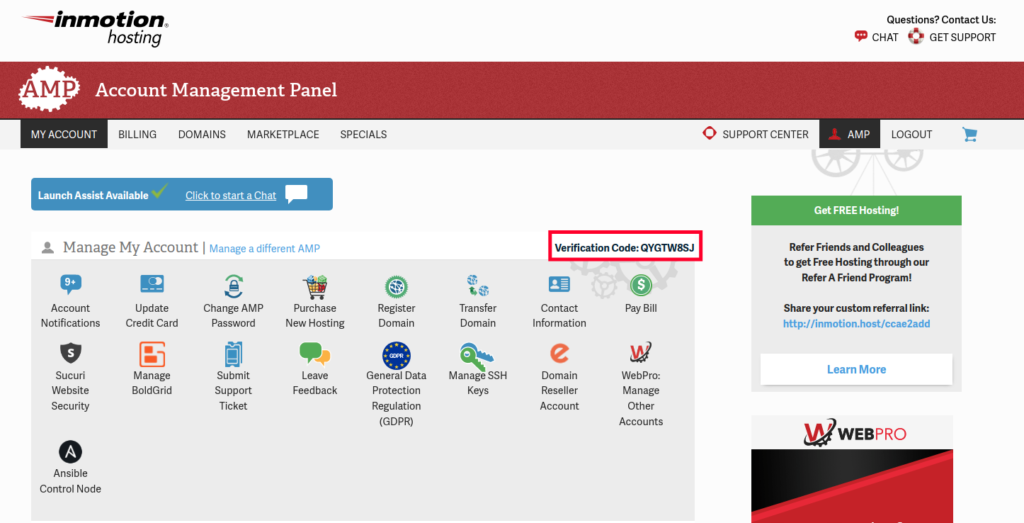
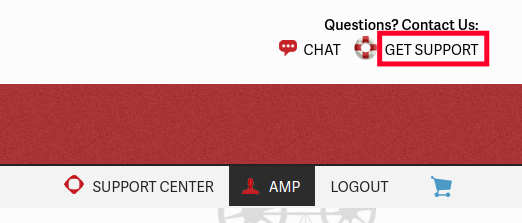
How to Verify a Live Contact With an AMP Verification Code Updated on January 18, 2022 by Christopher Maiorana 0 Minutes, 41 Seconds to Read You can now verify Live Support contacts with a Verification Code from your Account Management Panel (AMP). You can still verify your account with your passphrase or the last four digits of the credit card we have on file. Now, if you would rather not provide that information over a live contact you can grab a random verification code from your AMP. Follow These Steps to Find Your Verification Code Log into your AMP. Next to the Manage My Account section you will see your Verification Code Listed.You can also click the Get Support link at the top right of the page.You will see your Verification Code listed under the “Verification Code for Live Calls and Chats” section. You can now provide this code over a phone or chat contact to verify your account. Share this Article CM Christopher Maiorana Content Writer II Christopher Maiorana joined the InMotion community team in 2015 and regularly dispenses tips and tricks in the Support Center, Community Q&A, and the InMotion Hosting Blog. More Articles by Christopher Related Articles Advanced Product Support (APS) Explained How to Upgrade / Downgrade Your Hosting Plan in AMP How to Change Your Domain Nameservers in AMP Adding a Dedicated IP Address to Your Server How To Get Great Support & Customer Service Manage Your Control Web Panel Server from the Account Management Panel (AMP) How to Log into AMP (Account Management Panel) How to Add Custom Name Servers in AMP How to Purchase Additional IP Addresses How to Obtain Root Access to Your Server