Allowing Backorders for Specifc Products in Magento 1.6

Depending on how your configuration is set for Magento 1.6 you may not be able to allow backorders. You can configure each individual product to allow backorders. This is easily accomplished in the Magento 1.6 Admin Backend.

  1. Log into your Magento Admin Panel
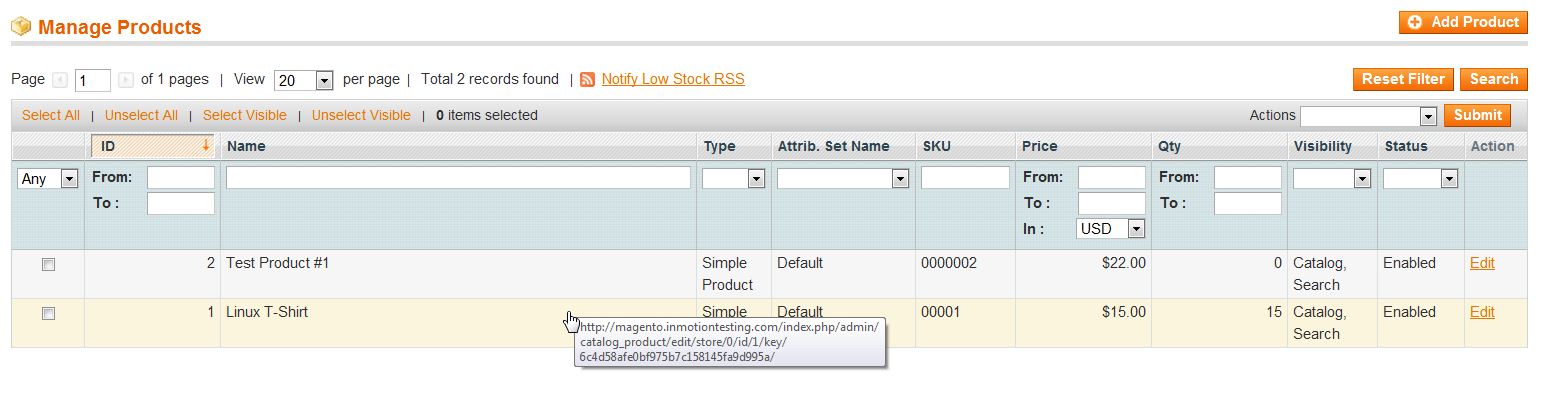
  2. Go to Catalog -> Manage Products
  3. Select the product you wish to allow backorders on
  4. mage_gift_product_1

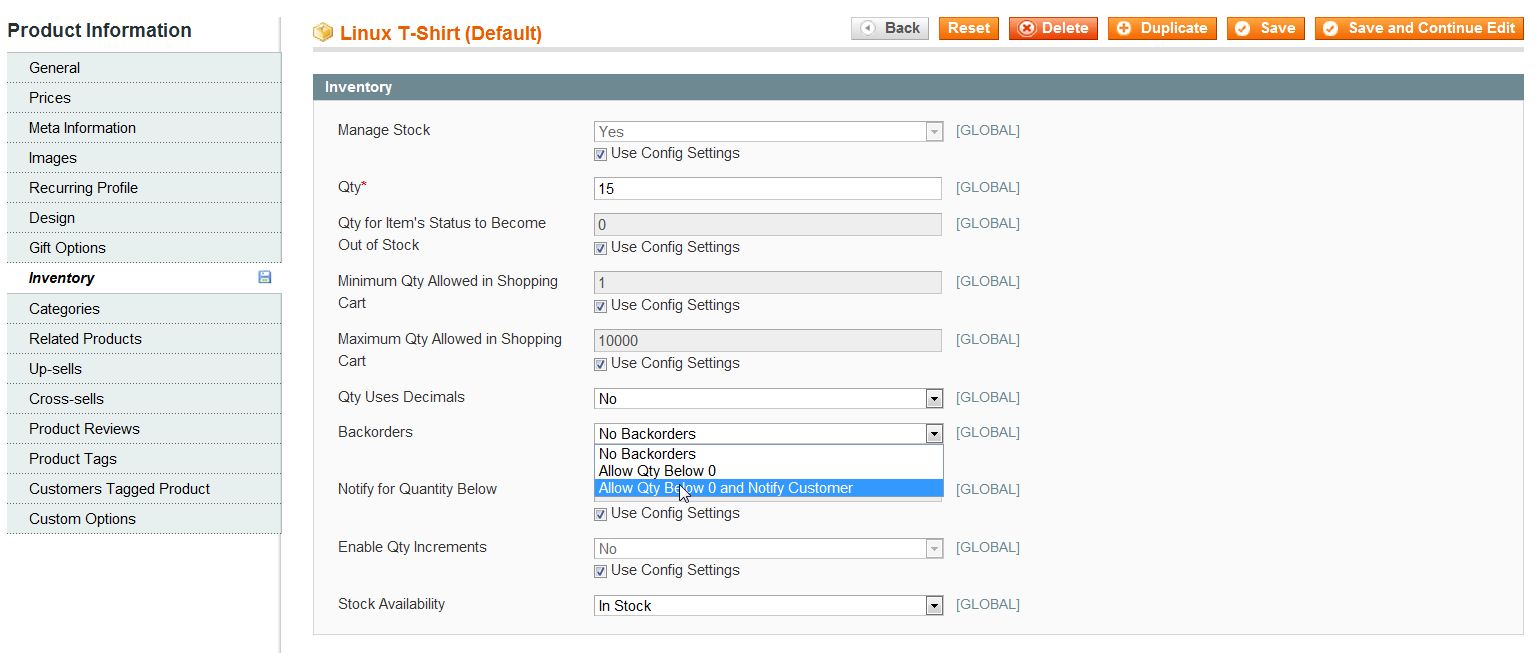
  5. Click “Inventory” in the left menu pane
  6. Find the Backorders section and uncheck the “Use Config Settings
  7. From the dropdown menu select “Allow Qty below 0 and notify customer
  8. mage_backstock_1

  9. Click “Save

For more step-by-step guides and practical tips, visit our Drupal Education Channel.

Share this Article
Carrie Smaha
Carrie Smaha Senior Manager Marketing Operations

Carrie Smaha is a Senior Marketing Operations leader with over 20 years of experience in digital strategy, web development, and IT project management. She specializes in go-to-market programs and SaaS solutions for WordPress and VPS Hosting, working closely with technical teams and customers to deliver high-performance, scalable platforms. At InMotion Hosting, she drives product marketing initiatives that blend strategic insight with technical depth.

More Articles by Carrie