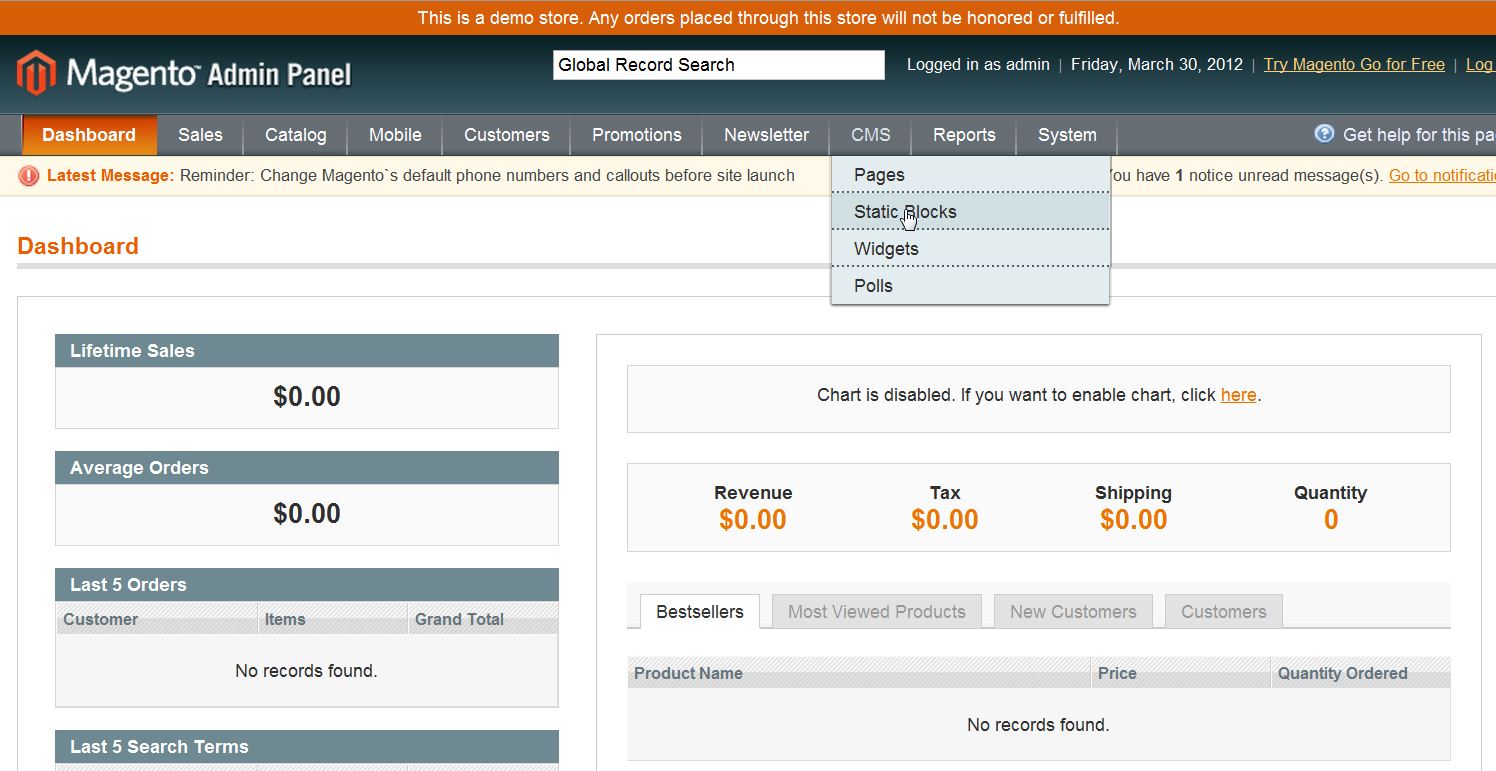
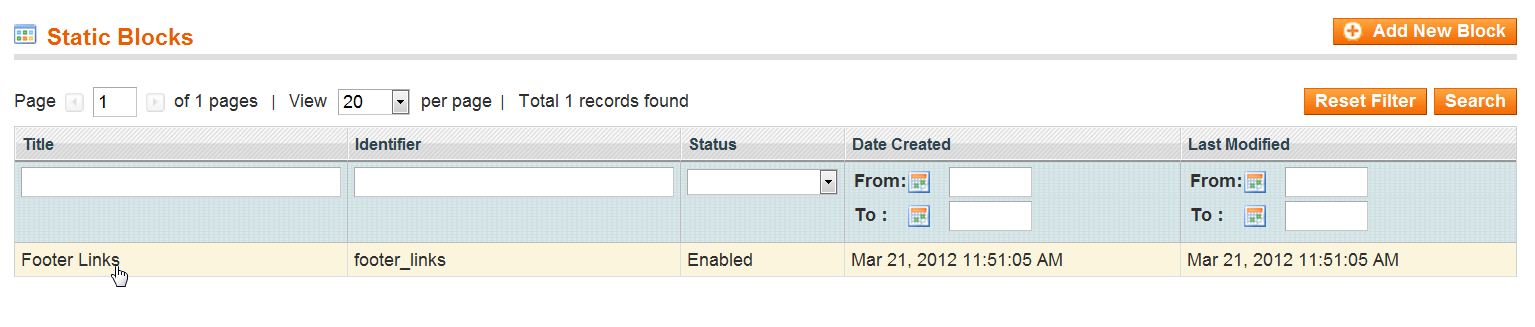
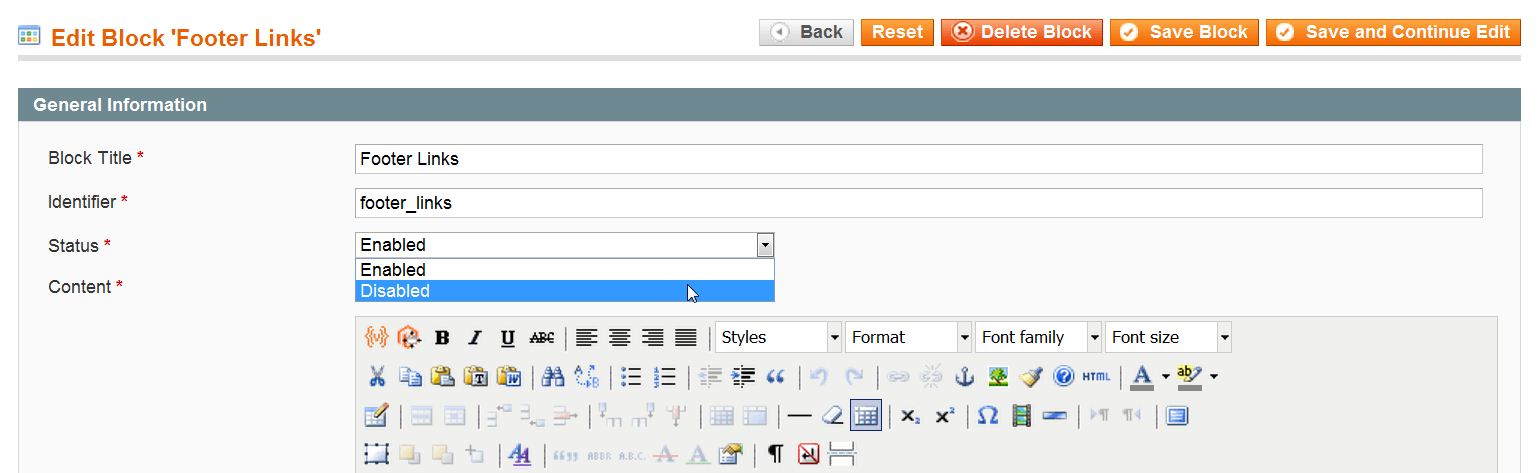
How to Remove the Footer Links in Magento 1.6 Carrie SmahaUpdated on August 16, 2021 1 Minute Read By default your Magento 1.6 store will have various links such as “About Us” and “Customer Service” in the footer of your new Magento shopping cart. You can remove these links from the bottom of your Magento 1.6 site using the Magento Admin Backend. Log into your Magento Admin Backend Go to CMS ->> Static Blocks Click on the last row labeled “Footer Links” In the “Status field change the setting to “Disabled“ Click “Save Block“ Now, you can as in the screenshots below that the links for the “About Us” and “Customer Service” in the footer that we disabled are removed. BEFORE: AFTER: If you need further assistance please feel free to ask a question on our support site. Share this Article Carrie Smaha Senior Manager Marketing Operations Carrie Smaha is a digital strategy, web development, and SEO leader with 20 years of experience. She built her foundation in fast-paced agency environments before moving in-house to InMotion Hosting, where she leads go-to-market programs, agency initiatives, and technical product marketing that connects product capability to real customer decisions. More Articles by Carrie Related Articles 10 Magento Security Tips Changing the Magento 1.6 Login to Case Sensitive How to Allow Backorders in Magento 1.6 Changing the Year-To-Date Report Dashboard in Magento 1.6 Adding Store Email Addresses to Magento How to stop Displaying Product Reviews in Magento 1.6 How to Install Magento Manually Merging Javascript Files in Magento 1.6 How to Edit the Footer in Magento 1.6 Changing the Default Welcome Message in Magento 1.6