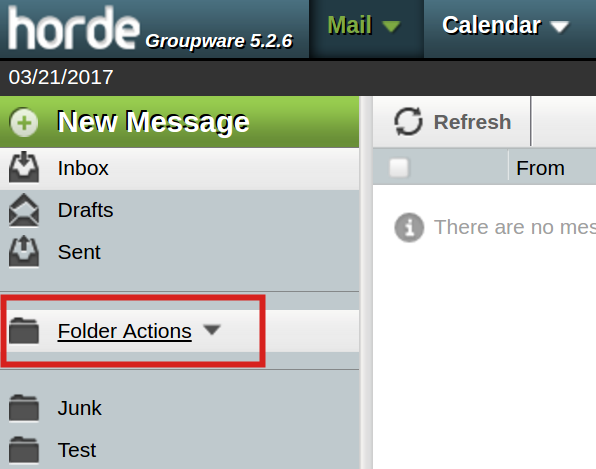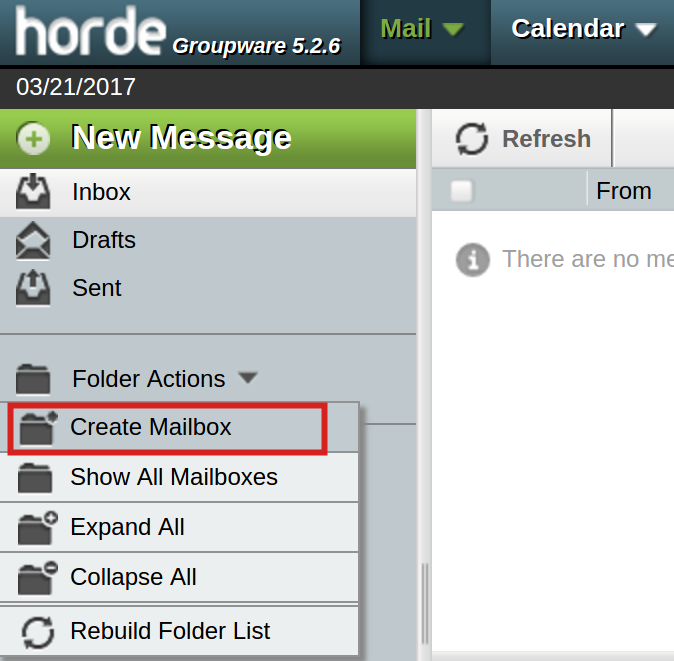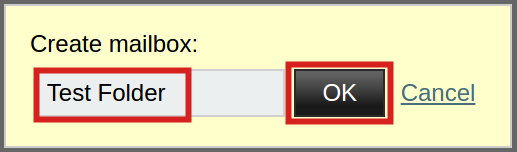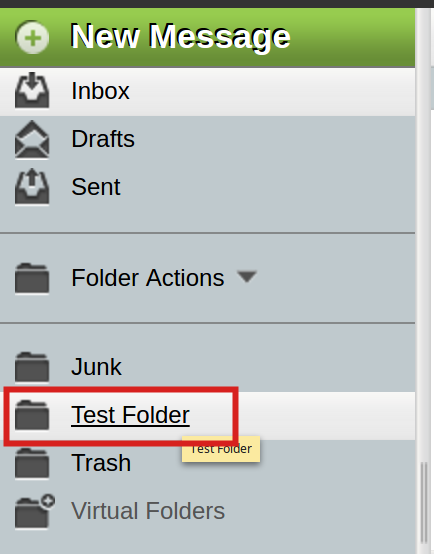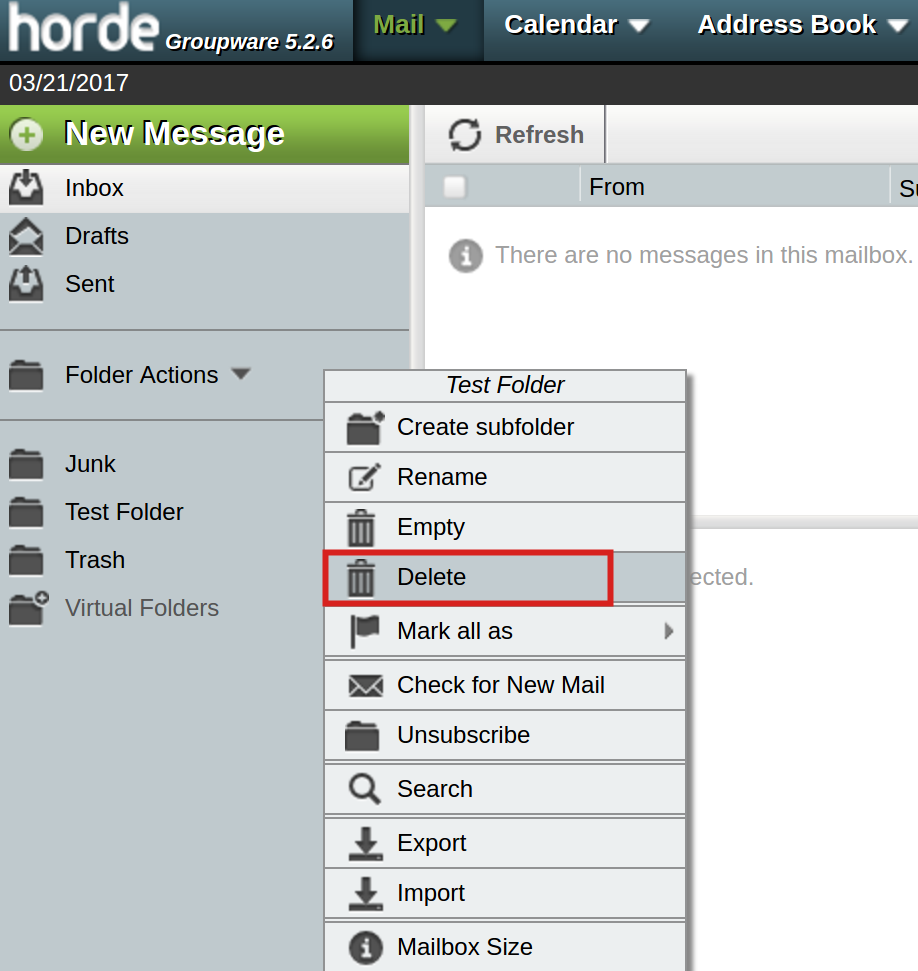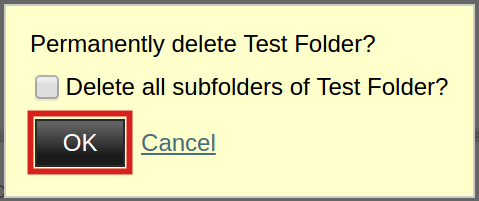
How to Create and Delete Folders in Horde Webmail Updated on November 2, 2021 by InMotion Hosting Contributor 0 Minutes, 51 Seconds to Read You can create folders in Horde to help better manage your e-mail stored on the server. In this tutorial, we will show you how to create as well as delete folders in Horde Webmail. Create a FolderDelete a folder Don’t have time to read our full article? Watch our walk-through video. Creating Folders Log into Horde.Click the Folder Actions link.Click the Create Mailbox button.Enter the folder name in the box, then click the OK button.You will then see your new folder listed along with your other IMAP folders. Deleting Folders Log into Horde. If you are already logged in, click the Inbox link.Right-click the folder you want to delete.Click Delete from the drop-down menu.You will then see a message asking if you want to “Permanently delete the folder.” Check the box if you also want to delete the subfolders. Then click the OK button. Congratulations, now you know how to create and delete an IMAP folder in Horde Webmail! Share this Article IC InMotion Hosting Contributor Content Writer InMotion Hosting contributors are highly knowledgeable individuals who create relevant content on new trends and troubleshooting techniques to help you achieve your online goals! More Articles by InMotion Hosting Related Articles Transferring Emails from Your Old Host to InMotion Hosting How to Setup Office 365 DNS Records How to fix OLMAPI32.dll and WWLIB.dll error in Outlook 2013 How to Setup Outlook 2016 for Mac Issues with Outlook 2007 Running on Windows 10 Outlook not working after installing Windows 10 IMAP Issues Affecting Outlook 2013 and Office 365 Outlook 2013/Office 365 – Subscribing to your Inbox How to create an email signature in Outlook 2003 How to create an email signature for Mac in Outlook 2011