
As you develop a customer base, you will inevitably need to have a support email address for clients to send questions or issues. Setting up email piping allows those emails to become tickets within your WHMCS. Follow along below as we show how to set up email piping between your WHMCS admin dashboard and cPanel.
Setting Up Email Piping in WHMCS
- Log into the WHMCS admin interface.
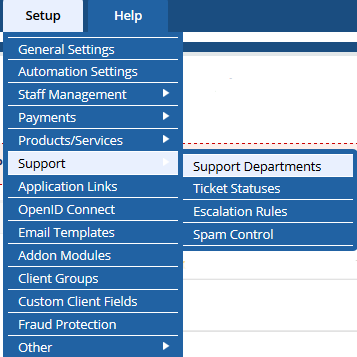 Click on Setup -> Support -> Support Departments.
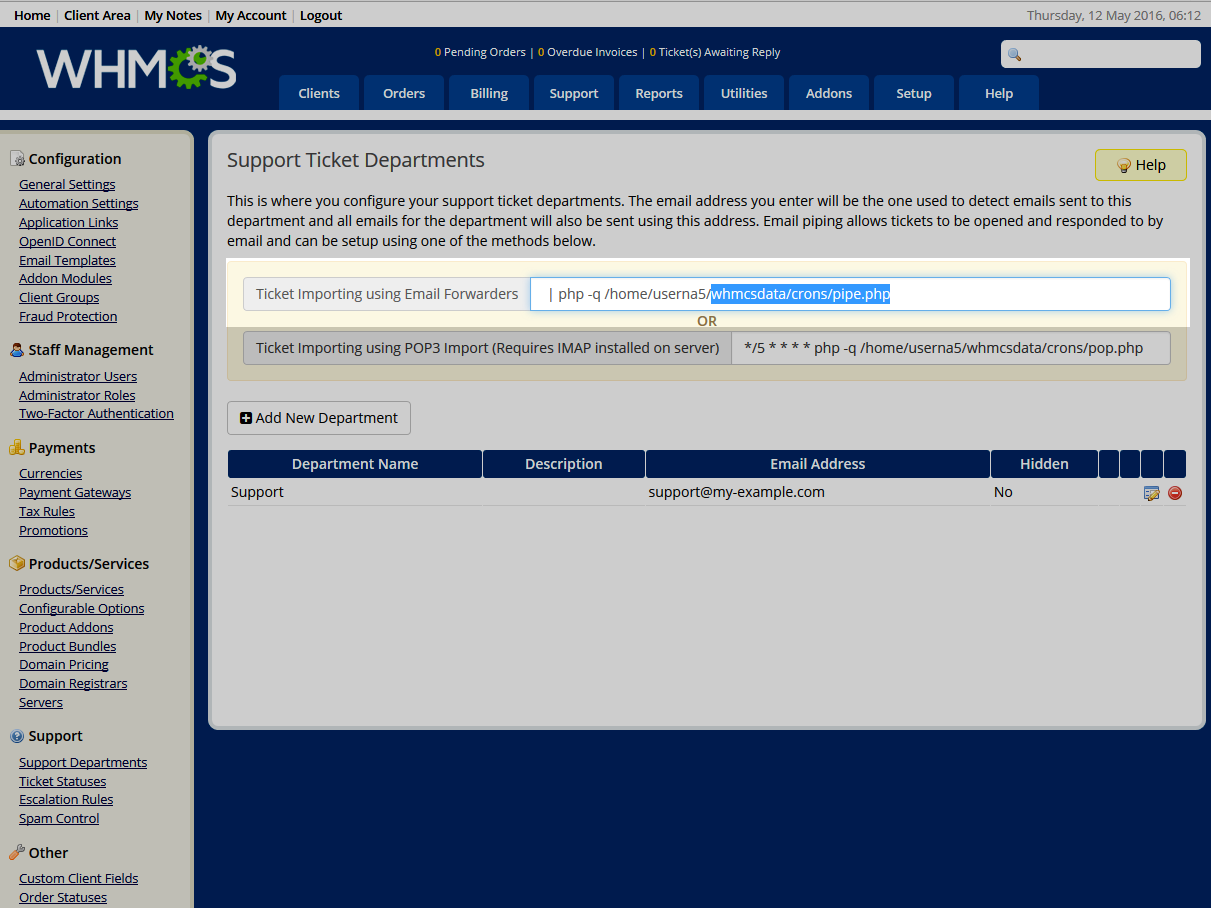 From the Support Ticket Departments page, locate the Ticket Importing using Email Forwarders field and copy everything AFTER ‘home/username/’ in the path.
Example: If the field reads:
From the Support Ticket Departments page, locate the Ticket Importing using Email Forwarders field and copy everything AFTER ‘home/username/’ in the path.
Example: If the field reads:
‘| php -q /home/userna5/whmcsdata/crons/pipe.php‘ then copy the ‘whmcsdata/crons/pipe.php‘ portion into your clipboard (Ctrl+C).- Now, log into your cPanel dashboard.
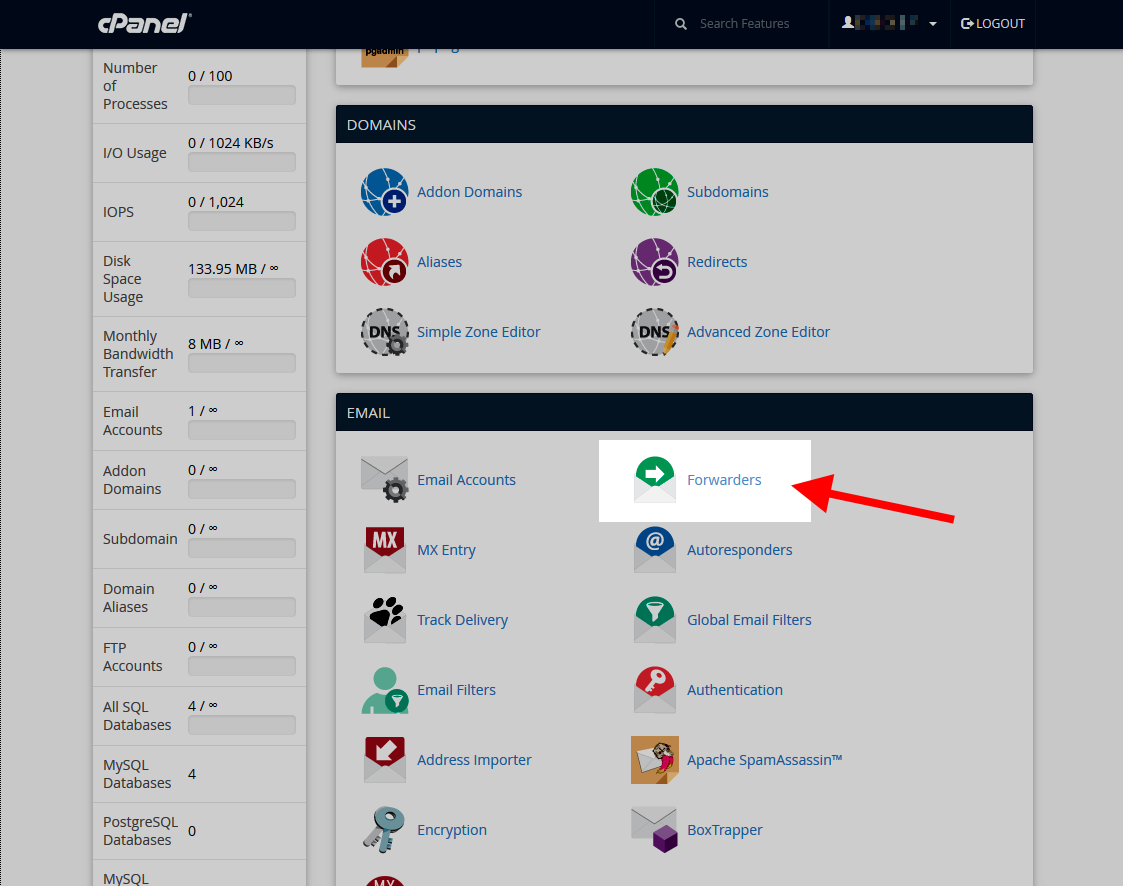 Locate the Emails category and click on the Forwarders option.
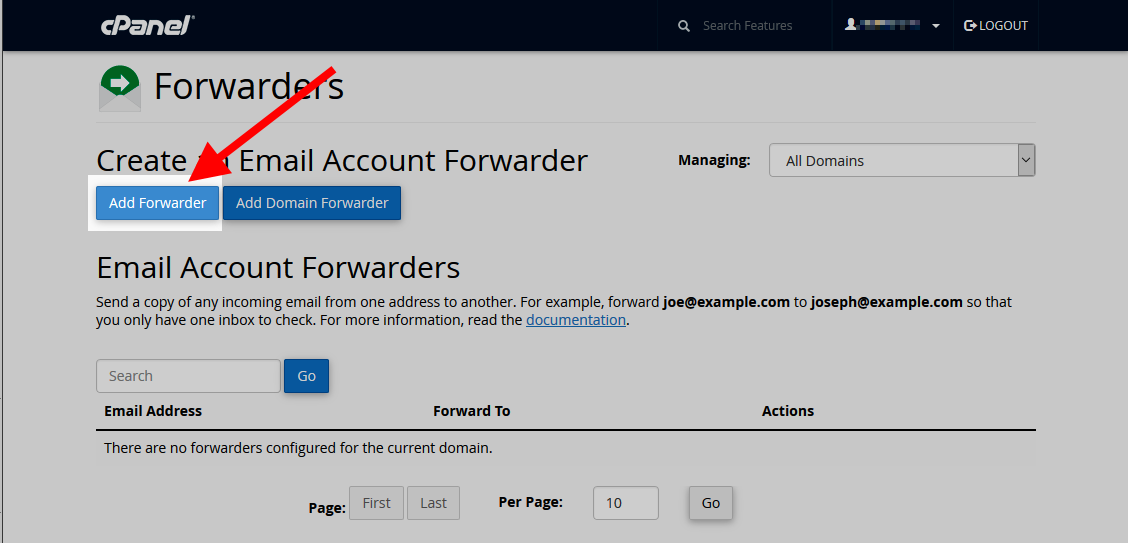 Click the Add Forwarder button.
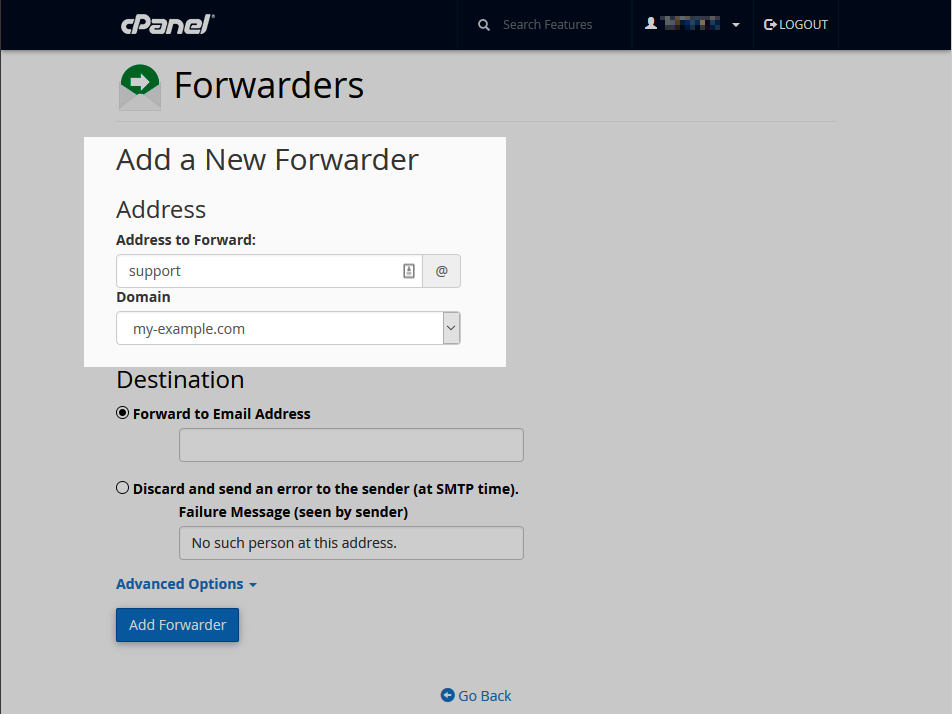 On the Add New Forwarder page, enter the support department’s email address in the Address to Forward field.
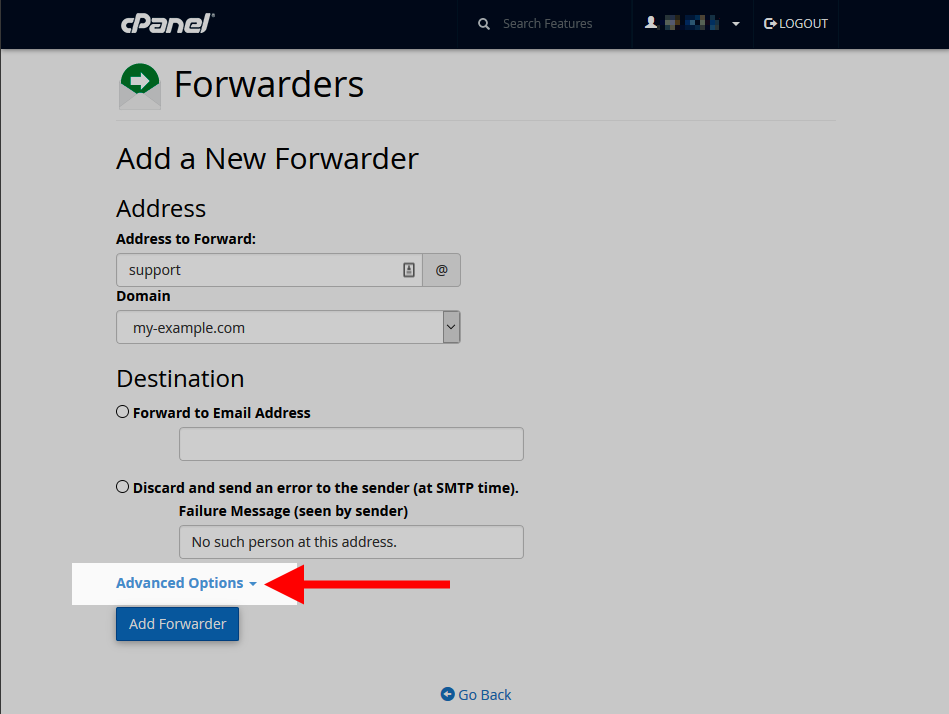 Click on Advanced Options.
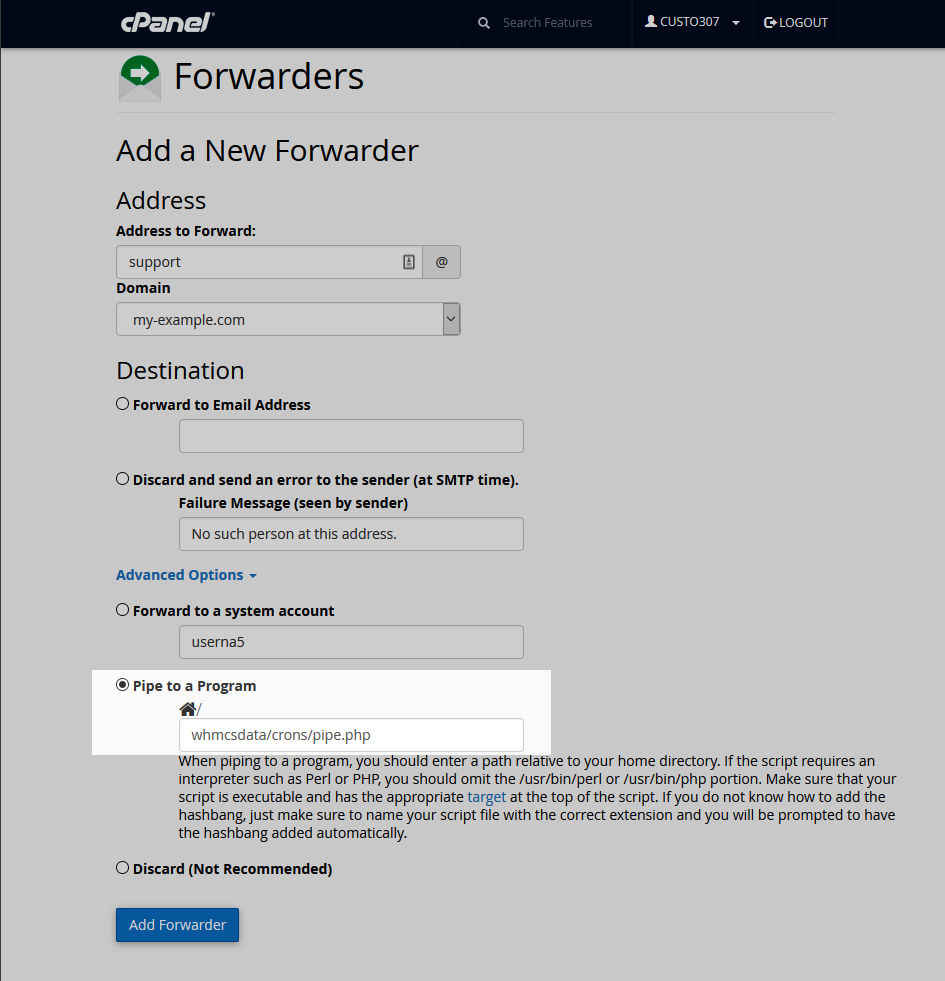 Click on the Pipe to a Program option and paste the command previously copied in the field (Ctrl+V).
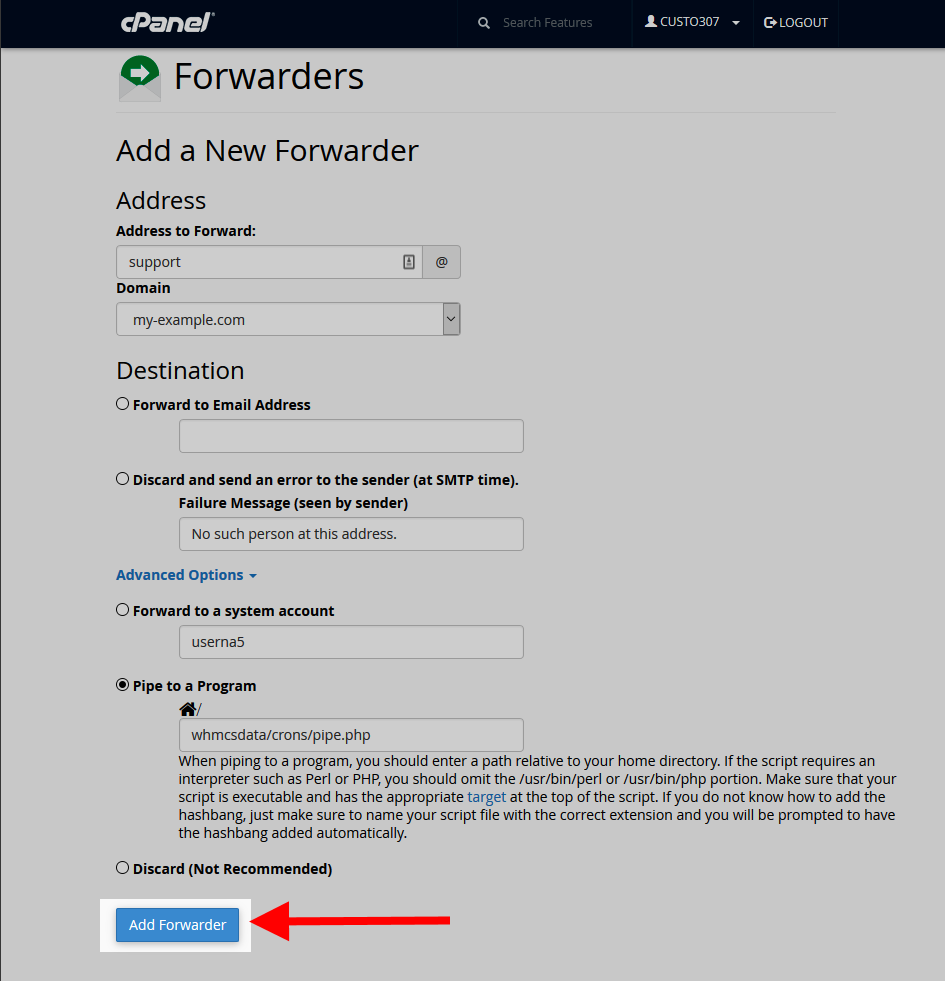 Click the Add Forwarder button.