
Magento 1.6 gives you the ability to merge the CSS files of your Magento shopping cart. This can be beneficial in speeding up how fast your pages load in a web browser. Merging the CSS files can make debugging issues with the look and feel of your website however. Once your website is no longer in development, merging the CSS files is a good idea. Loading one CSS file reduces the number of HTTP requests made to the server and can help reduce resource usage. Merging the CSS files of your website is accomplished in the Magento 1.6 Backend.
- Log into your Magento Admin Backend
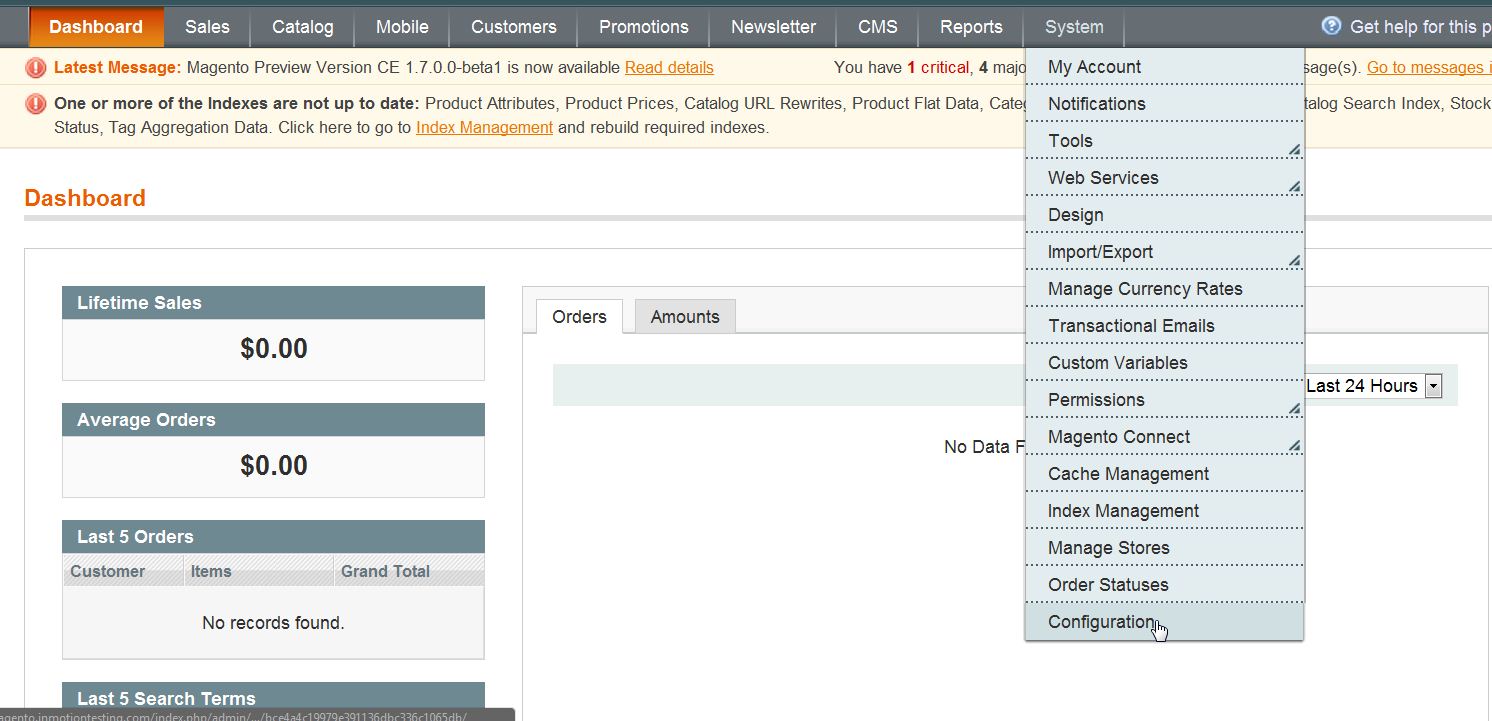
- Go to System ->> Configuration
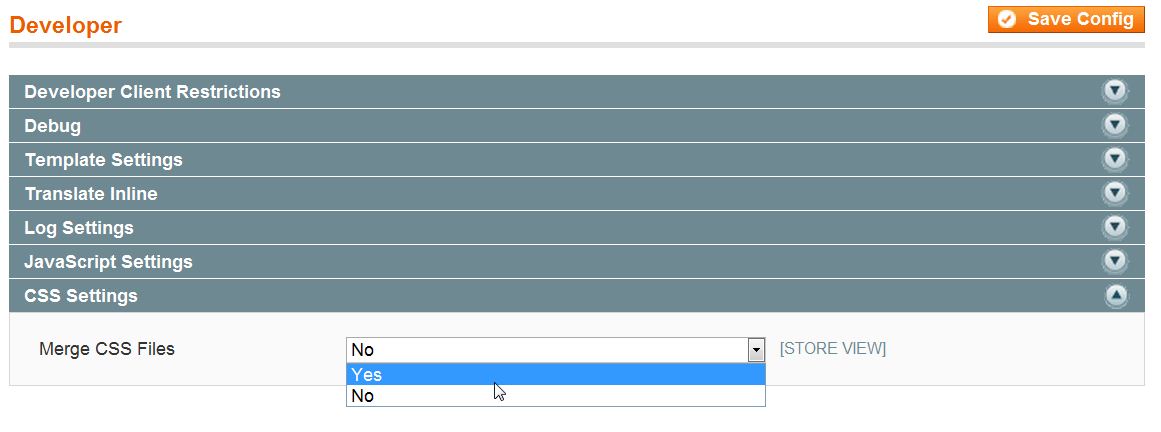
- Click on “Developer” in the left side menu pane
- Open the “CSS Settings” section
- Change the “Merge CSS Files” to “Yes“
- Click “Save Config“
For more step-by-step guides and practical tips, visit our Drupal Education Channel.