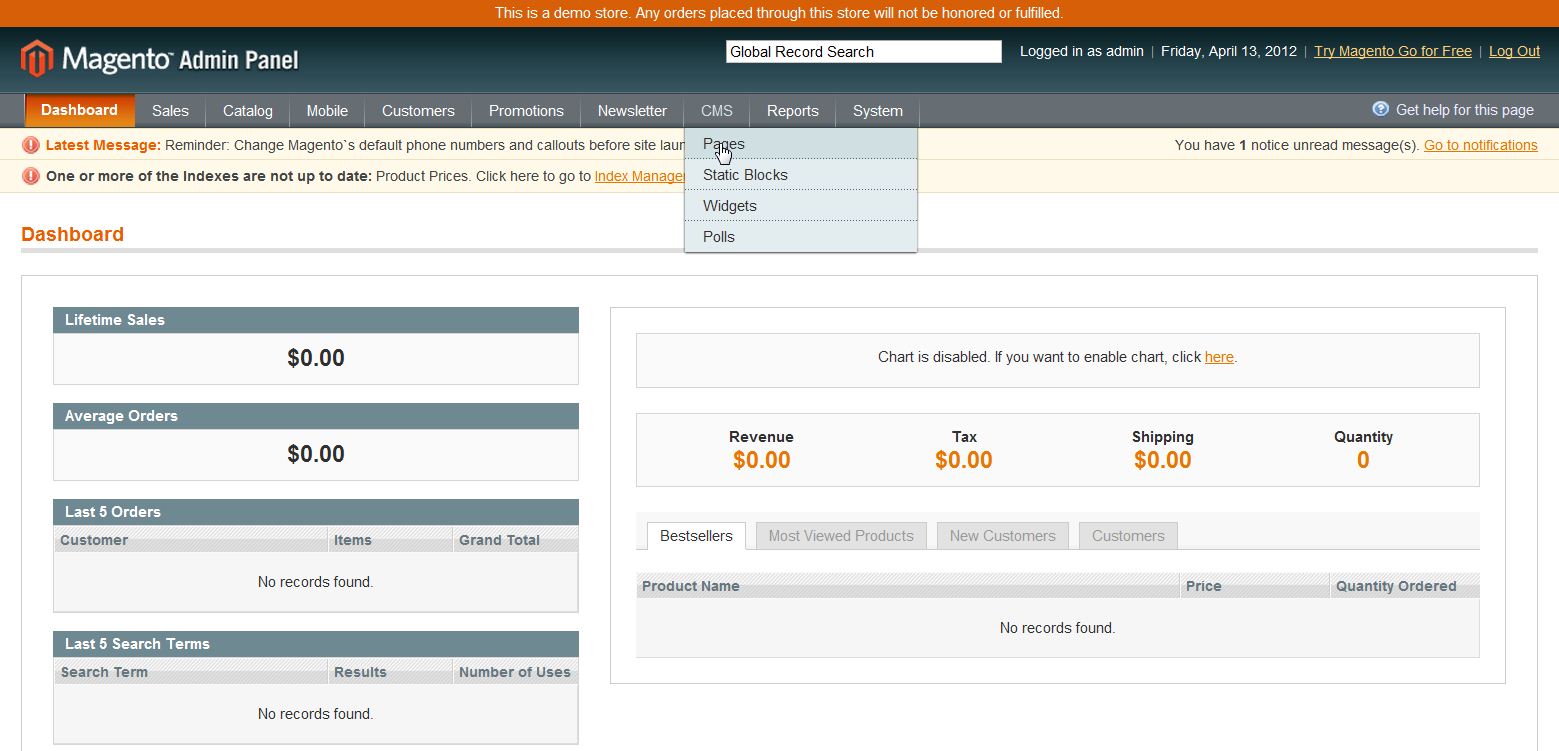
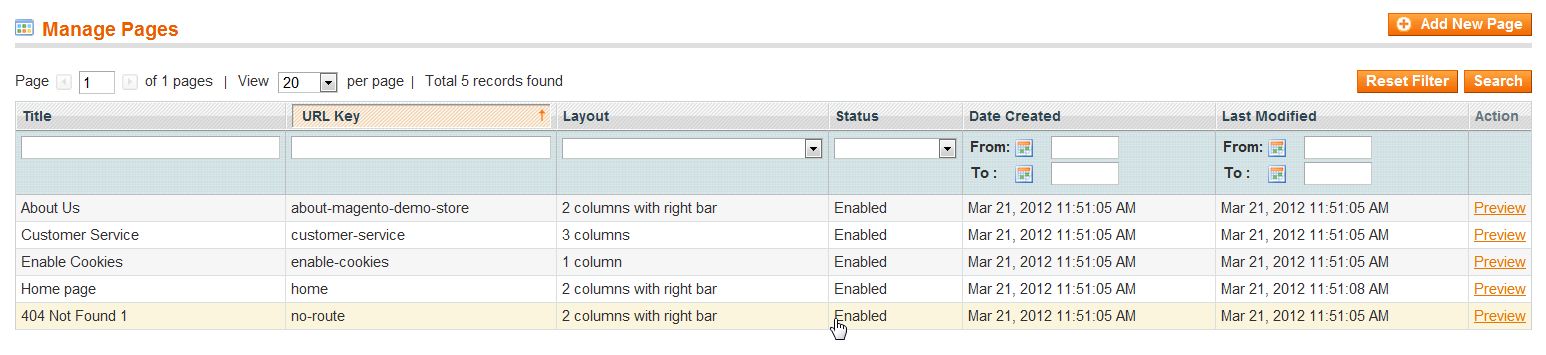
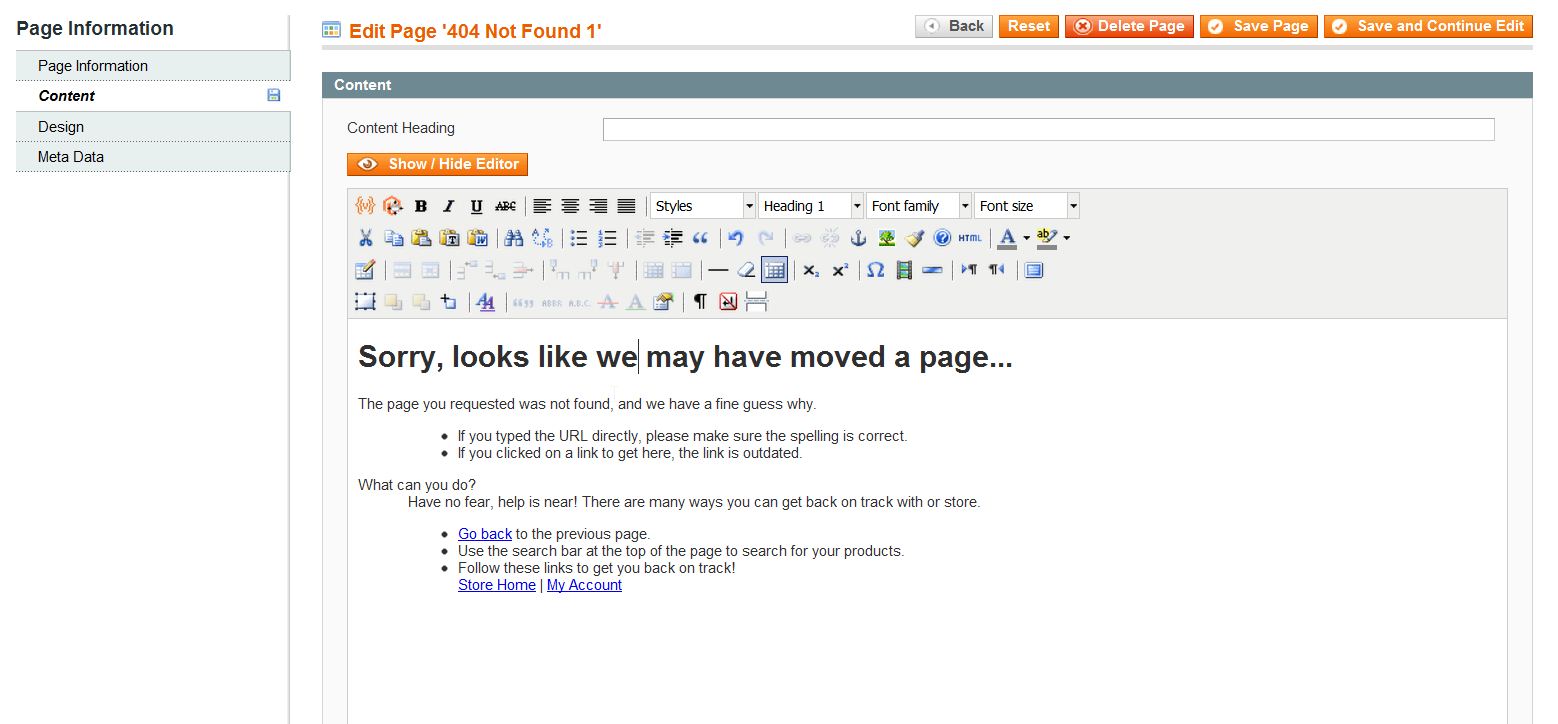
Editing the “404 Page Not Found” Page in Magento 1.6 Updated on August 16, 2021 by Carrie Smaha 0 Minutes, 30 Seconds to Read You can customize the 404 page in Magento 1.6. If your site visitors try to go to a page that does not exist, you can diplay a personalized message to them, or maybe provide a link to another page. Editing the 404 page is accomplished in the Magento 1.6 Admin Backend. Log into your Magento Admin Backend Go to CMS ->> Pages Click on the “404 Not Found 1” page Click on “Content” on the left menu pane Edit the content on the page as you see fit Click “Save Page“ If you need further assistance please feel free to ask a question on our Support Center. Share this Article Carrie Smaha Senior Manager Marketing Operations Carrie enjoys working on demand generation and product marketing projects that tap into multi-touch campaign design, technical SEO, content marketing, software design, and business operations. More Articles by Carrie Related Articles 10 Magento Security Tips Changing the Magento 1.6 Login to Case Sensitive How to Allow Backorders in Magento 1.6 Changing the Year-To-Date Report Dashboard in Magento 1.6 Adding Store Email Addresses to Magento How to stop Displaying Product Reviews in Magento 1.6 How to Install Magento Manually Merging Javascript Files in Magento 1.6 How to Edit the Footer in Magento 1.6 Changing the Default Welcome Message in Magento 1.6