
In Drupal 7, you have the ability to disable the commenting on a specific content type. This is great if you want to disallow comments on one type of content such as the “basic pages” but still allow commenting on the “blog entries” type. This will only affect any future content written for that type.
Previously written content is unaffected and will still have the commenting ability as it was when it was created. Those sections can be turned off by editing each individual page, article, blog entry, etc.
Turning off commenting for a content type at a global level can be done using the following instructions.
How to Disable Comments on Specific Content Types in Drupal 7:
- Log into the Drupal Dashboard
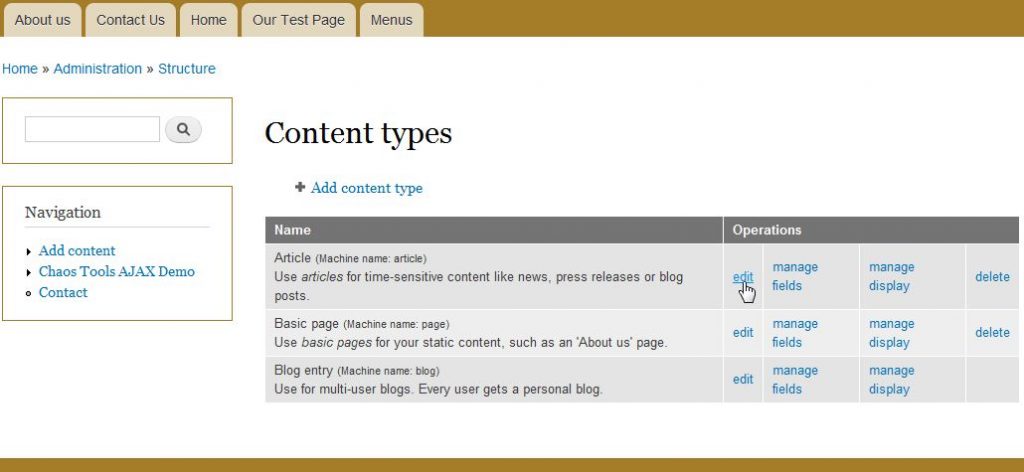
- Click on Structure from the upper menu bar and then select the Content types category.
- Click Edit next to the name of the content type you wish to edit
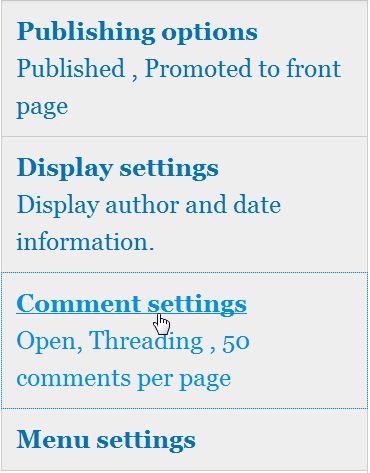
- Scroll down and click on Comment settings
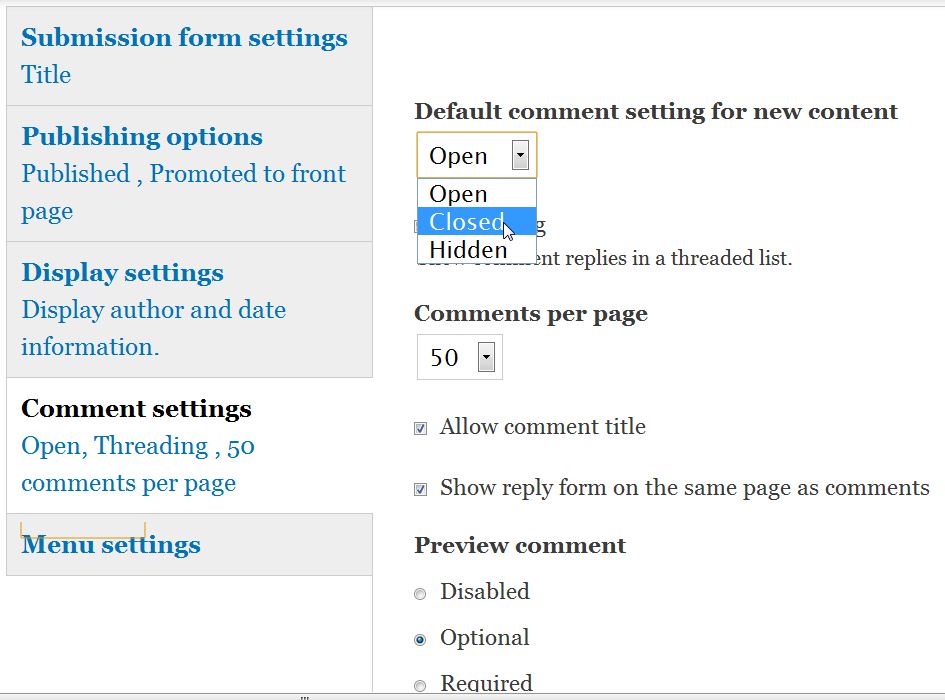
- Select Closed from the drop down menu under Default comment setting for new content
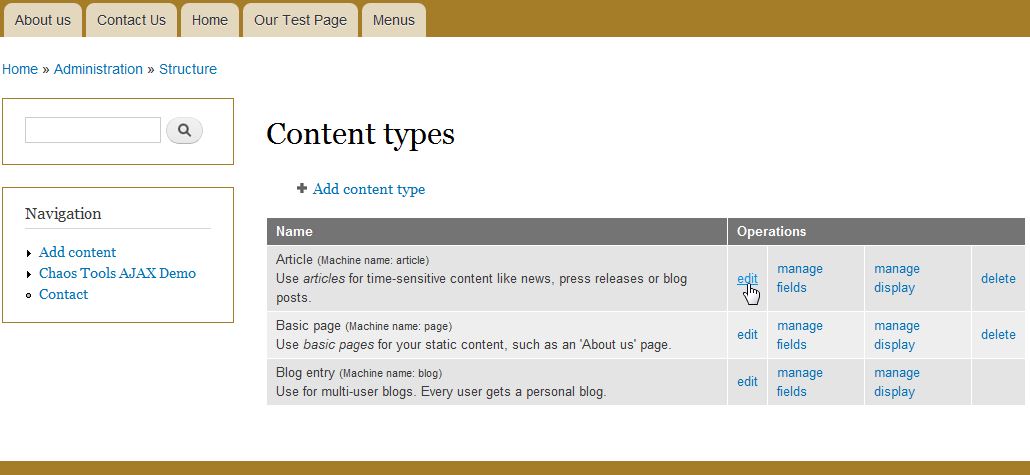
- Click the Save content type button at the bottom of the page.


If you need further assistance please feel free to ask a question on our support center website.