This article will guide you in creating a very basic view in Drupal 7. Views can be used to create very complex lists, but as we are just learning, we will be walking through the basic steps. This is designed to give you some familiarity to the Views module and make it a bit less daunting as it may first seem. In this example, we will be creating a view to display articles on a page, much like a blog index. To get started with creating a view in Drupal 7, simply follow the steps below.
Creating a View in Drupal 7
- Log into your Drupal 7 admin dashboard.
- From the top menu bar, locate the Structure option and click it.
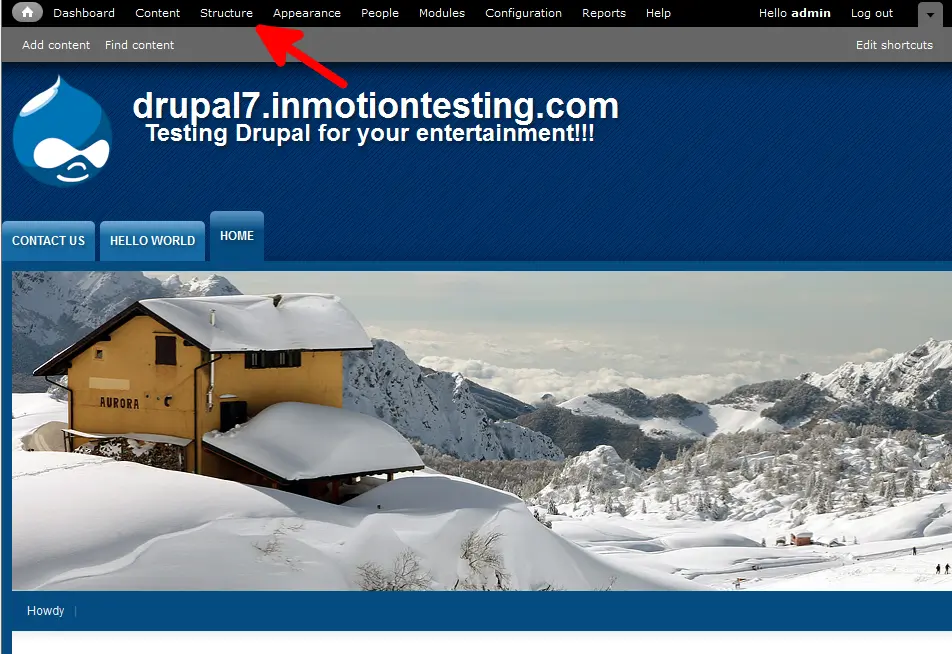
- If you have the Views module installed, you should see a Views content type in the list. If not, you will need to install and enable the Views module. Click on the Views option to move to the next screen.
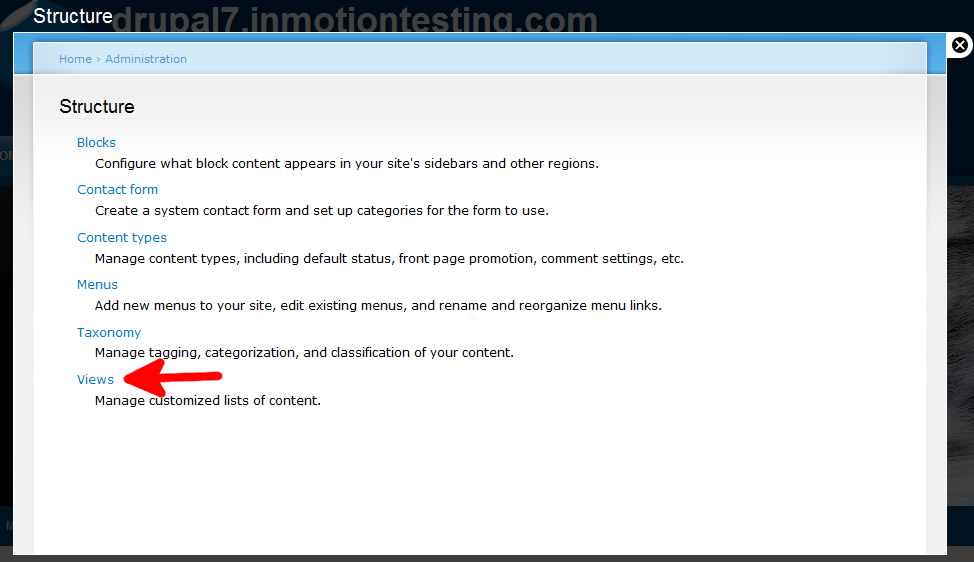
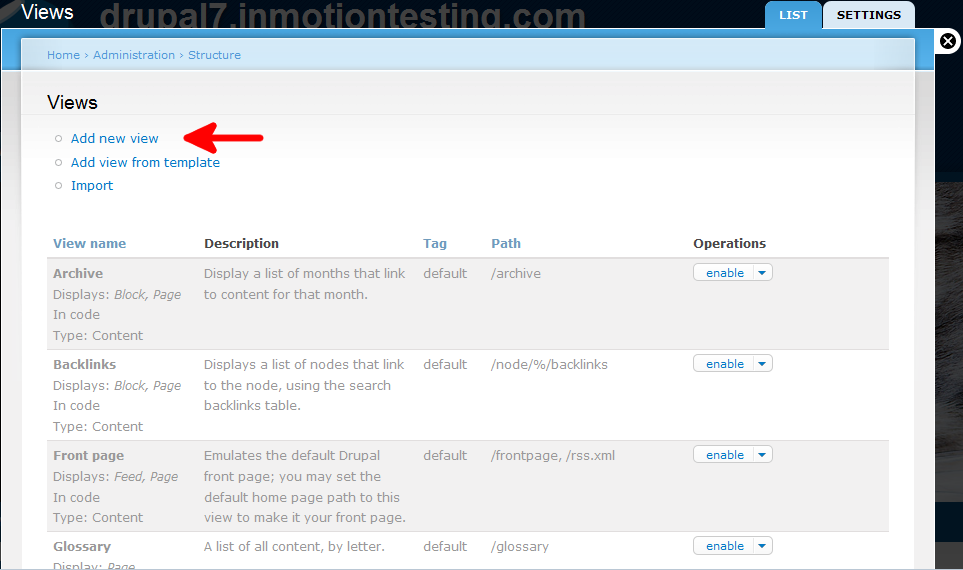
- You have now entered the Views module screen. To create a new View, simply find and click on the Add New View link.
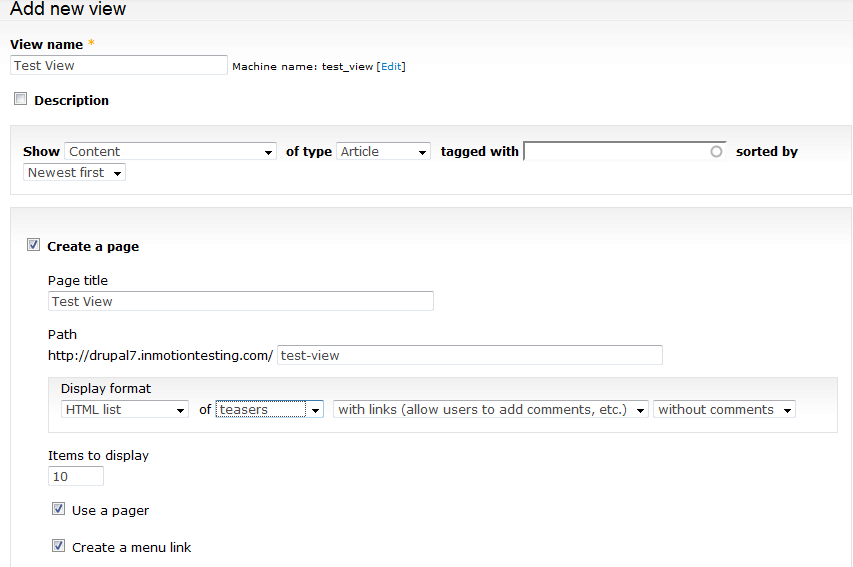
- From this page, we will set up our view. First we have to name the View, this required. We next set it to show the content type of Article. We ensure the Create a Page is selected to show the list as an independent page. Page Title and Path fill in based on the title, but they are adjustable. I keep the default settings for the formatting and move on to check the Create a Menu Link option so the page shows in the main menu. Just under that is a dropdown to select the type of menu you want to add it to from the Menu dropdown. We want Main Menu for this View.
- Once finished, scroll to the bottom and select the Save and Exit button. Now you can see your new view page from the main menu. Below is a screenshot of the view we just created.





