
This article is being kept in our Support Center for our VPS and Dedicated Customers who may still be using Fantastico. For all other users, please see our Softaculous software installation guide for more help with installing programs such as WordPress and Joomla.
VPS plans and Dedicated hosting packages do not include Fantastico de Luxe since the license is issued to the server. You are free to purchase a Fantastico license for $50 per year if you wish to use it on your VPS or Dedicated server. The price shown in AMP will be prorated so your Fantastico license will renew on your hosting package’s renewal date.
Requesting a Fantastico license is done through AMP. If you are unfamiliar with AMP, please see our article on AMP vs. cPanel.
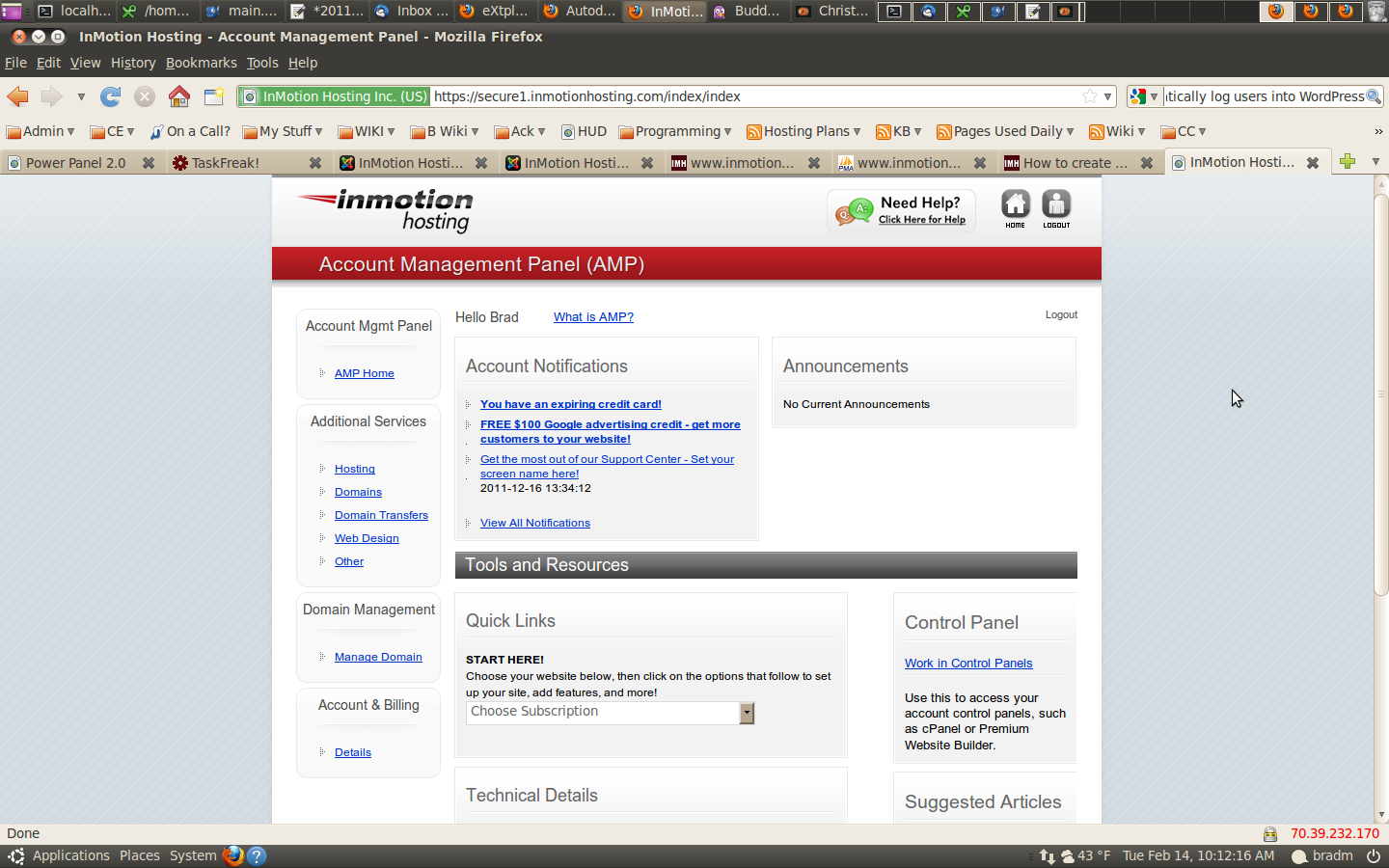
- Log into AMP
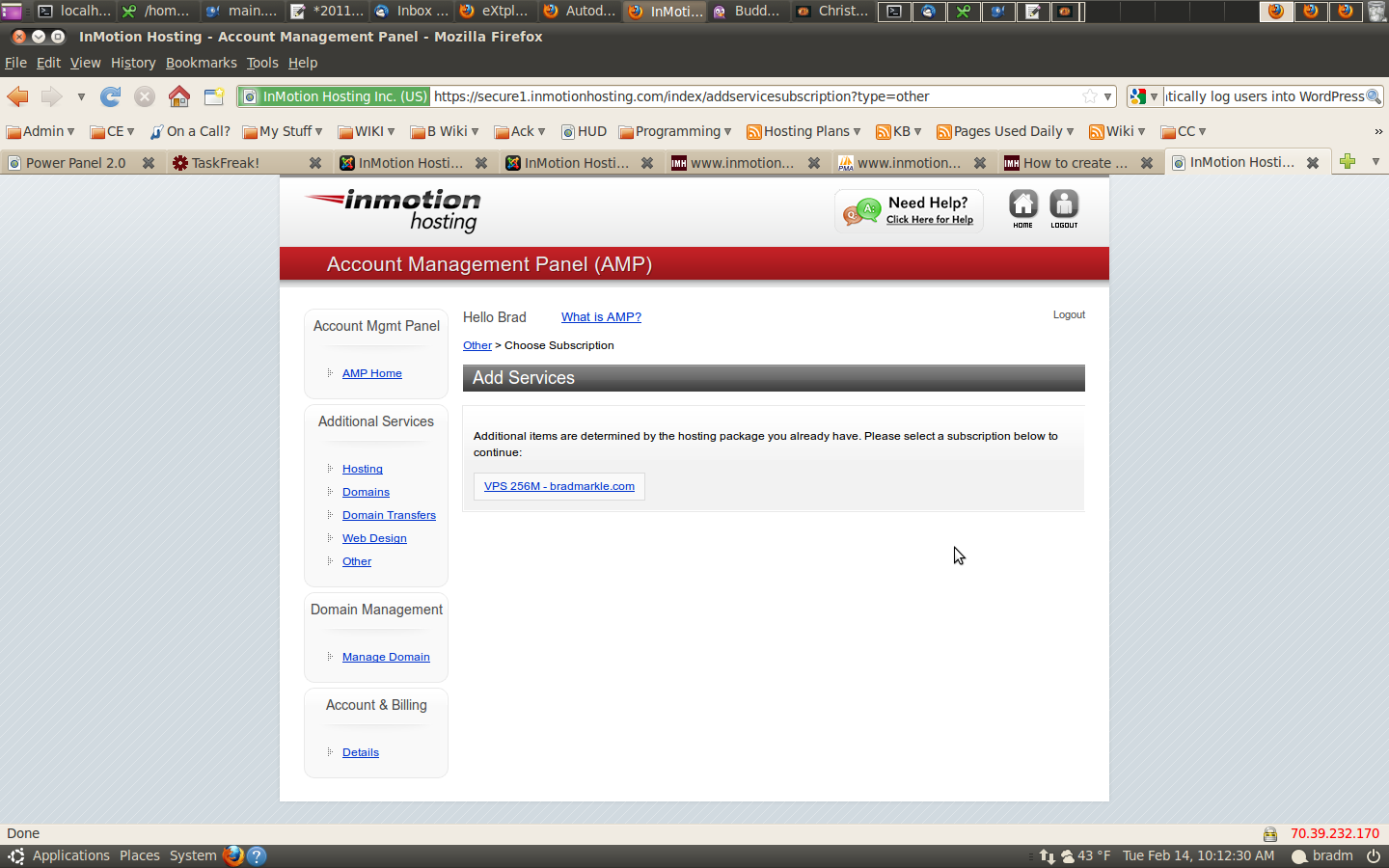
- Under “Additional Services” click “Other” and select the plan you want to add the Fantastico license to
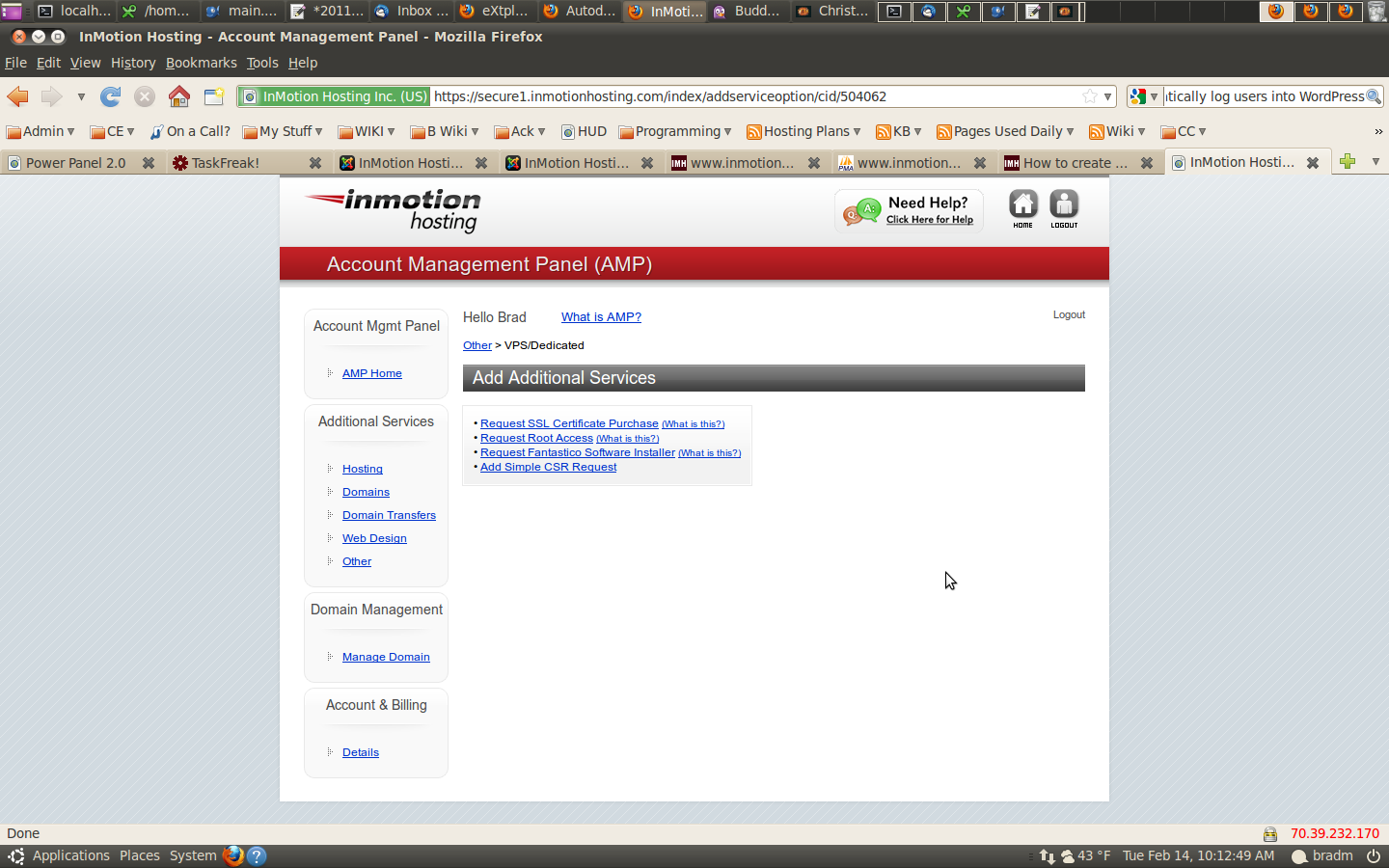
- Click “Request Fantastico Software Installer”
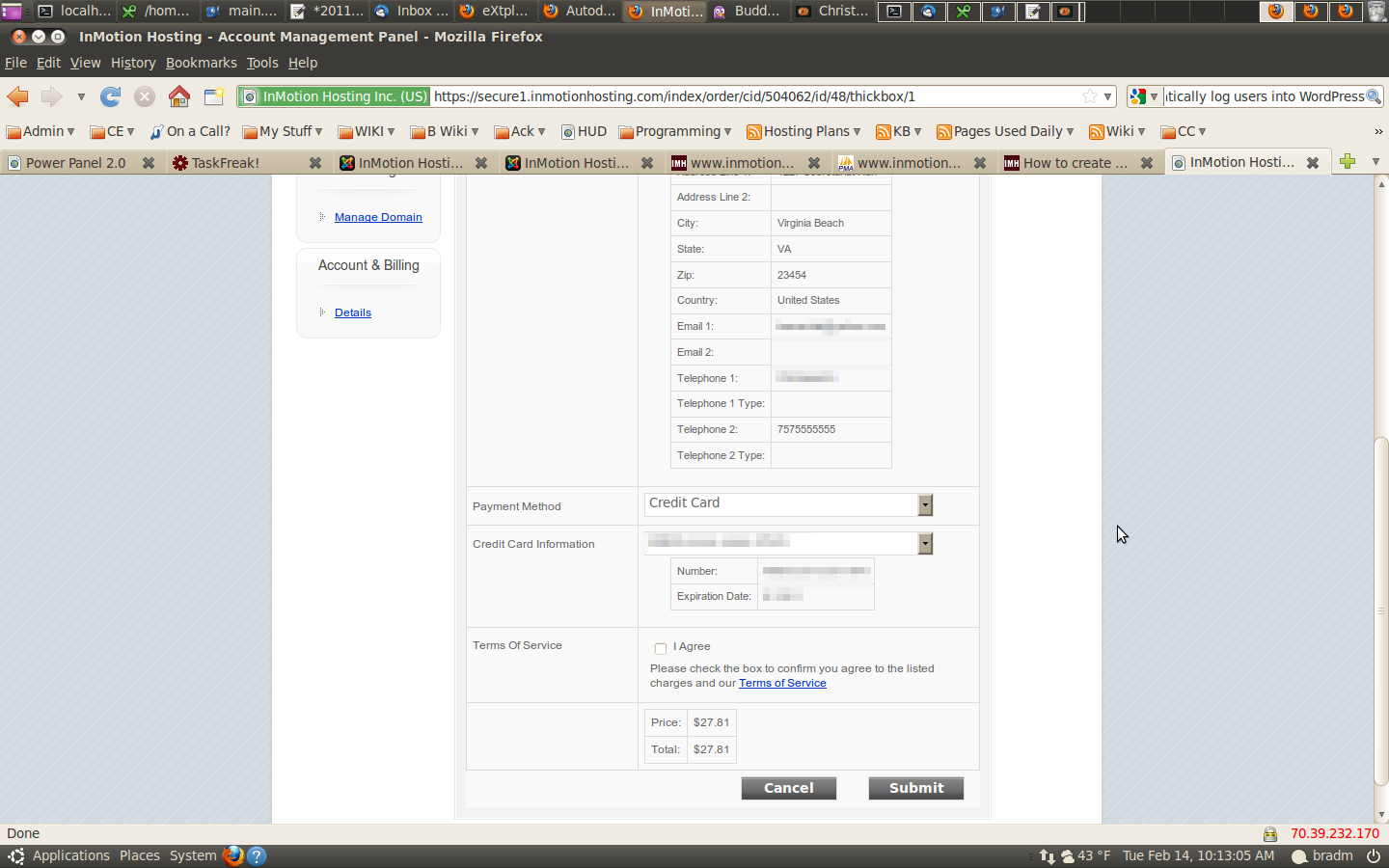
- Verify the information is correct in the fields, and select “Submit”
Once you have submitted your request it can take up to 3 to 4 hours for our tech support department to install it on your server. Once the installation is complete, you will see Fantastico available in cPanel.
If you need further assistance, please feel free to ask a question on our support center.