

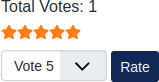
The Joomla Vote plugin allows users to rate your content on a scale of one to five stars. This can encourage readers to read more of your content after seeing a good rating with high numbers of votes as social proof. This is a small but effective method to supplement “likes” displayed by social media buttons. See the screenshot on the right for an example.
Making the process easier, the plugin is already installed in Joomla 4. All you need to do is enable and customize the Joomla voting extension to fit your needs.
Enable Joomla Votes on Articles
- Log into your Joomla administrator dashboard (e.g. https://example.com/administrator).
- Select “System” on the left.
- Under “Manage,” select “Plugins.”
- Select “Content – Vote.”
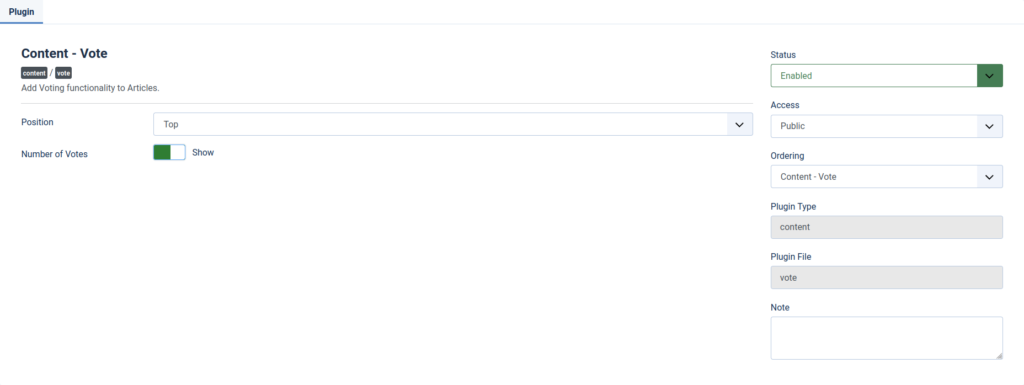
- On the right, select the “Status” drop-down menu and choose “Enabled.”
- Now, you can change the position for where votes show (top or bottom of article content). You can also toggle viewing the number of votes resulting in the current rating. We recommend enabling this to better support the star rating.
- Select “Save & Close.”
- On the left, select “Content” and “Articles.”
- Select “Options” on the right.
- Change the slider for “Voting” to “Show.”

- Select “Save & Close.”
Now view your live site. Each article will now have a star system. With all options enabled you’ll see the total number of votes, star rating (1-5), and option to rate the content. Below is a screenshot of an EmbedChessboard article with the Vote plugin on the top of content.

Remember, Joomla Vote is just one of many ways to help users gauge the effectiveness of your content. There are many other, free Joomla plugins available that offer advanced voting and polling features. We recommend checking out Feedback Factory and Election Voting Management.
Learn more about how to customize your website to fit your needs with our Joomla 4 Education Channel.