
The Horde webmail client is an excellent freeware application provided with your InMotion website hosting subscription. However, there may be times when you need to export your address book from Horde in order to make it available in a different email client. This article will walk you through the simple steps to export the Horde Address book.
Looking for a better host for your WordPress site? InMotion Hosting provides WordPress Hosting to meet your needs. Accounts include full email support, optimization for WordPress, and managed systems from a 24/7 technical support staff.
Before you Export
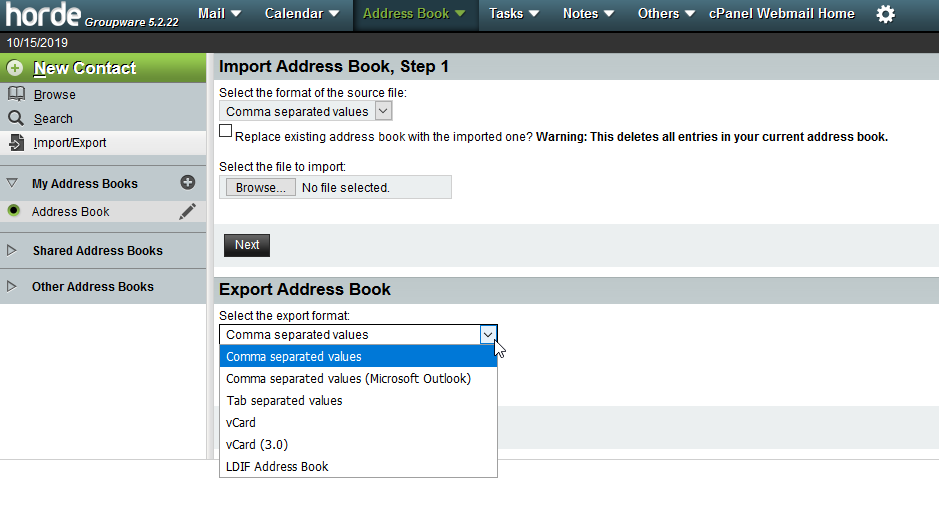
When you need to export the Horde Address book (or any file) you should consider then format of the exported file so that it’s useable by the program that you’re exporting to. Horde can export the address book in the following formats:
- Comma separated values
- Comma separated values (Microsoft Outlook)
- Tab separated values
- vCard
- vCard (3.0)
- LDIF Address Book
Exporting your Address Book
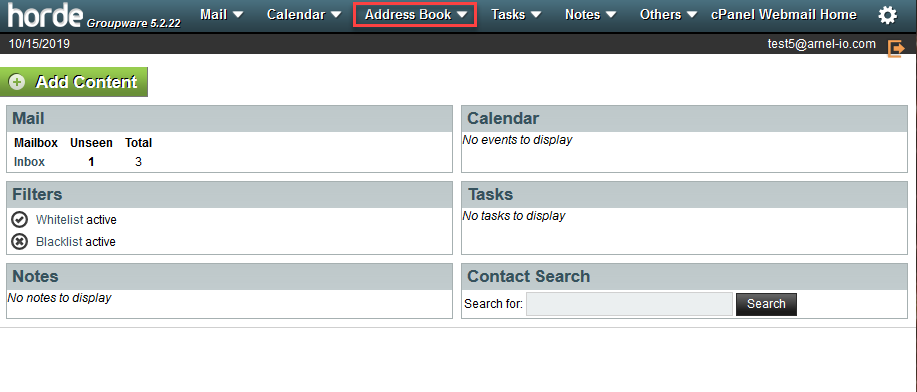
Step 1. Log in to Horde and then select the Address book.
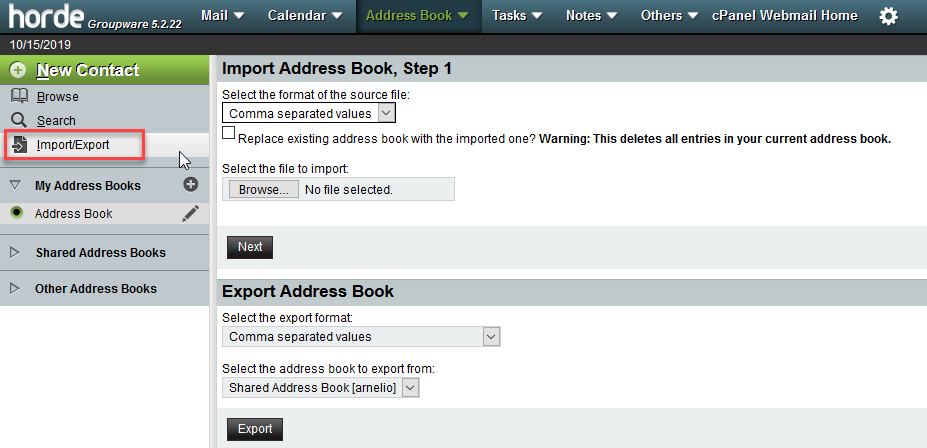
Step 2. In the menu at left, click on Import/export.
Step 3. Select the format of the file that you’re exporting.
Step 4. Select the address book that you will be exporting.
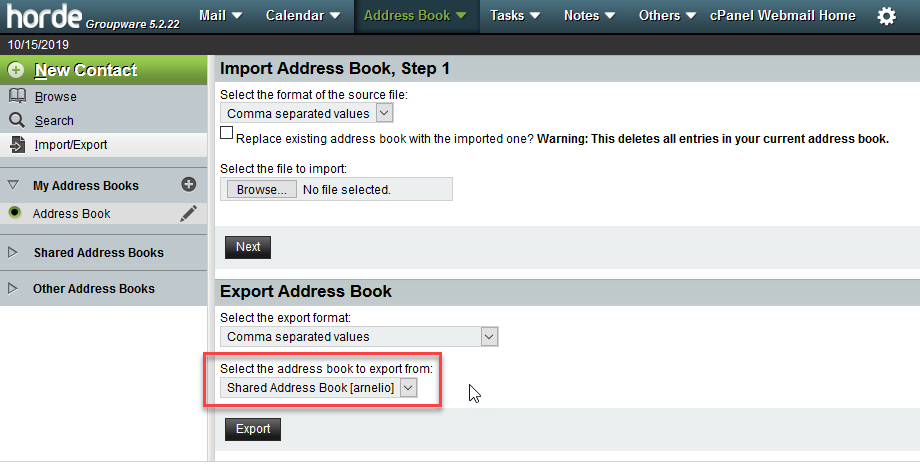
Step 5. Once you have the address selected, click on the Export button. You will see a pop-up window appear asking you to open or save the file. Choose the Save option. Give the file a name and note the location where the file is saved so that you can find it later.
The export process is complete when the file saves! If you want to learn more about using the Horde webmail client, please see How to Create an Email Filter in Horde.