
Before becoming a part of the WordPress core, Gutenberg was solely a plugin. Currently, users can still install the Gutenberg plugin, which adds additional functionality to the editor that has not to be included in the WordPress core yet.
Continue reading to learn how to install the Gutenberg plugin.
How to Install the Gutenberg Plugin
- If you’re not already in the WordPress administrator, then log in the dashboard.
- Once you’re logged in scroll down the menu on the lefthand side and select Plugins.
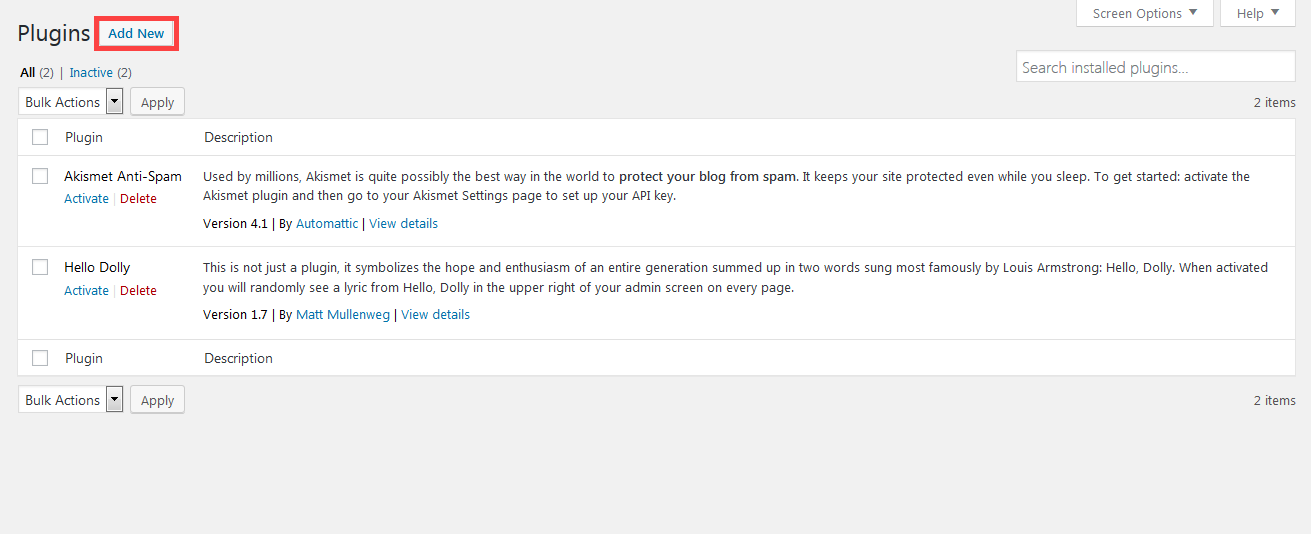
In the Plugins page, click on Add New.
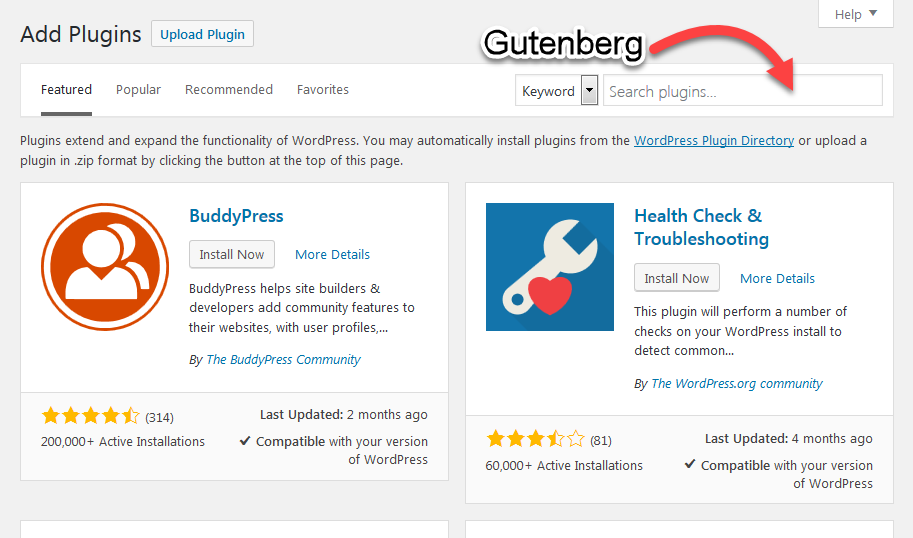
In the field labeled Search plugins… type in Gutenberg and hit enter.
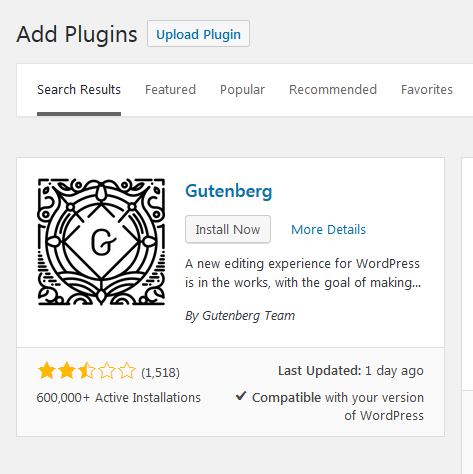
You will then see the Gutenberg plugin shown in the list with a button labeled Install Now. Click on this button.
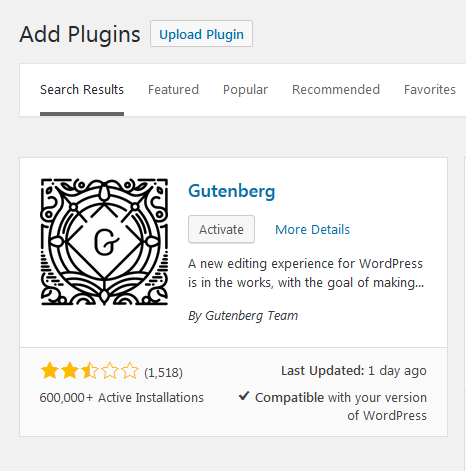
It will show that it’s installing (as long as you have an internet connection), and then the button label will change to Activate when it’s complete. Click on Activate in order to complete the installation and turn on the Gutenberg plugin.
When it’s activated, the screen will go back to the Plugins page and show you the Gutenberg plugin in the list. That completes our tutorial on how to install the Gutenberg plugin in WordPress.
Learn more about the new WordPress editor, Gutenberg, and the capabilities of the separate Gutenberg plugin with our helpful Gutenberg tutorials.