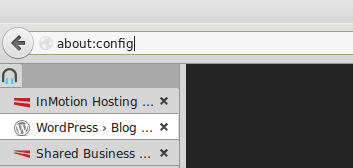
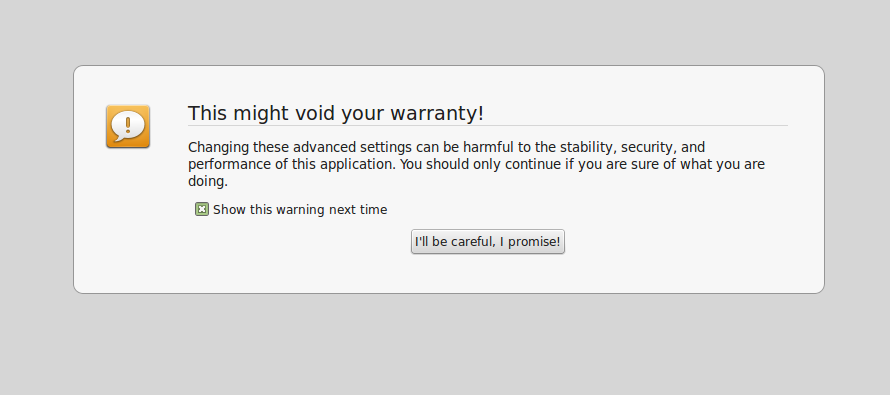
POODLE fix for Firefox: Disabling SSL 3.0 Updated on June 12, 2023 by Jeff Matson 0 Minutes, 25 Seconds to Read Due to recent SSL vulnerabilities, it’s a good idea to fully protect yourself. In this article, we will show you how to disable SSL 3.0 in Firefox to protect you against the recent POODLE vulnerability. Manually disabling SSL 3.0 in Firefox In the Firefox address bar, enter about:config Confirm the warning and continue. In the search box up top, enter security.tls.version.min Right-click the entry for security.tls.version.min, click Modify, and change the value to 1 Once the change is made, restart Firefox. Share this Article Related Articles Force HTTPS with the .htaccess File How to Fix the Insecure SSL Error due to SHA-1 Deprecation Troubleshooting SSL Connection Errors: How to Fix HTTPS Issues What Is SSL and Why Is It Important? How to Install Let’s Encrypt SSL on Ubuntu with Certbot Installing SSLs and Generating CSRs in cPanel Forcing your Website’s visitors to use the shared SSL How to Manage AutoSSL Certificates in cPanel How to Purchase an SSL Certificate for your Dedicated Server How to Enable a SSL on a WordPress Site