
In this article we’ll discuss how your can purchase a Softaculous license key to have the popular auto installer addon for cPanel added to your VPS or dedicated server.
Softaculous comes free on every Shared Hosting and Managed VPS XGB RAM account. You’ll only need to purchase a license if you’d like to use it on a legacy VPS-X000HA-S plan or dedicated server.
Softaculous is an auto installer program that comes with over 278 useful scripts and applications and over 1,000 PHP classes. These can all be easily installed through the one-step cPanel addon that will allow users to simply enter in some basic details such as the directory they’d like the software installed to, and Softaculous automatically creates any necessary databases or users and configures your installation for you.
You can find more information regarding Softaculous in our Softaculous education channel.
Requesting a Softaculous License Key
A Softaculous license would be either $5/month, or $50/year. You can use the steps below in order to have this added to your account and installed on your server:
- Log into your Account Management Panel.
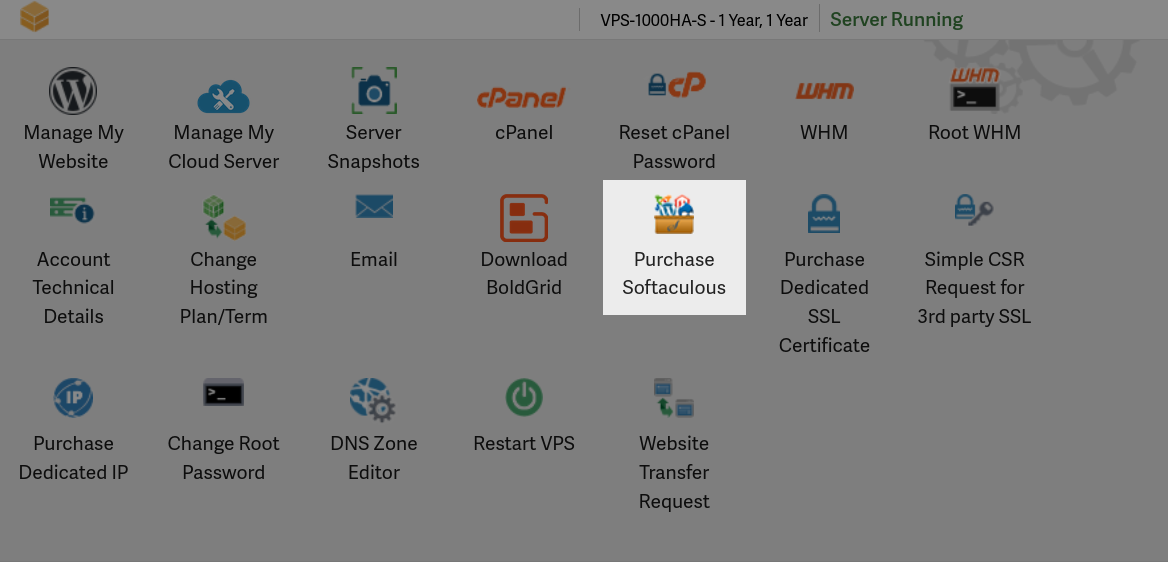
- Under your account name, click the Purchase Softaculous button.
- Confirm your payment details, agree to the Terms of Service, then click Submit. You will then see a message stating “Order Processing.”
When you order a Softaculous license for your server, an email will be sent to you with further details. Our system administration team will then order a license for your server and proceed to install Softaculous onto your server for you. Once this has completed you’ll be notified by email again.
If you are just using one of our shared hosting plans, these come licensed for Softaculous already. So it’s not necessary to request an installation of it, you can simply follow along with our Softaculous education channel linked to previously at the top of this article.