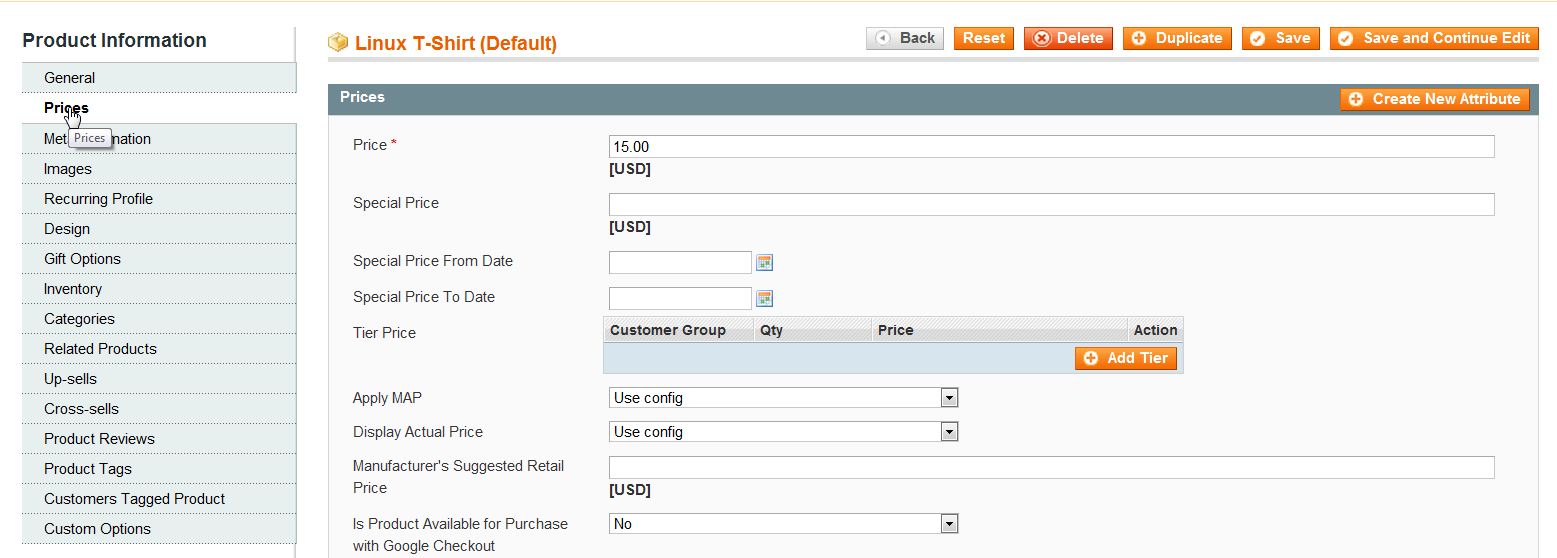
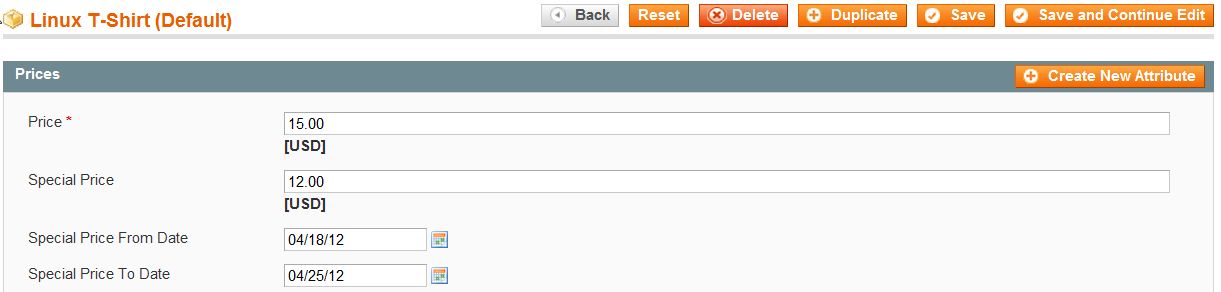
Setting a Special Price for Products in Magento 1.6 Updated on September 14, 2023 by Carrie Smaha 0 Minutes, 32 Seconds to Read In Magento 1.6, you can specify a “special” price for products for a certain date range. This allows you to automatically manage “specials” or sales. Setting up a special price for a product is done in the Magento 1.6 Admin Backend. Log into your Magento Admin Panel Go to Catalog ->> Manage Products. Click on the product you want to set a special price for. Click on the “Prices” Tab on the left side. Fill in the “Special Price” and the “Special Price From/To Date“. Click “Save“. If you need further assistance please feel free to ask a question on our Community Forum. Discover the ultimate in Magento Hosting. Elevate your eCommerce site's performance, scalability, and speed for an exceptional user experience. Share this Article Carrie Smaha Senior Manager Marketing Operations Carrie enjoys working on demand generation and product marketing projects that tap into multi-touch campaign design, technical SEO, content marketing, software design, and business operations. More Articles by Carrie Related Articles 10 Magento Security Tips Changing the Magento 1.6 Login to Case Sensitive How to Allow Backorders in Magento 1.6 Changing the Year-To-Date Report Dashboard in Magento 1.6 Adding Store Email Addresses to Magento How to stop Displaying Product Reviews in Magento 1.6 How to Install Magento Manually Merging Javascript Files in Magento 1.6 How to Edit the Footer in Magento 1.6 Changing the Default Welcome Message in Magento 1.6