When working with databases for your website, you may need to know which users are assigned to certain databases so you can create code to work with them or if you are using SSH (or shell) access. While you may remember the user if you created the database on your own, programs installed via Softaculous automatically create databases and assign users in the background.
This article helps you in being able to identify what users are assigned to particular databases on your hosting account via the cPanel.
Determining which users are assigned to databases
- Log into your cPanel interface.

From within the main cPanel page, look to the right hand panel. From there, locate the Databases category and click on the MySQL Databases tool icon.
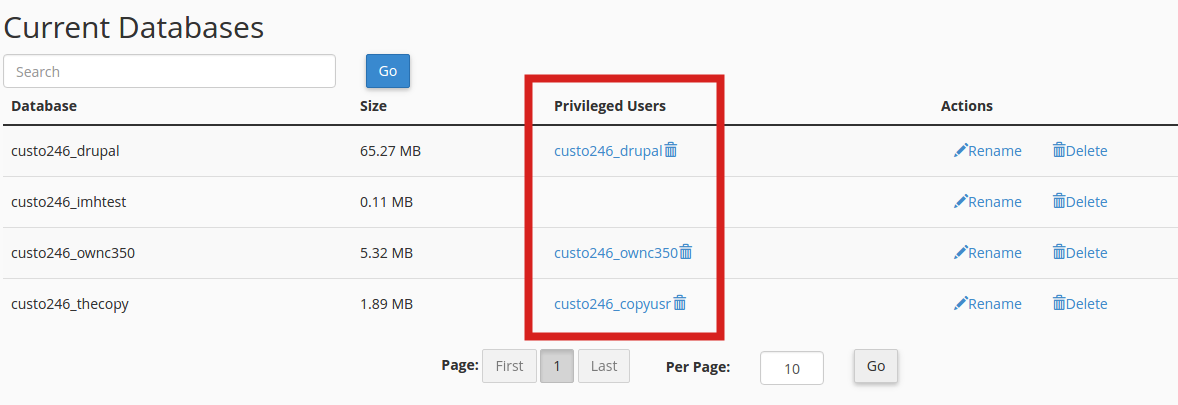
This brings you to the MySQL databases list page. You will see each database listed. Next to each database is a column with the users that can access the database.

