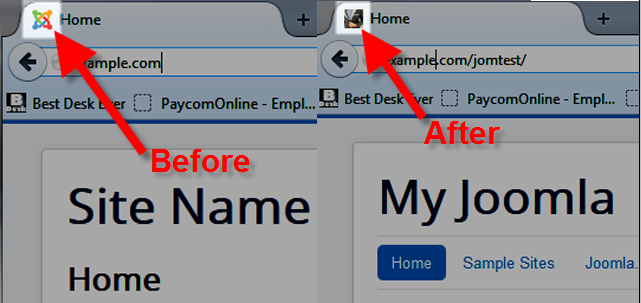
You may have noticed in your Joomla 3 websites, that it automatically displays the Joomla logo in browsers by default. This little image is known as a Favicon.
In this tutorial we will show you how to replace the Joomla Favicon with one of your own. This common customization can help people identify your brand logo, and also differentiates your site from other Joomla 3 sites.
Changing your Joomla 3 Favicon
- Create your Favicon with the dimensions 16×16 pixels, and make sure the file is named “favicon.ico“. There are many free Favicon Generators online, here are a few of the most popular ones:
inmotionhosting.com/support/tools/favicon-generator
- tools.dynamicdrive.com/favicon
- www.favicon.cc
- favicon-generator.org
- Upload your icon to the following folder where your Joomla is installed: /templates/your_template_name
For example, if you are using the protostar template, your Favicon will be uploaded here: /templates/protostar/favicon.ico
Refresh your page, then you should be able to see your new Favicon on your website. You may have to clear your browser cache, or test it in a different browser to see the new Favicon.
Congratulations, now you know how to customize your Joomla 3 website, by changing your Favicon!