Joomla 2.5 has reached its end of life as for 12/31/2014. Please be advised this may be a security risk to your website. You can view more information about the end of life here.
On March 5th 2012, the Joomla team released Joomla 2.5.2. It was a security release, so it is very important to upgrade your version of Joomla to the latest version. In a previous article, we walked you through the steps for installing Joomla 2.5.1. If you have this version installed (or any other version at or after Joomla 1.6), follow the steps below to upgrade to Joomla 2.5.2
To upgrade to Joomla 2.5.2:
- Log into your Joomla Dashboard
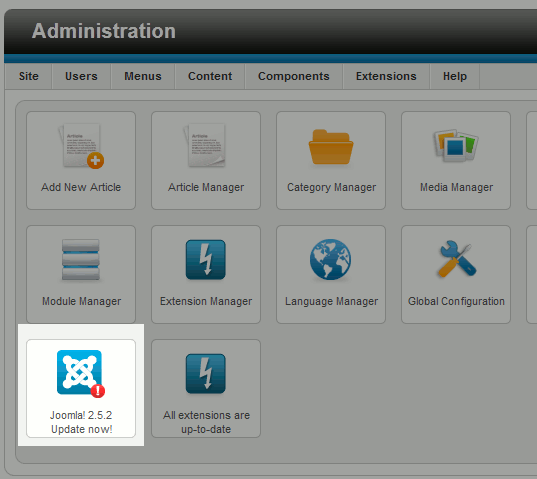
- Find and click the icon labeled Joomla 2.5.2 Update Now!
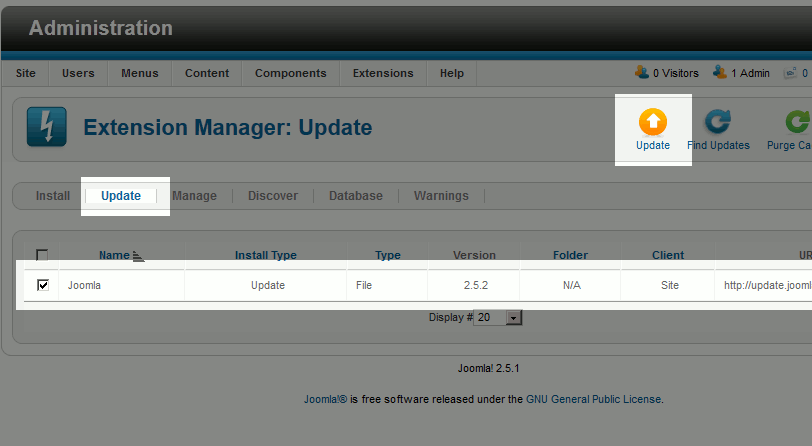
- Put a check in the box next to the Joomla update file (see screenshot below) and click Update in the top right menu
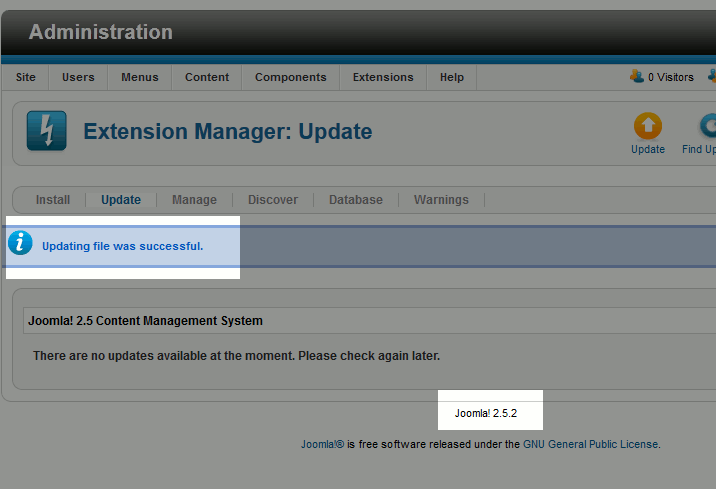
- When the update has completed, you will see a success message similar to Updating file was successful. You will also see the version number at the bottom of the page update to Joomla 2.5.2 (refer to the screenshot below)



Congratulations, you have just upgrade from Joomla 2.5.1 to Joomla 2.5.2!