If you want to hide an article’s title in Joomla 3.0, you can configure this within the article’s options. In this tutorial, we’ll review the Show Title setting in Joomla 3.0.
Joomla 3.0 gives the following description for the Show Title option:
Show Title
If set to Show, the article title is shown.
Hiding an article title in Joomla 3.0:
- Log into your Joomla 3.0 admin dashboard
- In the top menu, click Content and then click Article Manager
- You will then see a list of all of your articles. Click the title of the article you want to hide the title of
- In the list of tabs at the top of the page, click the Article Options tab
- Find the Show Title option, click Hide next to it, and then click the Save button in the top left of the page.
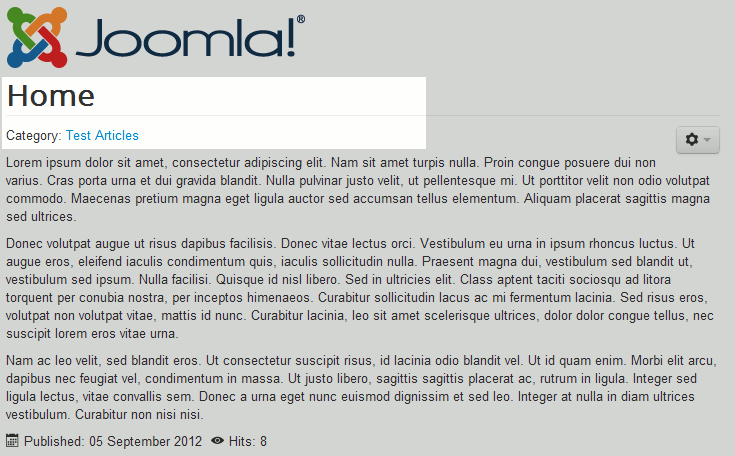
In the table below, you can see how this setting affects how our article is displayed. The title of the article is Test Article 1
Show Title: Show Show Title: Hide 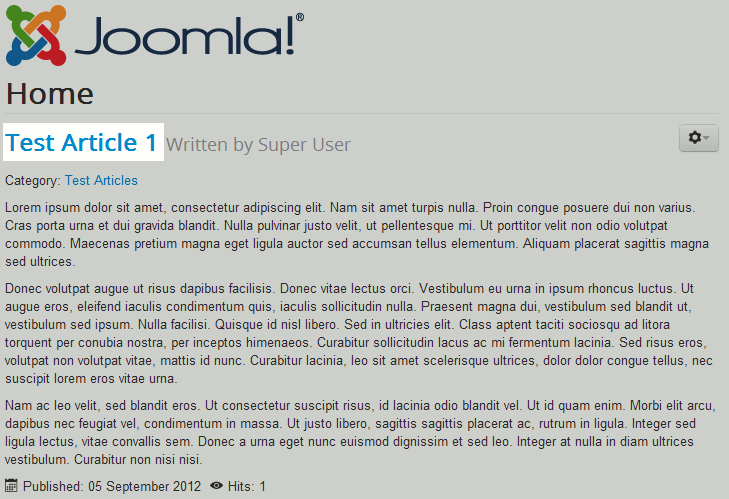
Please note!
During our testing, simply setting Show Title will not hide the title. You also need to set the option Show Author to hide as well.

