
If you have modules installed in Drupal 7 it’s extremely important to make sure the modules are up to date. Modules get updated for many reasons but most important is to patch any security holes in the code. You can update the modules through your Drupal 7 dashboard.
Before you can update the module you need to know where to look in your Drupal dashboard for updates. Drupal 7 has a cron job that regularly checks for any updates and any modules or themes that need to be updated will be noted in the Drupal dashboard. You can also force Drupal to check again by clicking the Check Manually link on the screen.
- Log into your Drupal Admin Dashboard
- Go to Reports and then click on Available updates
- Scroll through the list of enabled modules to see which are out of date (Drupal 7 only displays modules which are enabled since disabled modules cannot affect your website.
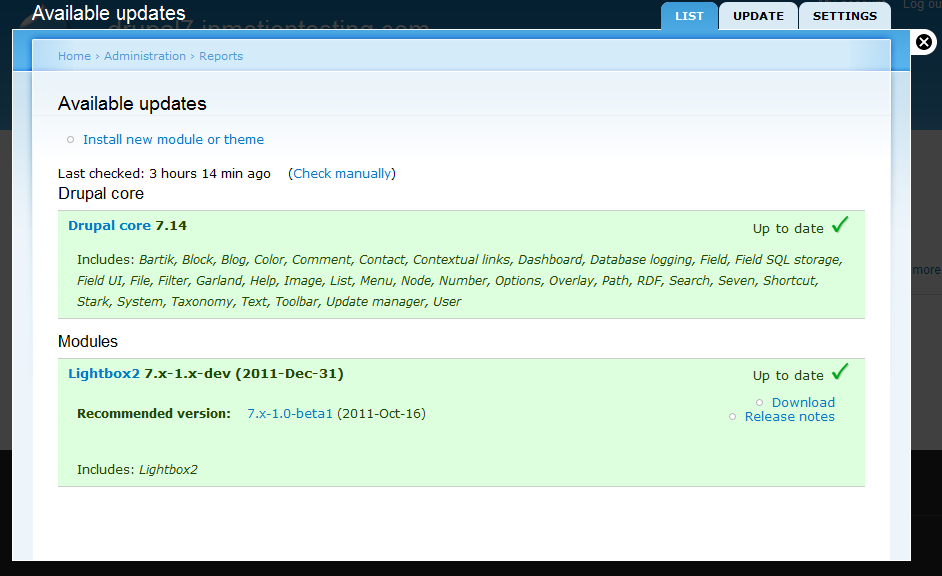
- If you find a module that needs to be updated, you can follow our instructions on how to update modules in Drupal 7.

For more step-by-step guides and practical tips, visit our Drupal Education Channel.