

Control Web Panel (CWP), formerly known as CentOS Web Panel, is a server administration software for Linux systems. CWP has a long list of features for managing an unmanaged server from the web browser, easing the learning curve for novice users unfamiliar with the command-line interface (CLI).
What is Control Web Panel (CWP)?
Control Web Panel is specifically developed for AlmaLinux and other Enterprise Linux-based distributions replacing the now deceased CentOS distro. It is one of the most polished cPanel replacements for self-managed cloud servers.
You could install CWP on a cPanel VPS but you’d be wasting disk space since they serve the same purpose. It might even cause file corruption issues if the two web control panels are attempting to modify the same file at once.
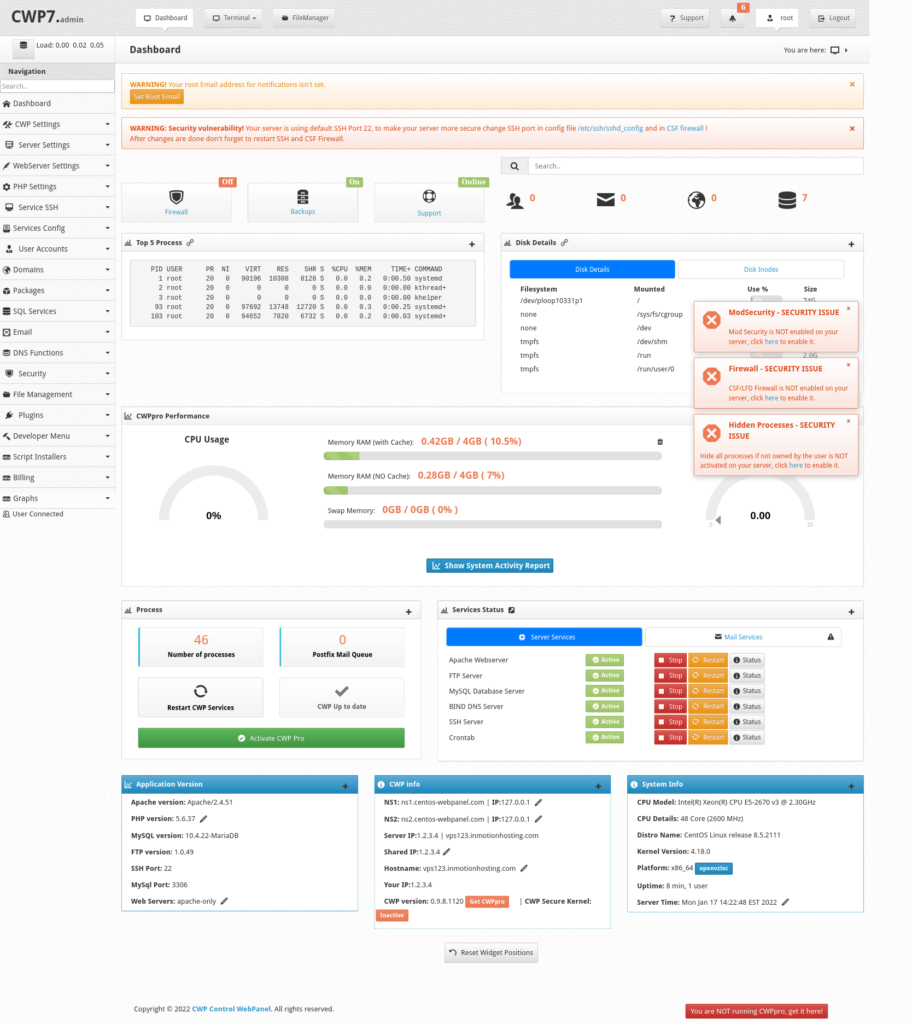
CWP’s layout is easy to understand after just a short glance. The main navigation menu is a sidebar with sub-sections for an uncluttered appearance. At the top of the screen are quick links to the:
- Dashboard page
- Terminal emulator
- File manager
- CWP support pages
- Alerts and notifications
- Current user settings
CWP Features
Among the many features for managing CentOS web hosting servers, we’ll briefly cover the most notable ones.
SQL database management support includes MariaDB, PostgreSQL, and MongoDB with phpMyAdmin and phpPgAdmin installed.
Create user accounts to allow others to modify their own raw files and databases. Reseller rights will grant them permission to resell web hosting services and create their own user accounts.
Use your preferred web server between Apache, NGINX, and LiteSpeed.
Email accounts can be created for domains and accessed from the Roundcube web client with ClamAV antivirus support.
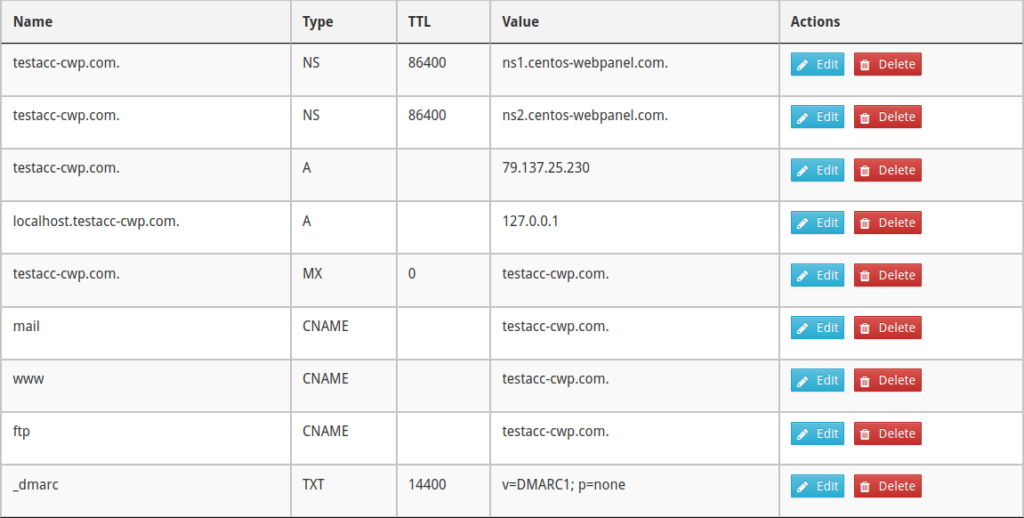
Manage DNS records for domains and implement newer protocols such as DNS security extensions (DNSSEC).
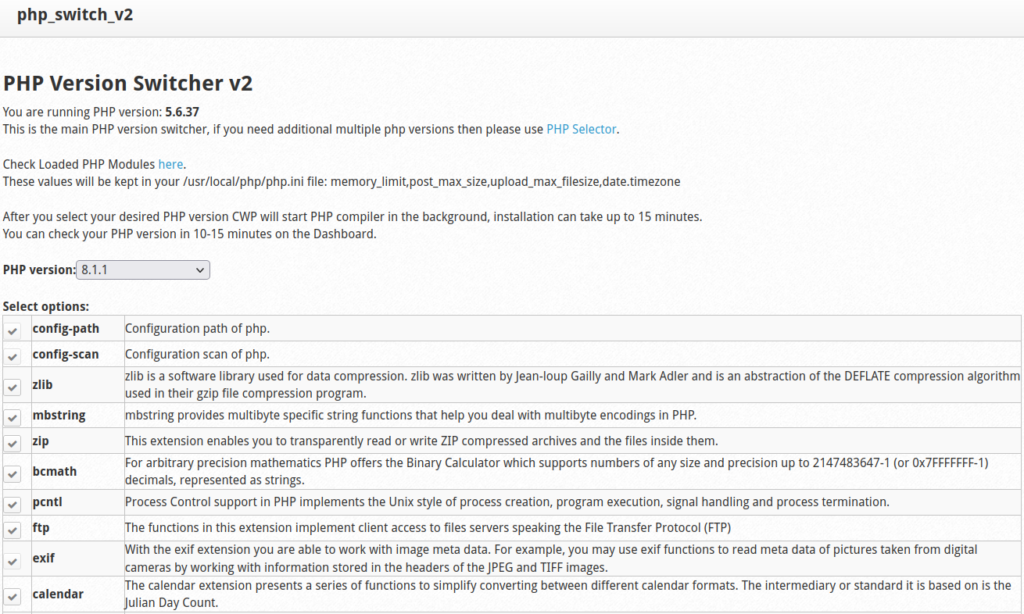
PHP, PHP modules, and PHP-FPM can be configured for separate websites.
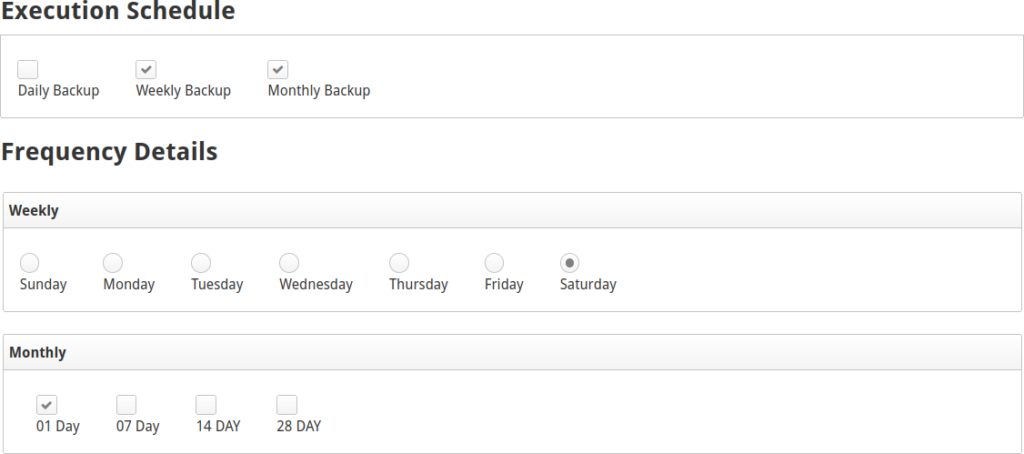
Customize system backups with automated schedules and external destinations.
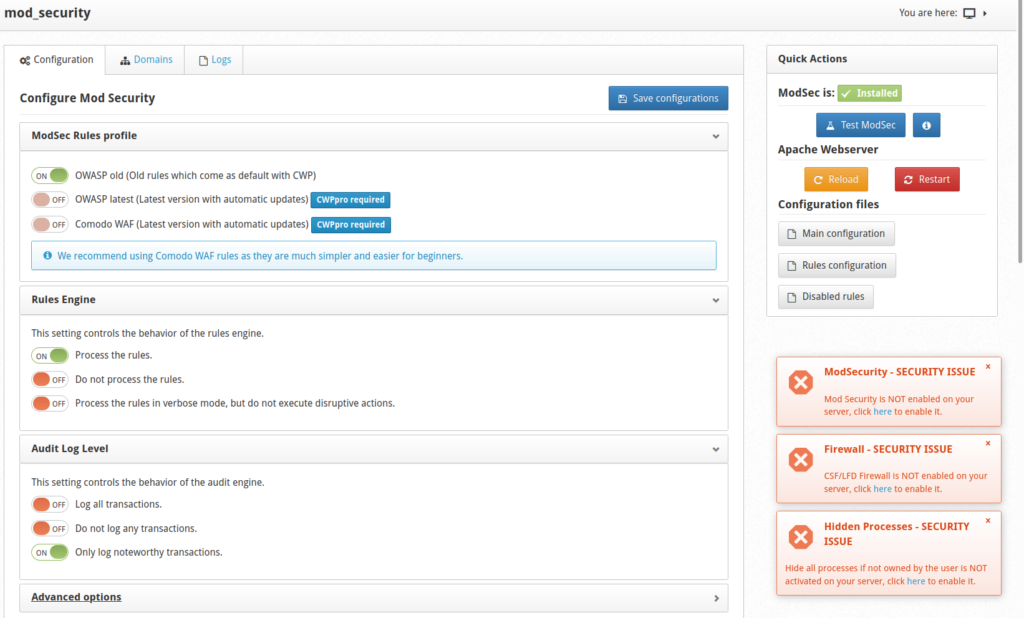
Harden your VPS with ConfigServer Security & Firewall (CSF), ModSecurity, and other security scanners.
Free Vs. CWPpro
The free version displays features that require an annual paid subscription for CWPpro but with an alert that it is unavailable. The free version doesn’t allow:
- Creating unlimited CWP users
- Reseller capabilities
- CWP and ModSecurity updates as soon as possible
- Using multiple PHP versions at once
- cPanel migration tools
- Additional system security solutions
It is important to note that these premium features only apply to what you can do in the CWP interface. You can always log into the terminal to update software, set app-specific PHP versions, and install your own web security software.
Control Web Panel vs. cPanel
We offer cPanel and unmanaged server hosting plans. With CWP being one of the more stable cPanel alternatives, how does it compare to the cPanel and WebHost Manager (WHM) software?
Control Web Panel:
- Free version is easy to install
- Advanced features require annual paid subscription
- Only available for Enterprise Linux-based distros
- Tools to migrate from cPanel accounts
- Moderate amount of documentation between searches for “Control Web Panel” and “CentOS Web Panel”
- Active community in official forum
cPanel:
- No free version
- Cost depends on cPanel accounts created
- Production-ready Ubuntu installation package in the works
- Frequent updates supporting new IT protocols
- Lots of documentation due to high popularity
- Very active community in official forum
As stated earlier, many CWPpro features can be substituted with intermediate terminal skills.
Getting Started with CWP
Here is a quick-start guide for setting up Control Web Panel on your Linux system.
- Install Control Web Panel.
- Install a free SSL certificate with Certbot or Caddy SSL.
- Install ClamAV antivirus software.
- Install WordPress or another content management system (CMS).
- Schedule CWP backups. You should also check that automated snapshots are enabled in your Account Management Panel (AMP).
What are your favorite CWP features? Let us know in the comments below.
Scalable VPS Infrastructure, Fully Managed
When shared hosting can't handle your traffic, VPS delivers dedicated resources that scale with demand. Our team manages the technical complexity while you manage your business.
 NVMe Storage High-Availability Ironclad Security Premium Support
It would be helpful to expand this article to cover a few more topics:
Where does WHM fit in with CWP? Does CWP replace WHM and cPanel?
Are multiple CWP users on one server securely isolated from each other? Is CWP a good tool for VPS or Dedicated server that hosts multiple websites for different clients?
Does InMotion Hosting provide the same level of support for CWP as they do for cPanel?
Can a WHM and cPanel equipped VPS or Dedicated server with multiple websites in separate cPanel accounts easily and safely be converted to CWP?