
Typing your AMP email address and password every time you check on your hosting account gets old fast. If you already use a Google account for everything else, you can log into AMP with Google instead, with no AMP password to type. This guide covers how to link your Google account to your Account Management Panel (AMP) profile and how to sign in with Google Single Sign-On (SSO) from then on.
You need an active InMotion Hosting AMP account and a Google account you can sign in to. You only have to link the two once.
What Is Google SSO for AMP?
Single Sign-On (SSO) lets you log in to a service using an account you already have instead of creating and remembering a separate password. Google is currently the only authentication provider available for AMP, and AMP notes that more options are coming soon.
How to Link Your Google Account to AMP
If you already have an AMP account and log in with an email address and password today, you need to link a Google account once. After that, the Continue with Google button signs you in without a password.
- Log in to AMP at secure1.inmotionhosting.com/amp with your email address and password. See How to Log into AMP if you need help finding your credentials.
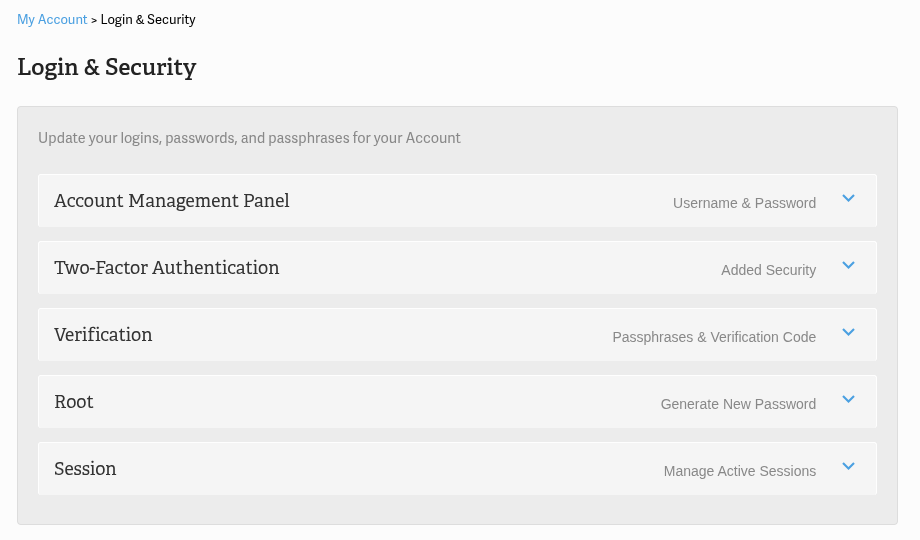
- In the AMP top menu, open My Account and click Login & Security. The same link is in the page footer.
- On the Login & Security page, find the Account Management Panel section (labeled “Username & Password” on the right) and click to expand it.
- Scroll down to the Authentication Providers heading, below the password fields.
- Click Continue with Google.
- Choose the Google account you want to link and complete the Google sign-in prompts.

Note: Linking a Google account does not remove your AMP password. Both login methods keep working, so you can use whichever is faster in the moment.
With your Google account linked, here is what signing in looks like from now on.
How to Log Into AMP with Google
Once you have linked your Google account, or you created your AMP account using Google sign-on at checkout, logging in takes three steps.
- Go to secure1.inmotionhosting.com/amp in your browser.
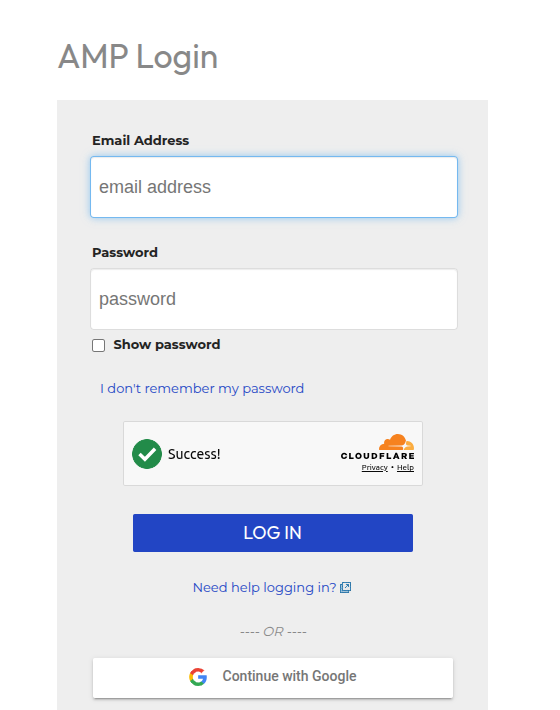
- Below the email and password fields, click Continue with Google.
- Select the Google account you linked and complete any Google sign-in prompts. Google returns you to AMP and you are signed in.
If you created your account using Google sign-on in the shopping cart when you purchased hosting, you can skip the linking process entirely. Continue with Google works the very first time you log in.
Troubleshooting
Nothing happens when you click Continue with Google
Browsers can block the pop-up or redirect that a sign-in button needs to open. If clicking the button does not bring up a Google sign-in screen, allow pop-ups for secure1.inmotionhosting.com in your browser settings, then click Continue with Google again.
Google signs you in with the wrong account
If you are signed in to more than one Google account in your browser, Google’s account confirmation step may land on the wrong one. Pick the Google account you linked to AMP, or open a private browsing window and sign in with the correct Google account before you click Continue with Google.
If Continue with Google still does not sign you in, contact InMotion Hosting Support.
Frequently Asked Questions
Can I still log in to AMP with my password after linking Google?
Yes. Linking a Google account adds Google SSO as an additional way to sign in to AMP. Your existing AMP password keeps working exactly as before, so nothing changes if you would rather type your credentials. If you ever forget that password, see Locked Out of AMP? Here’s How to Reset Your Password.
Do new customers need to link a Google account before using Google SSO?
No. If you created your AMP account using Google sign-on in the shopping cart during checkout, you can log in to AMP with Google immediately. There is no separate linking step to complete first.
Does AMP support sign-on providers other than Google?
Not yet. Google is currently the only supported sign-on provider for AMP. The Authentication Providers section in AMP notes that more options are coming soon.
Conclusion
You now have a faster way to log into AMP with Google, without typing your account password every time you check on billing, support tickets, or your hosting plan. If you want to add another layer of protection on top of Google SSO, set up two-factor authentication for AMP next.