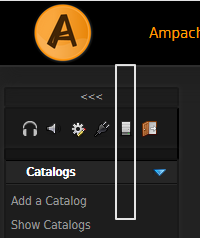
Force HTTPS in Ampache Updated on April 4, 2022 by InMotion Hosting Contributor 0 Minutes, 21 Seconds to Read Using a SSL (free or paid) protects Ampache listeners from malicious activity while enjoying good music. Below we cover how to force HTTPS in Ampache. Force HTTPS Log into Ampache. Select the Admin icon. Select System at the bottom. Change Forces Http play regardless of port to Enable and check Apply to All. Select Update Preferences at the bottom. Learn more about live streaming with web hosting in our Support Center. Share this Article InMotion Hosting Contributor Content Writer InMotion Hosting contributors are highly knowledgeable individuals who create relevant content on new trends and troubleshooting techniques to help you achieve your online goals! More Articles by InMotion Hosting Related Articles BlaB! AX Maintenance Mode How to Log in to BlaB! AX 6 Ways to Improve Website Accessibility How to Create HTML Pages with the CherryTree Note-Taking Application Connecting with Google Analytics in Jetpack Search Engine Optimization with Jetpack Professional FlatPress Themes and Styles How to Manage User Account Settings in OctoberCMS Force HTTPS in OctoberCMS with RedirectToHTTPS How to Uninstall Plugins in OctoberCMS