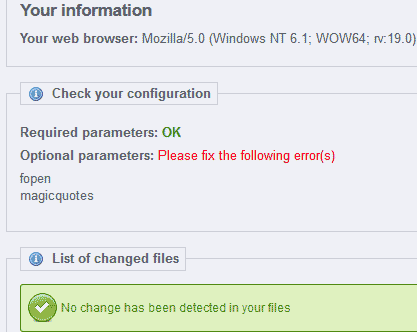
When configuring your Prestashop ecommerce site you may run into a problem in the configuration that gives an error for magicquotes or fopen. (See snapshot to the right) This is caused by a configuration setting in your php.ini that needs to be changed.
Check your configuration Required parameters: OK Optional parameters: Please fix the following error(s) fopen magicquotes
You will need to have fopen On and Magicquotes Off for these errors to go away. Below are the steps to fix the fopen and magicquotes error in your PrestaShop configuration.
Fixing the fopen and magicquotes error
- Login into your cPanel.
- Go to the File Manager, select your public_html directory and click Go.
- Open your php.ini with the code editor.
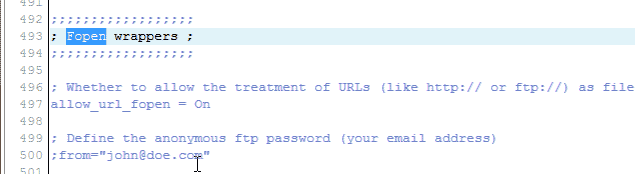
Find the allow_url_fopen line like the code below and change it from Off to On. (See image to the right)
;;;;;;;;;;;;;;;;;; ; Fopen wrappers ; ;;;;;;;;;;;;;;;;;; ; Whether to allow the treatment of URLs (like https:// or ftp://) as files. allow_url_fopen = Off
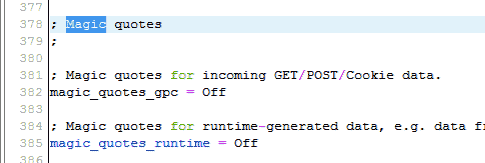
Find the magic_quotes_gpc line like the code below and change it from On to Off. (See image to the right)
;Magic quotes ; ; Magic quotes for incoming GET/POST/Cookie data. magic_quotes_gpc = On
- Log into your PrestaShop Dashboard.
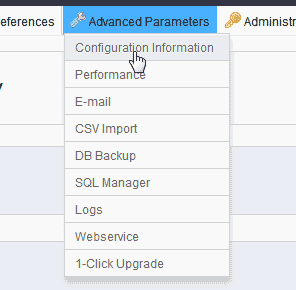
Go to Advanced Parameters > Configuration Information.
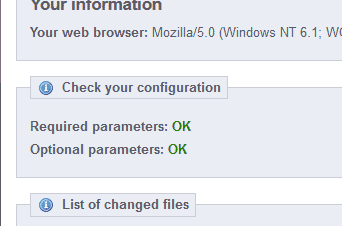
Look at the Check your configuration again. This time you should see the errors gone with the required and optional parameters showing as OK.



