In this article, we’ll discuss how you can set up a custom 404 error page for your website. This will allow you to control exactly what message is displayed to your visitors when they try to request a page that doesn’t exist.
If you read our previous article on 404 error not found pages, you should have a good understanding of why creating a custom 404 error page can be helpful.
You can simply upload a file such as 404.html to your website via FTP, or if you prefer you can follow the instructions below for creating this file in cPanel via the File Manager.
- Login to your cPanel.
 Under the Files section, click on File Manager.
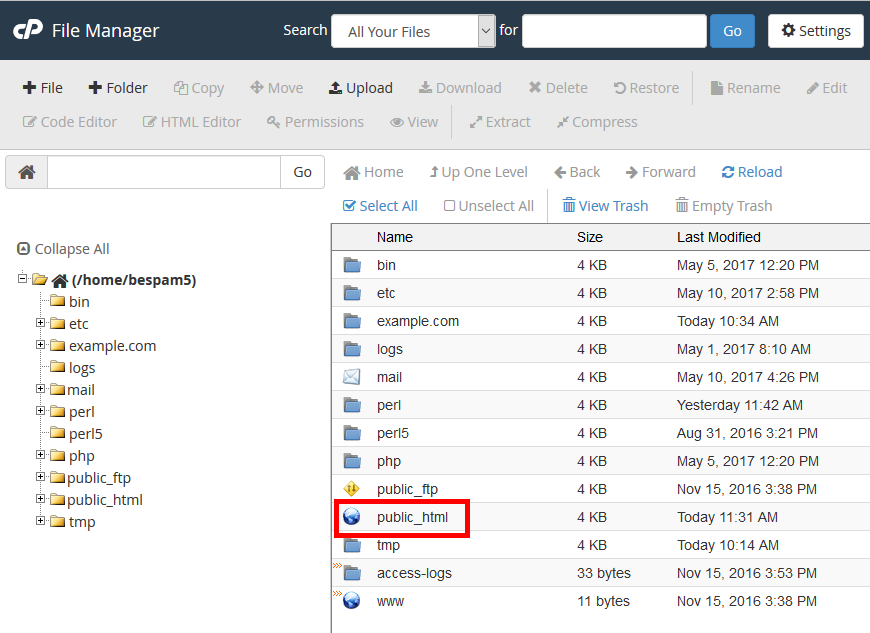 Click on public_html.
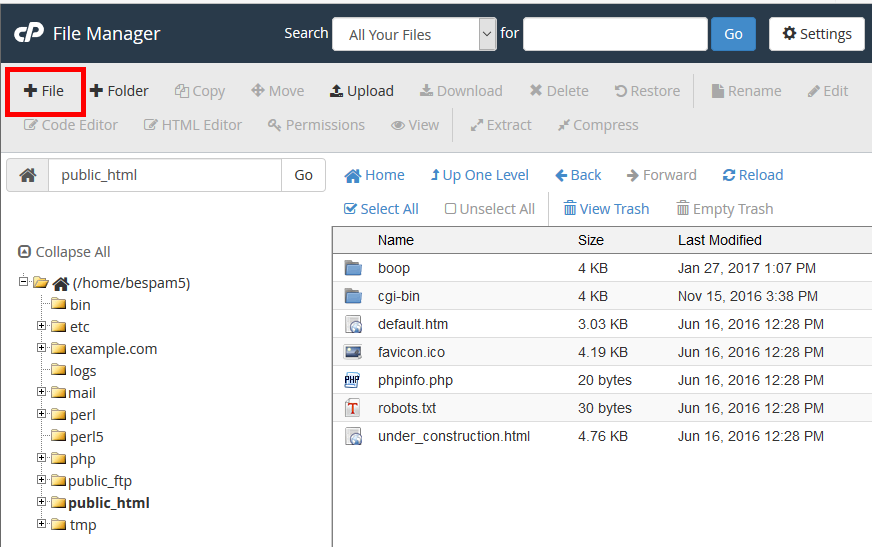 From the top left-hand menu, click on New File.
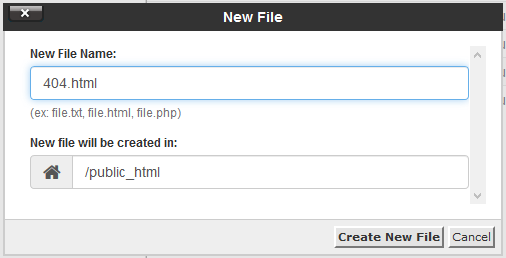 Under New File Name: type in 404.html then click Create New File.
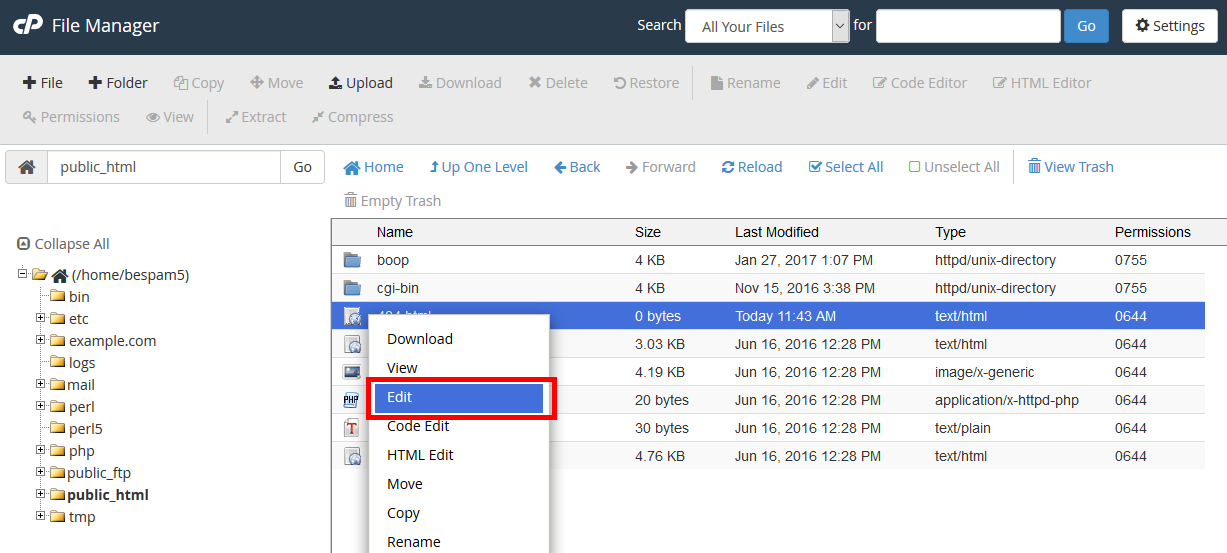 Right-click on the newly created 404.html then click on Edit.
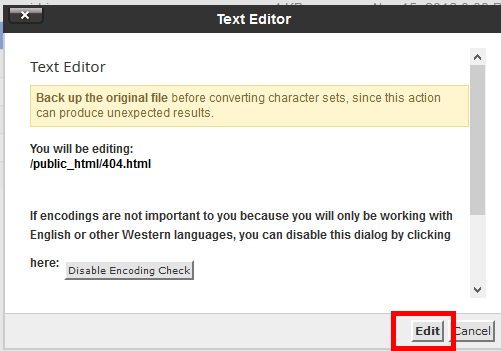 In the Text Editor pop-up, simply click on Edit.
- Now you’d want to type in the HTML code for your custom 404 page, in this example we’re using a very basic one that you can copy if you’d like. However you can get very fancy with your own, even going so far as to copying the style and images of your main site and placing your error message in the middle of that.
We’re sorry but the page you’re looking for could not be found
 After you’ve made your edits, click on Save Changes, and you should see a green Success pop-up.
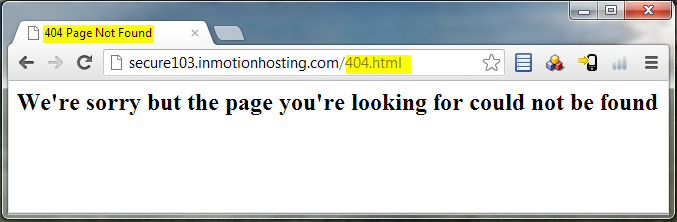 Now if you directly try to pull up /404.html in your web-browser, you should see the page we just created.

Now that you’ve learned how to create a custom 404 error page to handle your 404 errors, you’ll also more than likely want to learn about setting a 404 error page via .htaccess. This way any requests for non-existent pages will go directly to your custom static 404 error page that you just created.
You can get even more advanced with your 404 error page by using Google’s custom 404-page widget. This can help provide relevant content from your site to visitors from a Google search against your website.