
Most users are familiar with captcha, as it is in use all over the web. Captcha is a way to prevent “bots” from posing as a real human and posting content to your websites, such as posting spam comments. Captcha requires users to look at a picture and type in the words that appear. This makes it difficult for bots to post content to your website because they are not sophisticated enough to read the letters in the image.
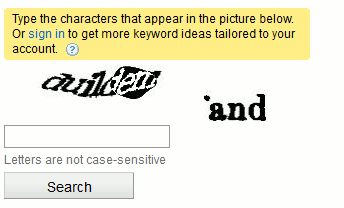
(an example of captcha in use)
reCaptcha – a type of captcha
reCaptcha is a free captcha service that protects your website against spam along with other forms of malicious attacks where bots act as if they were real humans. reCaptcha is a widget that you can add to your website to ensure that your visitors signing up are actually human. Captcha is desgined to tell humans and computers apart by asking you to correctly spell words on the screen that computers cannot decipher. reCaptcha is a little bit different in that, it uses these bits of deciphering to digitize old books. So, not only are you protecting your website, you’re helping to make digital copies of old books as well. For more information on reCaptcha see here.
There are many different plugins available for PHP, WordPress, FormMail, phpBB, and perl to just name a few. For installation instructions please refer to the links below:
- Perl reCaptcha Plugin
- WordPress Captcha Plugin
- PHP reCaptcha Plugin
- reCaptcha for FormMail
- phpBB reCaptcha Plugin
- JAVA/ JSP reCaptcha Plugin
- Other Platforms
If you need further assistance, please feel free to contact the support department.