Now you can embed videos in HTML 5 without any javascript or players set up for your site. The tutorial below will explain the basic syntax for adding a video to your website using the HTML 5 video tag.
Adding a video with HTML 5
Below is the HTML 5 syntax to embed a video. You will ned to upload your Ogg, mp4, and WebM videos to a directory in your site. The code sample below shows thee video files in a movies folder.
<video width="320" height="240" controls> <source src="movies/movie.mp4" type="video/mp4"> <source src="movies/movie.ogv" type="video/ogv"> <source src="movies/movie.webm" type="video/webm"> Your browser does not support the video tag. </video>
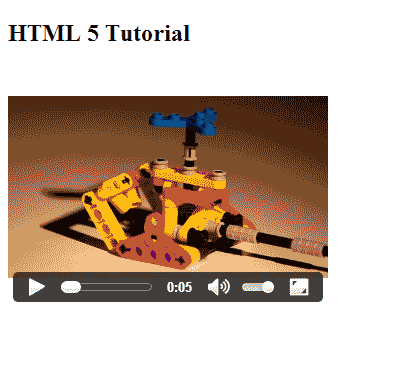
When you save the changes and view the page you should see it load like the snapshot to the right.
Browser specific Video formats
Each browser will render a specific file type. Not all browsers will render the same video format. For example IE and Safari can read mp4s and not the other formats. Below is the File types for each browser.
If the video is not loading in your browser, most likely the file type is not the correct one. Make sure you have one of each type uploaded to your server and the file path and file MIME type is correct.
|
Supported Video File format per browser
|
|
|---|---|
| FireFox | WebM, Ogg |
| Chrome | mp4, WebM, Ogg |
| Safari | mp4 |
| Opera | WebM, Ogg |
| Internet Explorer | mp4 |
Now that you know how to insert the HTML5 videos in your webpage, the next tutorial will explain HTML5 Video Player Elements.