
In this guide, we will go over how to install python 2.7 on your server. This guide requires you to be logged into the servers command line interface as the root user.
Note: You must have root access to your server to complete this guide. InMotion allows root access on all VPS Hosting and Dedicated Hosting plans.
Installing Python 2.7
- Log into your server via the root user.
- Install all of the requirements via yum.
yum -y install gcc gdbm-devel readline-devel ncurses-devel zlib-devel bzip2-devel sqlite-devel db4-devel openssl-devel tk-devel bluez-libs-devel make
- Run the commands in the following order to prevent any errors.
cd /usr/src
wget https://www.python.org/ftp/python/2.7.8/Python-2.7.8.tgz
tar xvfz Python-2.7.8.tgz
cd Python-2.7.8
./configure –with-threads –enable-shared
make
make altinstall - After the make altinstall command is complete run the next set of commands to finish the installation.
touch /etc/ld.so.conf.d/usrlocallib.conf
echo “/usr/local/lib/” >> /etc/ld.so.conf.d/usrlocallib.conf
ldconfig
cd /usr/src
wget https://pypi.python.org/packages/2.7/s/setuptools/setuptools-0.6c11-py2.7.egg
sh setuptools-0.6c11-py2.7.egg
easy_install pip
pip install virtualenv
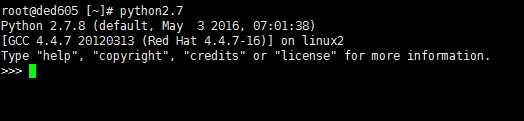
At this point Python 2.7 has been installed and you can run the python2.7 command on your server to enter a new environment.