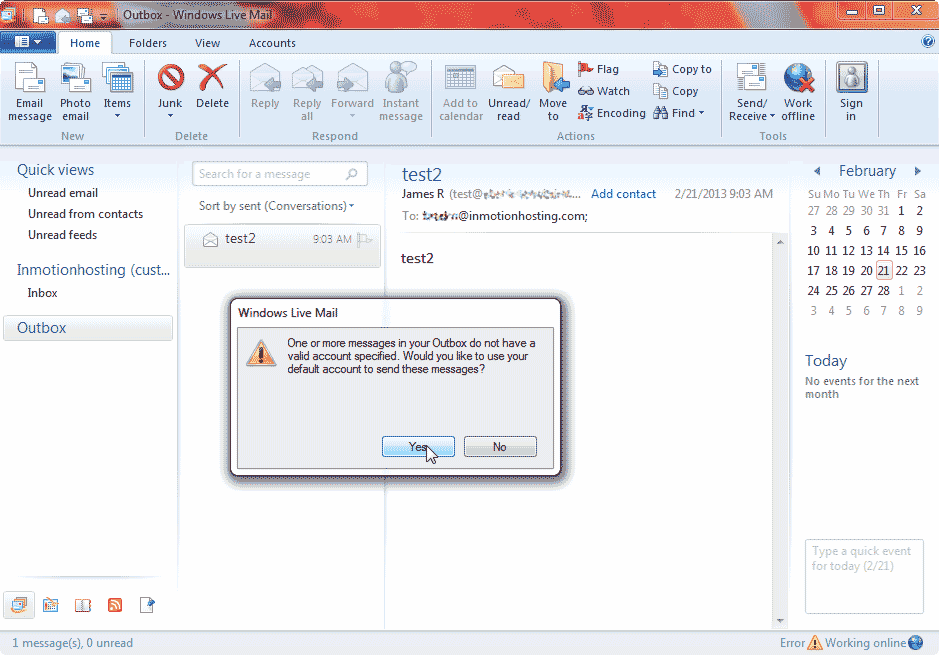
Recently we had a customer with an error in their Windows Live Mail IMAP account. This happened after they were moved to a different server and the email settings for the email client were changed. Below is an excerpt of the error message.
One or more messages in your Outbox do not have a valid account specified. Would you like to use your default acct to send these messages?
Problem
The problem is that you have an email stuck in your outbox (that failed to send for previously), which was initially written from an email address that no longer exists in your Windows Live Mail. This email account may technically “no longer exist”, for example, if you’ve updated the email account’s settings within Live Mail. When you then attempt to send and receive, Live Mail will not send the email stuck in the outbox because the original email account that created it no longer exists.
Solution #1
The easiest solution is to simply re-create the email messages that you want send that are stuck in the outbox. It is as easy as going through each email in the outbox and copy / pasting it into a new message, and then sending.
Solution #2
During our research in finding out what causes this problem, we read many online forums that suggested the problem may be due to a conflict with an anti-virus program running on your desktop. While we don’t believe this is the case, you may want to try temporarily disabling any anti-virus programs (or related programs) and attempting to send the emails again.
How to fix the error
- Open your Windows Live mail program.
- Select the Home tab at the top right of your Windows Live Mail.
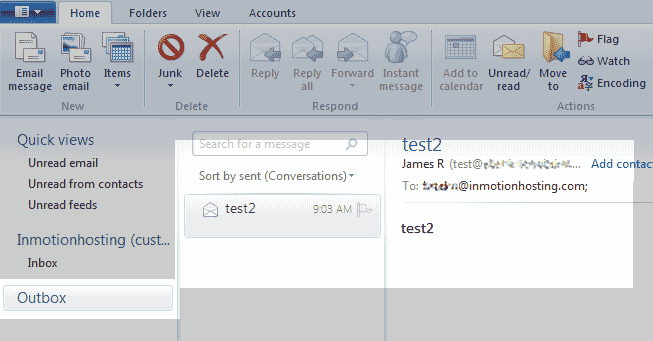
Click the Outbox to the left.
Find any emails that are not sending out. You will need to copy the content of the email and send it as a new email with the new account.
- Once you send the email again, you can delete the email in the Outbox. The error will go away after the sent email is deleted.
