There are many errors that you may see as you visit different websites across the web. One of the more common ones is 406 Not Acceptable. HTTP error code 406, also known as “Not Acceptable,” is a client error response code that indicates that the server cannot produce a response matching the list of acceptable values defined in the request’s headers. This error typically occurs when the server cannot provide content that satisfies the criteria specified by the client in the Accept header.
This article explains what HTTP error code 406 is, what causes it, and how to correct it if it happens on your site.
What is HTTP Error Code 406?
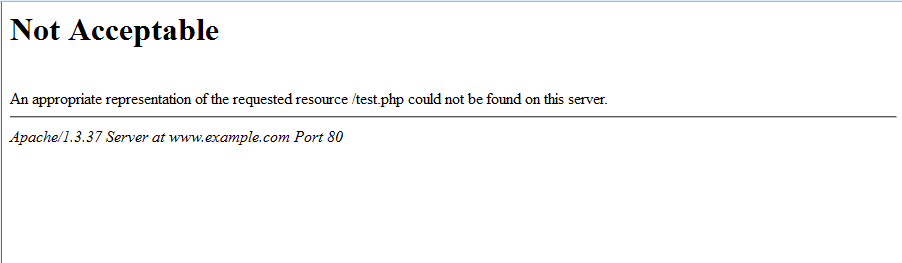
Web browsers make a request for information from the server. When this happens, it sends an Accept header. This tells the server in what formats the browser can accept the data. If the server cannot send data in a format requested in the Accept header, the server sends the 406 Not Acceptable error.
The error can also be generated by the mod_security module. mod_security, a type of firewall program that runs on Apache web server, scans for violations of the rules it has set. If an action occurs that violates one of these rules, the server will throw a 406 error.
What Caused The 406 Error on my Site?
In regards to a site on your hosting account, the cause of the 406 error is usually due to a mod_security rule on the server. mod_security is a security module in the Apache web server that is enabled by default on all hosting accounts. If a site, page, or function violates one of these rules, server may send the 406 Not Acceptable error.
How to Fix the 406 Not Acceptable Error
Review the Error Message
When you encounter an HTTP error code 406, the server usually includes a response message with more information about the error. Start by reading this message to understand the specific issue.
Check the Request Headers
The HTTP 406 error is related to the Accept header in the client’s request. This header specifies the media types (content types) that the client can accept as a response. The server checks this header to determine if it can provide content that matches the client’s preferences. Ensure that the Accept header is correctly set in your request.
Example Accept header for accepting JSON:
Accept: application/jsonExample Accept header for accepting both JSON and XML:
Accept: application/json, application/xmlVerify Content Negotiation
Content negotiation is the process where the server selects the appropriate response format based on the client’s preferences. If you’re encountering a 406 error, it’s possible that the server cannot produce content in the requested format. Check if the server supports the media types specified in your Accept header.
Use Wildcards or More Generic Types
If the server supports multiple media types, but you’re still getting a 406 error, you can use wildcards or more generic types in the Accept header. For example, you can use */* to indicate that you accept any media type:
Accept: */*Check the Server Configuration
Ensure that the server is properly configured to handle content negotiation and can produce responses in the requested formats. Sometimes, server misconfigurations can lead to 406 errors.
Test Different Accept Headers
Experiment with different Accept header values in your request to see if the server can provide content in any of the specified formats. This can help you identify which specific media type is causing the issue.
Contact the Server Administrator or API Provider
If you’ve exhausted all troubleshooting options and still encounter the HTTP 406 error, it may be a server-side issue. Contact the administrator of the server or the API provider and provide them with the details of your request and the error message you received. They may be able to assist in resolving the problem.
Consider Handling 406 Errors Gracefully
If you’re developing a client application, it’s essential to handle 406 errors gracefully. You can create error-handling routines that notify users or log the error details for further investigation.
How to Prevent 406 Errors
To prevent 406 errors, you can turn off mod_security on your server. There are a few ways to do this:
- Disable specific ModSecurity rules using SSH.
- Disable ModSecurity for a domain using SSH.
- Disable
mod_securityusing the Modsec Manager plugin in cPanel.
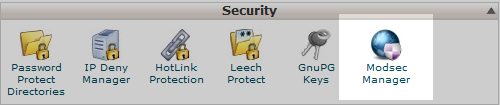
Note! You may not have the option to enable or disable mod_security in your cPanel on VPS or Dedicated Servers. To disable mod_security on accounts that don’t have the option in cPanel, you will need to use command line via SSH or contact tech support to disable/enable it for you.
Alternatively, if you only need certain select rules disabled instead of having it turned off for an entire domain, you can use the ticket portal in AMP to submit a ticket.