In this tutorial, we will show you how to create a PostgreSQL User, and then add them to a database. After getting PostgreSQL on your VPS or Dedicated server, you can create PostgreSQL users and databases in cPanel.
You must create a PostgreSQL database before attempting this guide.
How to Create A PostgreSQL User
- Login to cPanel.
- Click the PostgreSQL Databases button in the Databases section.
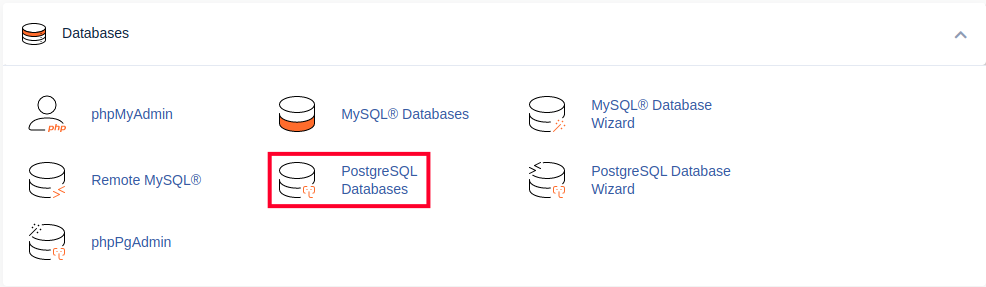 Note: The PostgreSQL button, is only available after installing PostgreSQL on your VPS, or Dedicated server.
 - In the Add New User section, enter a username, then your password in the available fields. Be sure to use a strong password.
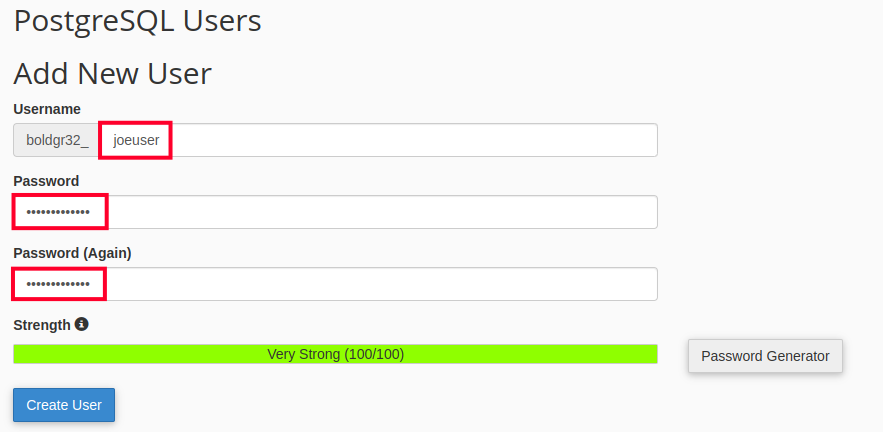
- Click the Create User button. You are finished when you see a message similar to this, but your actual PostgreSQL username and password will be listed: “Added user “exampl8_username” with password “E1+q0I;1r7XT”. “
How to Add a User to a Database
- Login to cPanel.
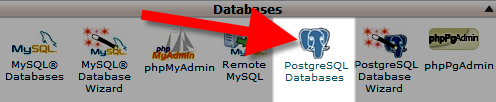
- Click the PostgreSQL Databases button in the Databases section.
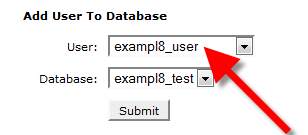
- In the Add User To Database section, select the User you want to add from the drop-down menu.
- Choose the database you want to add the user to, from the Database section.
- Click the Submit button.
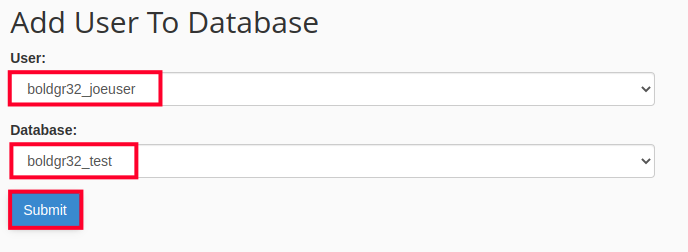
You are finished when you see a message similar to this, with your own username and password: “User exampl8_user was added to the database exampl8_test.“
Congratulations, now you know how to create a PostgreSQL user, and add them to a PostgreSQL database. Learn more about PostgreSQL Hosting options.