As we continue our series on the Storefront theme, we will now show you how to Customize the Homepage Settings of your WooCommerce site. This allows you to pick what content will display on the front page of your site. First, we will show you how to display your latest post. Then, show you how to choose a static page as your homepage.
Customizing Homepage Settings
- Log into your WordPress Dashboard.
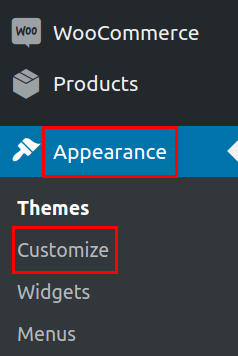
In your navigation menu click Appearance then Customize.
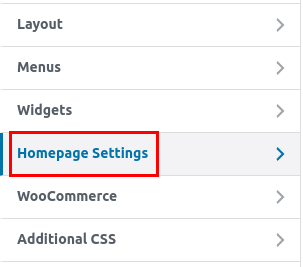
In the Customizer menu click the Homepage Settings option.
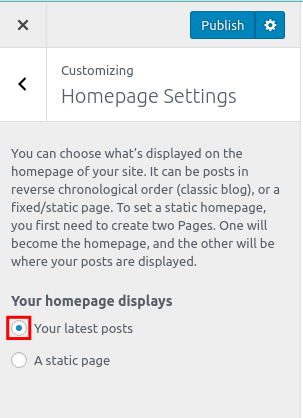
You can then choose what to display on your homepage. If you select to display “Your latest posts“, it will display your blog Posts from new to old.
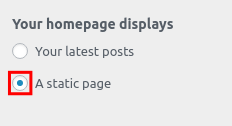
If you want a Page or Post to display on your homepage check the option for A Static Page.

From the drop-down menu choose the Homepage or Posts page you want to display.
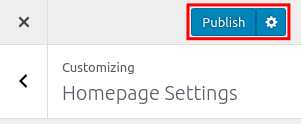
Click the Publish button to save your homepage settings.






Congratulations, now you know how to Customize the Homepage Settings of your WooCommerce site!
