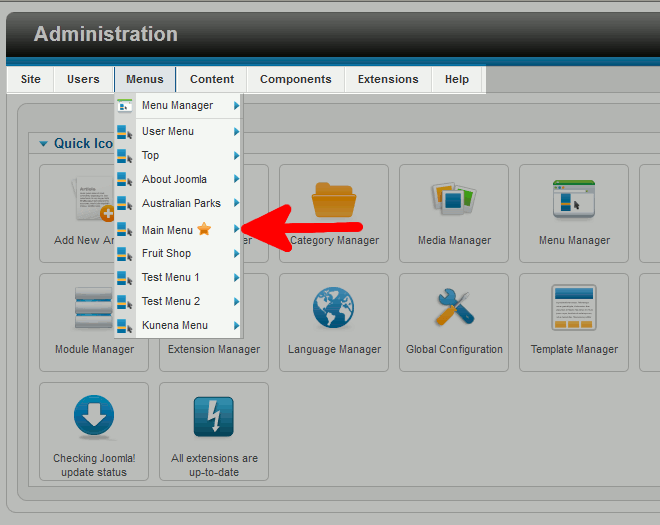
Why in Joomla 2.5 is there a star next to a menu item? Brad MarkleUpdated on August 16, 2021 1 Minute Read Joomla 2.5 has reached its end of life as for 12/31/2014. Please be advised this may be a security risk to your website. You can view more information about the end of life here. One of the options in the Joomla 2.5 admin menu is Menus. When you mouse over Menus, you’ll see one of the menu groups has a star next to it: The star indicates that the home page for your Joomla 2.5 website is in this menu group. If you’d like more information on changing your homepage, please read our article on changing the homepage in Joomla 2.5. Share this Article Related Articles Prevent New Account activation email sent to Joomla 2.5 Administrator Joomla 3.1 Error – Could not instantiate mail function How to Create a Slideshow (Carousel) in Joomla 4.0 using Bootstrap How to write a blog post in Joomla 3.1 How to Use the Free Mini Frontpage Extension for Joomla 4.0 How to Change a Joomla 2.5 User’s Email Address How to Configure Joomla 2.5 to Send Email Using SMTP How to Edit a Joomla 3 Template How to install Phoca Gallery for Joomla 2.5 Creating a Menu Item for your Joomla 3 Component