In this tutorial we will show you how to fix the 500 error that occurs with the User Manager after updating to Joomla! 2.5.
The error may look similar to this:
500 - An error has occurred.
Table 'deb44536_joom1.jos_user_notes' doesn't exist SQL=SELECT n.user_id, COUNT(n.id) As note_count FROM jos_user_notes AS n WHERE n.user_id IN (97,86,98,66,85,91,92,101,78,80,103,81,72,69,84,68,89,49,73,48,60,83,71,75,96,51,99,76,70,57,52,88,59,44,100,67,45,46,104,95,63,77,56,65,90,87,55,93,62,79,58,61,53,42,82,102,64,74,50,94) AND n.state >= 0 GROUP BY n.user_id
Fix the 500 Error:
- Log into your Joomla 2.5 Admin area.
- Roll your mouse over the Extensions option, then click Extension Manager.
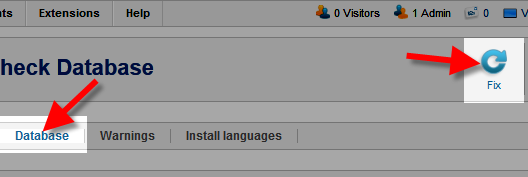
- Click the Database tab, then click the Fix button.
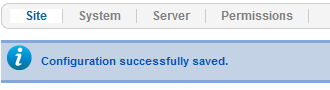
You will then see a message stating “Database table structure is up to date.”


Congratulations, now you know how to fix the 500 error that occurs with the User Manager after updating to Joomla 2.5!