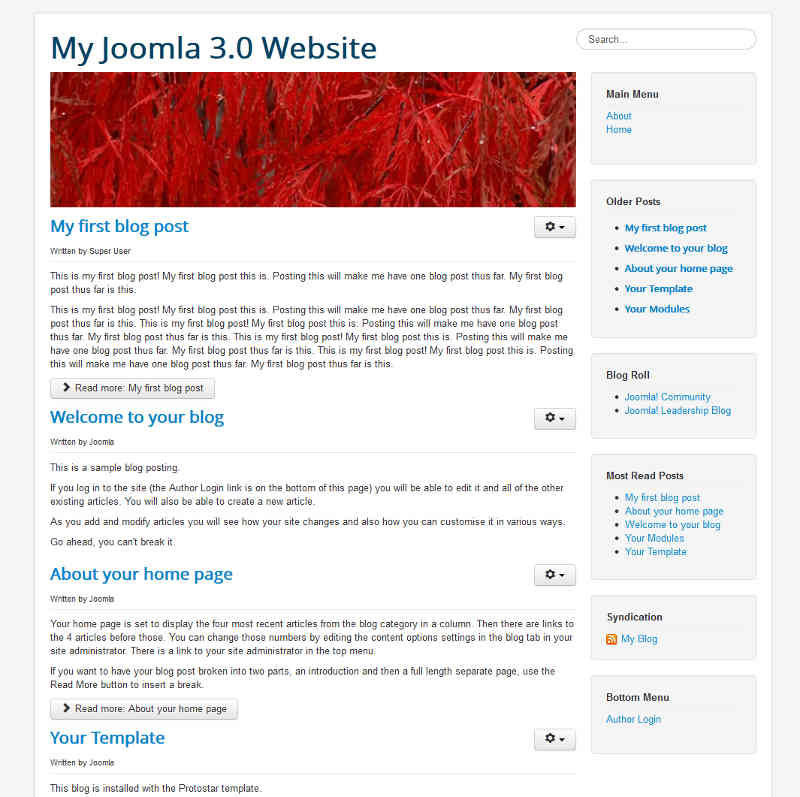
In our testing of the blog sample data in Joomla 3.0, we noticed the header image of raindrops on each of the pages. In this tutorial, we’ll show you how to change the banner image (as seen in the screenshot below) in your Joomla Hosted website.
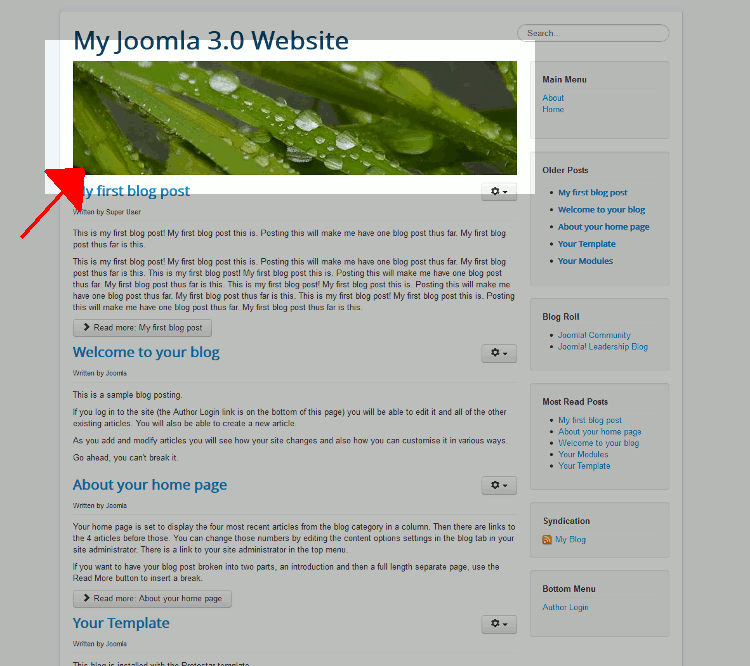
How is the current header image being displayed?
The raindrops.jpg image in the header, which is 700px by 180px, is not hard coded into the template. It is simply a custom HTML module that shows the image, that is placed in position-3 (learn about finding template positions here).
How can I change the header image?
- Log into your Joomla 3.0 administrative dashboard
- In the top menu, click Extensions and then click Module Manager
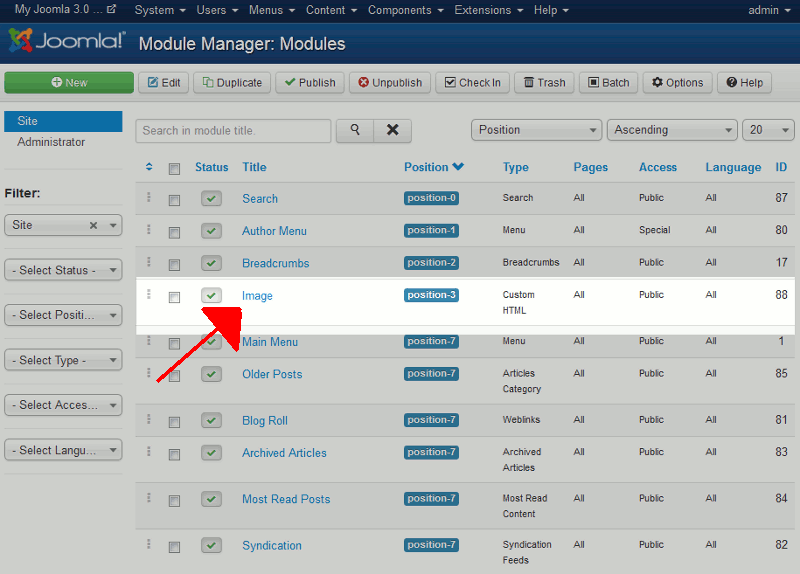
- Find and click on the Image module. By default, it is in position-3 and is a Custom HTML module.
- Click the Custom Output tab.
- As there is already an image here, click the image within the editor, and then click the Image button under the editor.
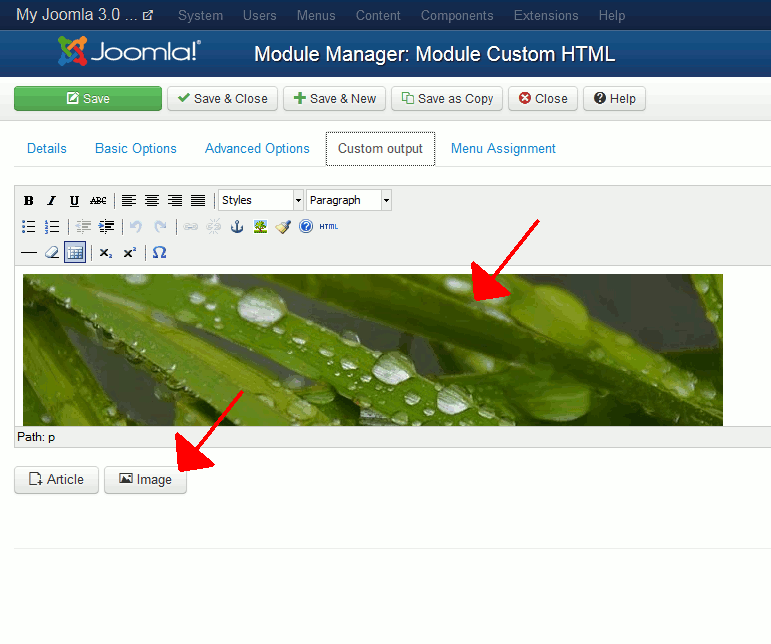
- Using the media manager that shows up, either browse for an existing image towards the top of the media manager, or scroll down to the bottom of the media manager and upload a new image. After selecting the image, click the Insert button at the top right. You will be brought back to the editor, where you will then see your new image show. Click Save in the top left.
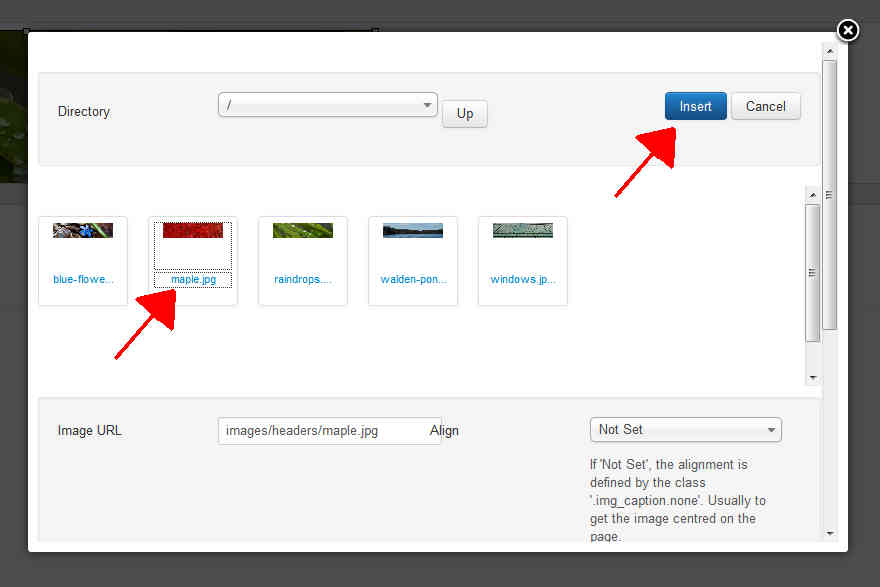
- In our testing, we navigated to the headers folder and selected the maple.jpg image. After saving the changes, when you visit your website again, you should see the new header image appear (as in the screenshot below).