
HSTS (HTTP Strict Transport Security) protects users from cookie hijacking and protocol downgrade attacks by forcing browsers to request HTTPS pages from your domain. HSTS is similar to a 301 redirect from HTTP to HTTPS but at the browser level.
There may be a specific HSTS configuration appropriate for your website. The following are less secure options and preload-ineligible as first-time traffic to your site will be able to use insecure HTTP:
Header Set Strict-Transport-Security: max-age=10886400;
Header Set Strict-Transport-Security: max-age=10886400; includeSubDomains
A breakdown of the header:
| Strict-Transport-Security | Forces HSTS on the domain |
| max-age | How long the header should be active in seconds |
| includeSubDomains | Includes subdomains |
| preload | Authorizes preload listing if eligible (covered below) |
Below we’ll cover adding the most secure HSTS configuration using the .htaccess file and submitting your domain to the Chrome preload list maintained by Google.
Warning:Once enabled, HSTS disallows the user from overriding an invalid or self-signed certificate message. Your website will be inaccessible without a valid SSL.
Enable HSTS for Preloading
- Using SSH or cPanel File Editor, edit your .htaccess file.
- Add the following line to your .htaccess file:
Header set Strict-Transport-Security "max-age=10886400; includeSubDomains; preload"
Note: The expiry must be at least 18 weeks (10886400 seconds).
- To submit your domain for preloading, visit HSTSpreload.org.
- Type your domain and Check HSTS preload status and eligibility.
- The background will turn green or red depending on the results.
- Fix the errors and/or submit your domain for preloading.
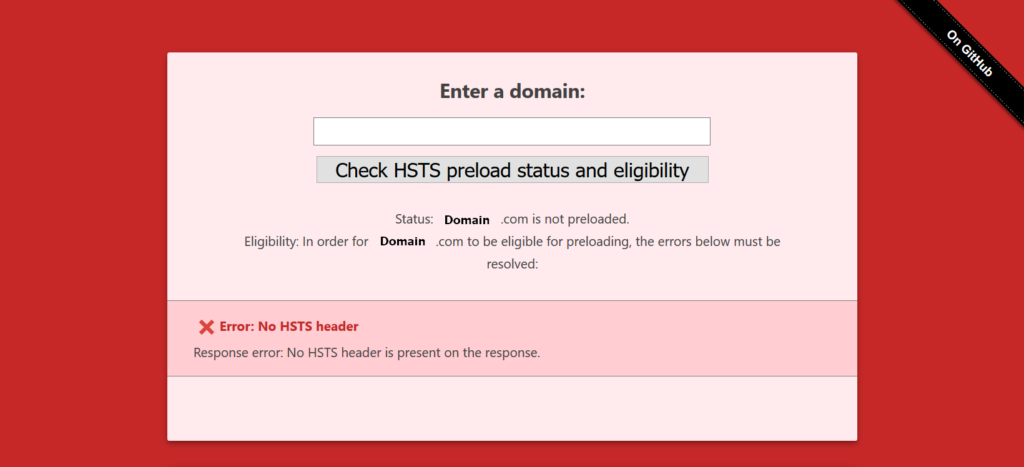
Ineligible for HSTS preloading 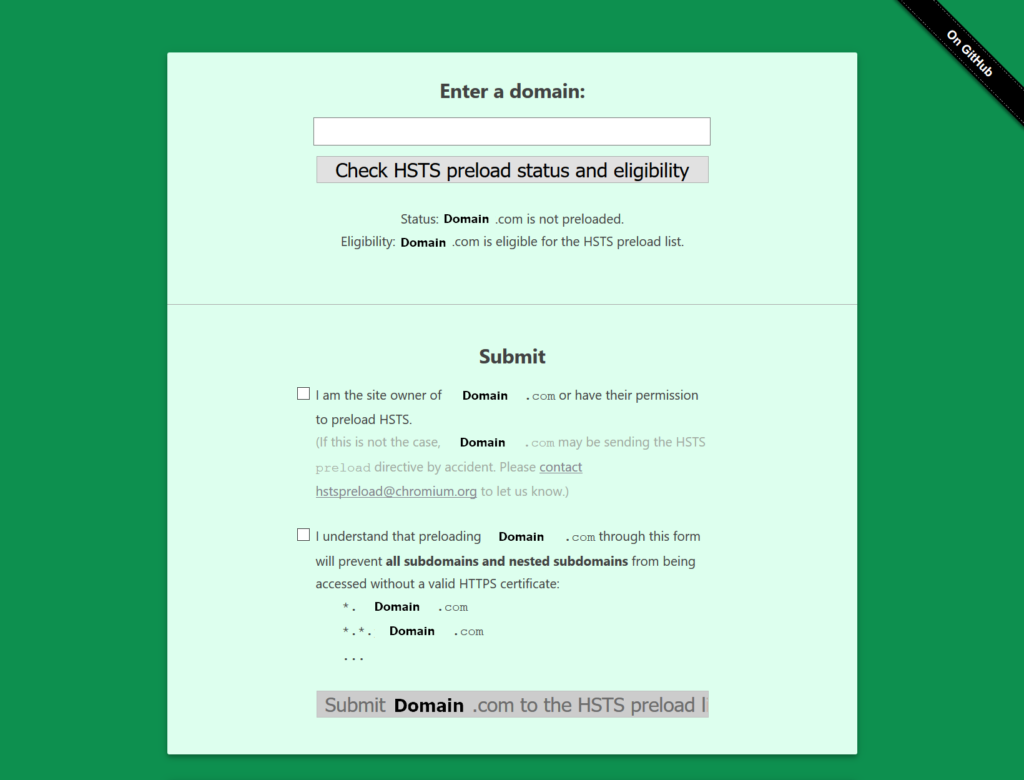
Eligible for HSTS preloading
After submitting your domain for HSTS preloading, it can take 2-6 months for your domain to be accepted and then listed in the latest browser versions. You can read more about the preload process at hstspreload.org and browsers supporting HSTS at CanIUse.com.