
After enabling PHP-FPM (PHP-FastCGI Process Manager) on your VPS, you’ll need to know how to restart the PHP-FPM service and modify its settings. Below we cover how to adjust PHP-FPM settings according to traffic load per cPanel account.
- Login WHM as Root.
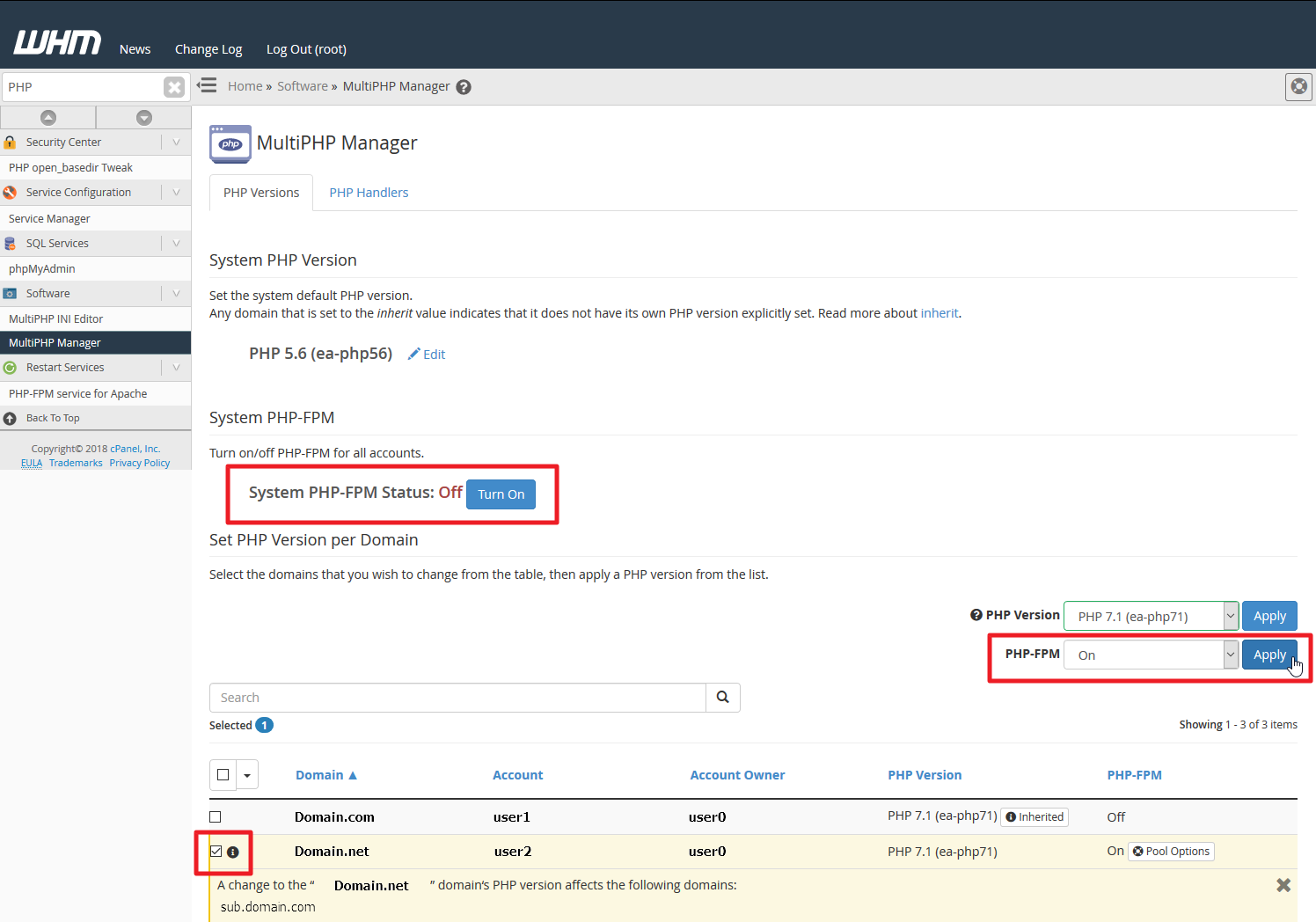
- From the menu, search and select MulitiPHPManager.
-
Select Turn on to enable PHP-FPM for all cPanel accounts. Alternatively, you can select the checkbox beside specific domains at the bottom, choose On from the dropdown menu beside PHP-FPM, and select Apply.
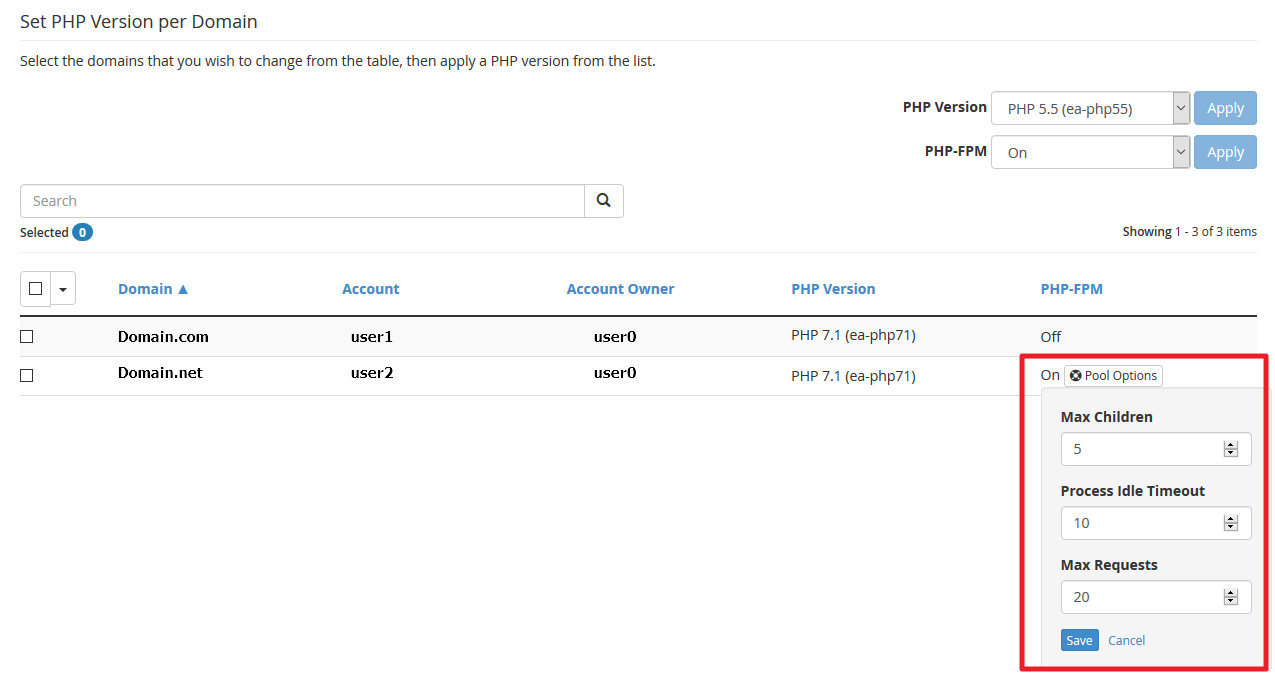
You can also change the PHP version here instead of in cPanel. - Select Pool Options beside the specified domain.
-
Modify PHP-FPM settings for the domain. Below are commonly successful changes according to amount of traffic your VPS receives.
Traffic Load Average Heavy Max Children 25-35 40-60 Process Idle Timeout 100 100-150 Max Requests 200-350 400-600
Edit Default PHP-FPM Settings
If you have many cPanel accounts, you may prefer to change the default settings for newly created cPanel accounts.
- As root, SSH into your server or launch WHM terminal.
- Create a system_pool_defaults.yaml file in the
/var/cpanel/ApachePHPFPMdirectory. To do this using nano, type the following:
nano /var/cpanel/ApachePHPFPM/system_pool_defaults.yamlAdd the following to the new file:php_value_error_reporting: 'E_ALL'
pm_max_children: 500
pm_max_requests: 2000
pm_min_spare_servers: 1
pm_max_spare_servers: 25
pm_process_idle_timeout: 150
php_value_disable_functions: 0
pm_max_children: Max number of child processes
pm_max_requests: Number of requests a child process executes before respawning.
pm_min_spare_servers: Minimum idle server processes
pm_max_spare_servers: Maximum idle server processes
pm_process_idle_timeout: Time until an idle process is killed in s(econds), m(inutes), m(inutes), h(ours), or d(ays).
php_value_disable_functions: Functions to disable. This doesn’t overwrite php.ini settings. - Save and exit the file. Using nano, press Control and x for the save prompt before exiting. Press y, then Enter ⤶ to save the file.
- Rebuild PHP-FPM using the following command:
/scripts/php_fpm_config --rebuild - Restart PHP-FPM using the following command:
/scripts/restartsrv_apache_php_fpmNote:You can also restart PHP-FPM from WHM.
These adjustments should help you make the most out of your VPS optimization and PHP hosting. You can learn more configuration options for PHP-FPM with official cPanel documentation. You can read more about the benefits of PHP-FPM in our in-depth article.