The DokuWiki Basic Settings are for setting up the base configuration for your DokuWiki site. Common settings administrators may want to change are the Site title, Site URL, and the License type for the use of the content.
The Site URL is a nice way to set the site to work on the temporary url, in case the domain does not work. The license type is defaulted to Creative Commons licenses. This can be changed to suit your wiki content. The following article will explain how to change the site url, site title, and the general license information.
DokuWiki Basic Settings overview
- Log into DokuWiki
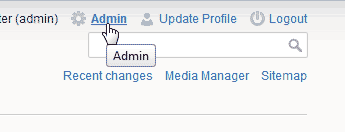
Click the Admin link at the top right side.
- Click the Configuration Settings link.
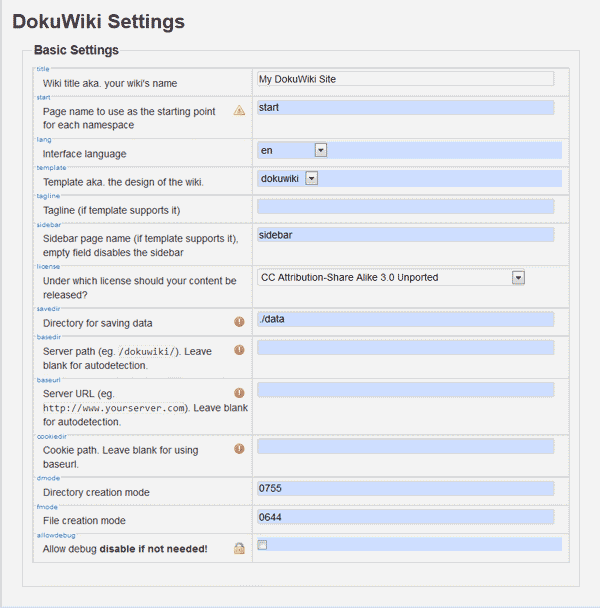
The snapshot to the right is of the Basic Settings in DokuWiki. Below is a table of what these settings are for.
| Basic Settings | |
|---|---|
| Wiki title aka. your wiki’s name | The Wiki name can be change in this section. This is set when the DokuWiki site is installed. |
| Page name to use as the starting point for each namespace | Allows the starting page to be changed to a different page that start. This must be a valid page name. |
| Interface language | Allows the interface language to be changed. |
| Template aka. the design of the wiki. | Selects the template to “skin” the site to. |
| Tagline (if template supports it) | Includes a tag line in certain templates. |
| Sidebar page name (if template supports it), empty field disables the sidebar | Allows the sidebar to be renamed is certain templates. |
| Under which license should your content be released? | This setting will give the administrator the capability of displaying different license information based on what the site allows to be distributed or used. |
| Directory for saving data | You can change the directory where files are saved. |
| Server path (eg. /dokuwiki/). Leave blank for autodetection. | This can be changed to direct the DokuWiki site to a different directory on the server. |
| Server URL (eg. https://www.yourserver.com). Leave blank for autodetection. | When installing on a domain, it may be necessary to get the DokuWiki working on a server temp url. This allows the url to be changed for the site. |
| Cookie path. Leave blank for using baseurl. | You can change the location where cookies are saved with this setting. |
| Directory creation mode | Specify’s the permissions of a directory when directories are saved. |
| File creation mode | Specify’s the permissions of files when they are created on the server. |
| Allow debug disable if not needed! | When this is enabled, you can add the following:
&do=debug to the end of a url to debug any configuration issues or errors. |
How to change your DokuWiki site title
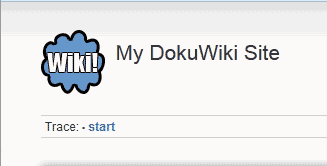
When installing DokuWiki, the installer asks for a title for your DokuWiki site. In the event you want to rename the site title, you can change this in the Basic Settings of the DokuWiki admin section. In this example, the title My DokuWiki Site is going to be changed to a new title.
- Log into DokuWiki
- Go to the Admin link at the top right.
- Go to the Configuration Settings.

In the “Wiki title aka. your wiki’s name” text box, type the new name for your site.
Scroll to the bottom and Click Save.
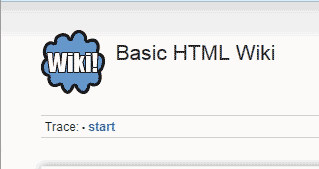
Now the title on your site will show the new title..
Changing the site URL to the temp url
When you cannot use the domain you installed DokuWiki on, you can set the site URL to work on the temporary URL. The following will explain how to configure DokuWiki to work on the temporary URL.
- Log into DokuWiki
- Click the Admin link at the top right side.
- Click Configuration Settings.

Type your temporary URL in the Server URL text box..
- Click Save at the bottom of the page. The site should load as your temporary URL now. When done working on the site, you can follow the same steps to change the site URL back to your domain name.
Making your DokuWiki License GNU free

When administering a wiki site, the type of permission you give your wiki patrons will differ on the type of content your site will have. If you want to let your wiki visitors know that your information is available to chare as a General Public License where people can share, copy, and modify freely. The following steps will explain how to change the license at the bottom of your DokuWiki site.
- Log into DokuWiki
- At the top right side of the page, click Admin.
- Select Configuration Settings.
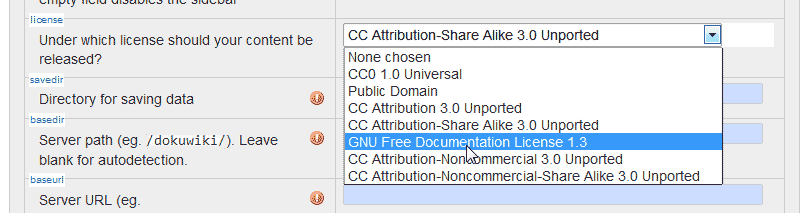
In the “Under which license should your content be released?” drop box, select GNU Free Documentation License 1.3 from the list.
Click Save.

